I have a few feature request for the DeleteObject from Rhino.
Would it be possible to add a run output, so I can chain the delete objects from layer and bake by insert components?
Is there a way to undo the deletion in Rhino? The deleting doesn’t seem to be captured in the undo history.
Could you add support for removing objects on locked layers? My workflow is as follows: I am offsetting curves and bake the result to Rhino. But I don’t always want to select the offset, so I lock the layer. But that means I cannot delete the objects and may end up with several new baked objects, because the layer was not cleaned on beforehand.
A Layer input to delete all objects on a layer might also be a handy addition (to reduce components on the canvas).
hi thanks for feedback
in the new update resolved and fix this bug( this problem happened beacuse this api that interference by some other plugins) for example dendro…)
This issue is not due to the plugin, but because a new geometry type called Closed Extrusion has been added in Grasshopper from version 8 onwards. Since the Flexibility plugin is built for Rhino 7, in such cases—when you draw a box in Rhino—you need to first convert it to a Brep; otherwise, the plugin will not recognize it. In similar situations with other components, you should use the same method.
这个问题并不是插件本身导致的,而是因为从Grasshopper第8版开始,新增了一种名为“Closed Extrusion”的几何类型。由于Flexibility插件是为Rhino 7开发的,在这种情况下,当你在Rhino中绘制一个立方体时,应该首先将其转换为Brep,否则插件无法识别它。对于类似的问题,其他相关组件也应该采用同样的方法处理。
hi fix gh_extrusion() in new update for Rhino 8.17 and above:
Development of the Flexibility plugin for advanced modeling and manipulation of SubD, Mesh, NURBS, Curves, and more within Grasshopper, fully compatible with Rhino 8.17 and later.
Advanced plugin for SubD, Mesh, NURBS, and Curves in Grasshopper.
*Flexibility delivers 280+ workflow-boosting components, fully compatible with → →Rhino 8.17, →Rhino(8,9 WIP), and future releases→now with new components and updated color design.&&&
Thanks for continuing to develop the plugin!
Would you happen to be able to create a Sweep1 and Sweep2 component that’s like their default counterparts, but includes the roadlike function? That way, the sweep sections retain their width.
[The Sweep1RoadLike component has been integrated into Flexibility Plugin v26.5.6.
It generates a single-rail road-like sweep by following a guiding curve and applying a consistent road cross-section along its path.
Could you share an example use case for Sweep2RoadLike?
I would like to know how this double-rail road-like sweep is typically applied in design workflows, so we can document best practices. Componen-sweep1_roadlikeFlexibility.gh (22.9 KB)
The Sweep2 component is typically used when you need to create a transition between two surface edges or curves using a single profile. Just like the Maintain Height option helps to not inflate the sweep if the profile has to be scaled in 3 dimensions (in forces a 2D scaling), the road-like sweep makes it so that the profile doesn’t scale in width.
Video to illustrate Maintain Height:
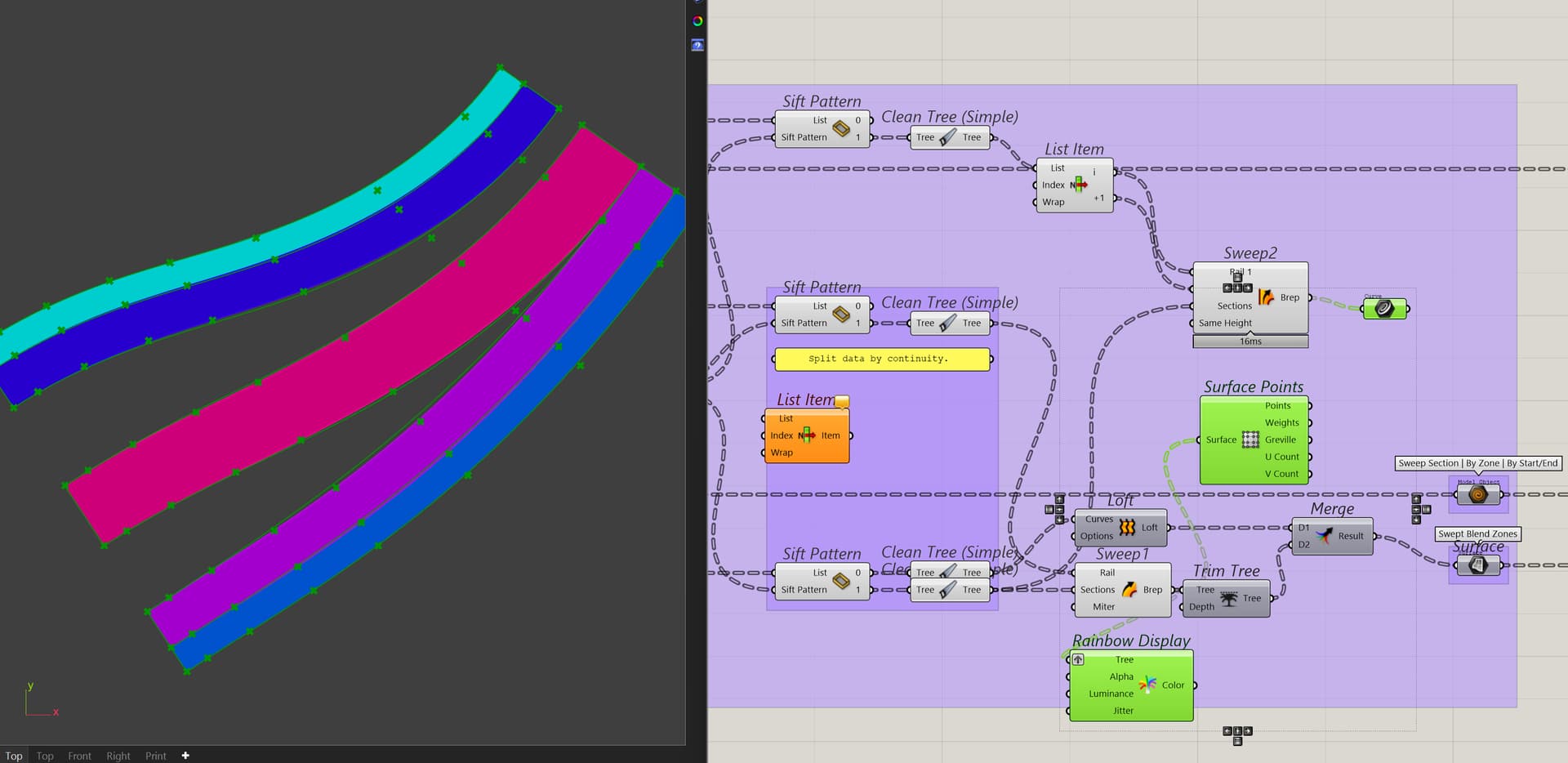
So one case I would use it for is if I have the profiles that I want to sweep and need to make sure these section profiles preserve their width whilst the 2 rails dictate how they would deform/ move.
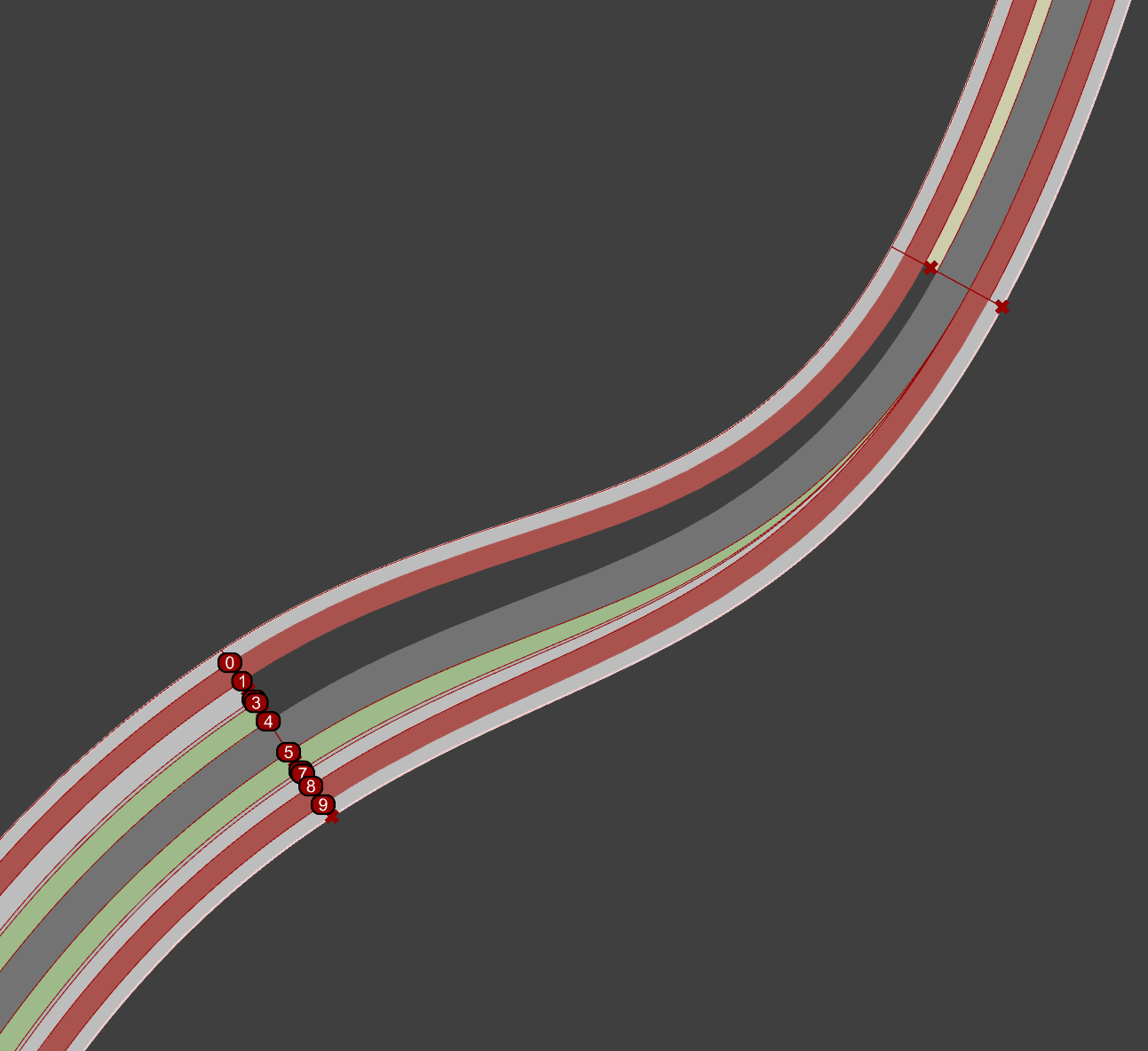
In a situation where I did not have the Sweep1 rail, but only the profile sections and the outer rails, I could use the Sweep2 with the Road like option to recreate this (with the green curves being the two rails and the coloured profiles being the sections on either end).
Without the roadlike option, the result is rather inaccurate (green curves), because the profiles don’t make a clean interpolation between the length of section 1 and section 2, but instead follow the stretching of the rail curves.
Although Sweep2 in Rhino doesn’t expose the roadlike option, I suspect it should make the sweep such that the results of Sweep1 with roadlike would be the same as with Sweep2 with roadlike, because without, they aren’t equal.
Another case could be where you sweep a certain profile that isn’t supposed to stretch in any way, but instead is supposed to follow the rotation and positioning between two surface edges.
Good to see that your Offset component performs similar to the Offset Curve component. Before the offset algorithm was modernised and made to be computed in parallel, I used an Offset component with a tolerance input. However, the plugin it is part of is neither public nor actively developed.The tolerance input, when set below document tolerance significantly speeds up computation for a preview. Could you perhaps look into adding that to your offset component?
Hi @flexibility, thanks for adding the Offset Curve with Tolerance!
Can I also request an equivalent to Human’s Objects by Selection? The Human component unfortunately interferes with the Content Cache component. What I’d like the component to do is to just reference the selected object(s) in Rhino to the Grasshopper document. This is for example useful to create real-time drafting aids with (e.g. dimensions like in Revit).