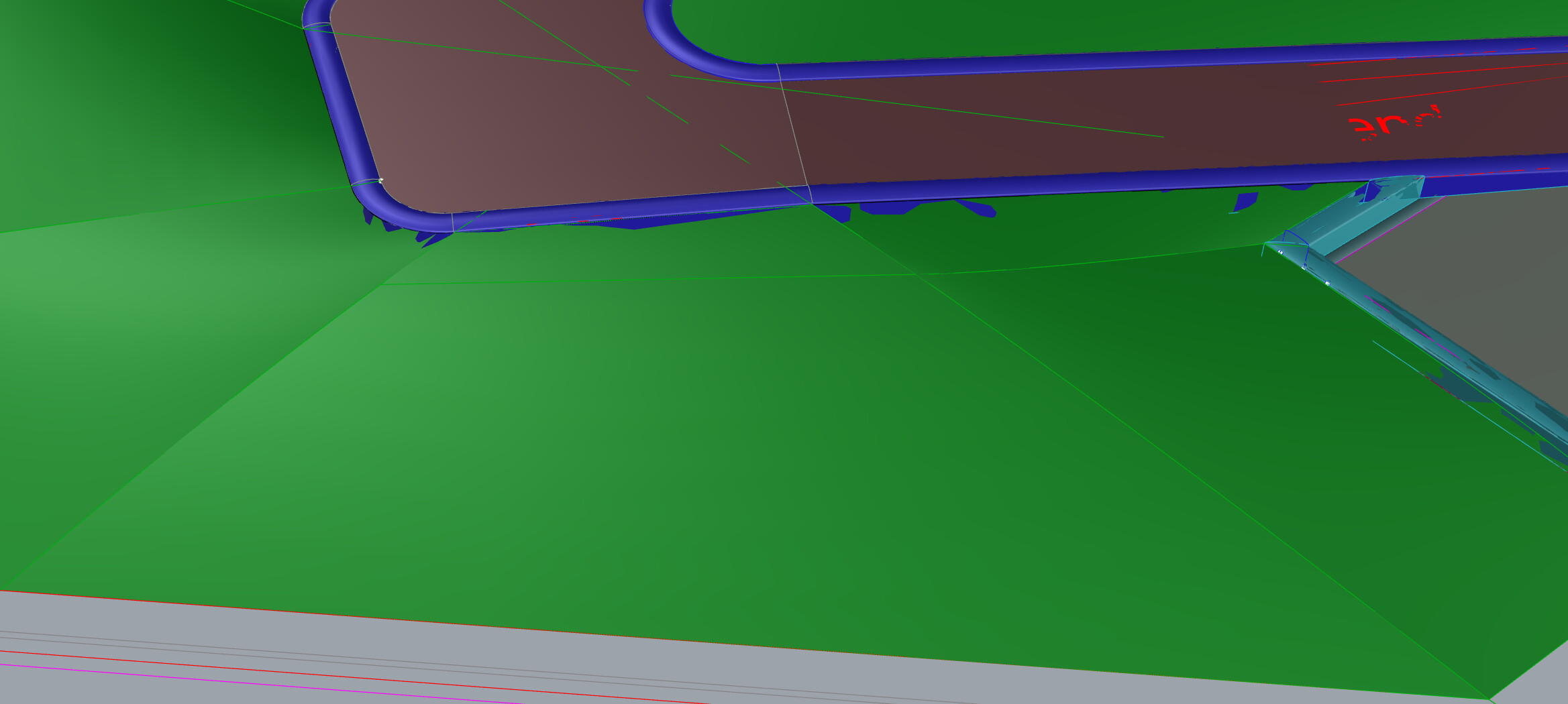
Hi. I am doing a large scene (far from the origin). How can I fix the viewport glitches? Is this because of being far from the centre of my scene, or is it about clipping properties from the viewport?
Thank you
Hi. I am doing a large scene (far from the origin). How can I fix the viewport glitches? Is this because of being far from the centre of my scene, or is it about clipping properties from the viewport?
Thank you
Hi Bruno,
The floating point math gets wonky far from origin, best if you can move it closer to 0,0.
Please run SystemInfo in the Rhino command line and post the result. Thanks!
Is it possible to move the centre to the mesh instead of moving everything to the centre?
System Info below:
Rhino 8 SR21 2025-7-7 (Rhino 8, 8.21.25188.17001, Git hash:master @ 2e05bb7e11ec03aa58cc543d92330d59df05d32b)
License type: Evaluation, build 2025-07-07
License details: Cloud Zoo
Expires on: 2025-08-09
Windows 11 (10.0.26100 SR0.0) or greater (Physical RAM: 64GB)
.NET 8.0.14
Computer platform: LAPTOP - Plugged in [100% battery remaining]
Non-hybrid graphics configuration.
Primary display and OpenGL: NVIDIA GeForce RTX 4080 Laptop GPU (NVidia) Memory: 12GB, Driver date: 7-14-2025 (M-D-Y). OpenGL Ver: 4.6.0 NVIDIA 577.00
> Integrated accelerated graphics device with 4 adapter port(s)
- Windows Main Display is laptop’s integrated screen or built-in port
Primary OpenGL: NVIDIA GeForce RTX 4080 Laptop GPU (NVidia) Memory: 12GB, Driver date: 7-14-2025 (M-D-Y). OpenGL Ver: 4.6.0 NVIDIA 577.00
> Integrated accelerated graphics device with 4 adapter port(s)
- Windows Main Display is laptop’s integrated screen or built-in port
OpenGL Settings
Safe mode: Off
Use accelerated hardware modes: On
GPU Tessellation is: On
Redraw scene when viewports are exposed: On
Graphics level being used: OpenGL 4.6 (primary GPU’s maximum)
Anti-alias mode: 4x
Mip Map Filtering: Linear
Anisotropic Filtering Mode: High
Vendor Name: NVIDIA Corporation
Render version: 4.6
Shading Language: 4.60 NVIDIA
Driver Date: 7-14-2025
Driver Version: 32.0.15.7700
Maximum Texture size: 32768 x 32768
Z-Buffer depth: 24 bits
Maximum Viewport size: 32768 x 32768
Total Video Memory: 12282 MB
Rhino plugins that do not ship with Rhino
Rhino plugins that ship with Rhino
C:\Program Files\Rhino 8\Plug-ins\Commands.rhp “Commands” 8.21.25188.17001
C:\Program Files\Rhino 8\Plug-ins\rdk.rhp “Renderer Development Kit”
C:\Program Files\Rhino 8\Plug-ins\RhinoRenderCycles.rhp “Rhino Render” 8.21.25188.17001
C:\Program Files\Rhino 8\Plug-ins\RhinoRender.rhp “Legacy Rhino Render”
C:\Program Files\Rhino 8\Plug-ins\rdk_etoui.rhp “RDK_EtoUI” 8.21.25188.17001
C:\Program Files\Rhino 8\Plug-ins\NamedSnapshots.rhp “Snapshots”
C:\Program Files\Rhino 8\Plug-ins\MeshCommands.rhp “MeshCommands” 8.21.25188.17001
C:\Program Files\Rhino 8\Plug-ins\IronPython\RhinoDLR_Python.rhp “IronPython” 8.21.25188.17001
C:\Program Files\Rhino 8\Plug-ins\RhinoCycles.rhp “RhinoCycles” 8.21.25188.17001
C:\Program Files\Rhino 8\Plug-ins\Toolbars\Toolbars.rhp “Toolbars” 8.21.25188.17001
C:\Program Files\Rhino 8\Plug-ins\3dxrhino.rhp “3Dconnexion 3D Mouse”
C:\Program Files\Rhino 8\Plug-ins\Displacement.rhp “Displacement”
C:\Program Files\Rhino 8\Plug-ins\SectionTools.rhp “SectionTools”
Thank you!