Thanks
@Jonathan_Hutchinson1 @theoutside
I think that just being able to pick multiple surfaces would be a massive improvement… And to have history enable on the fillets…!
Sach
Thanks
@Jonathan_Hutchinson1 @theoutside
I think that just being able to pick multiple surfaces would be a massive improvement… And to have history enable on the fillets…!
Sach
there’s a thought…
The general idea of using FilletSrf to smoothly connect two sets of surfaces is a very powerful approach to modeling in Rhino. It is far more powerful than using the modeling strategy of booleans and then filleting edges.
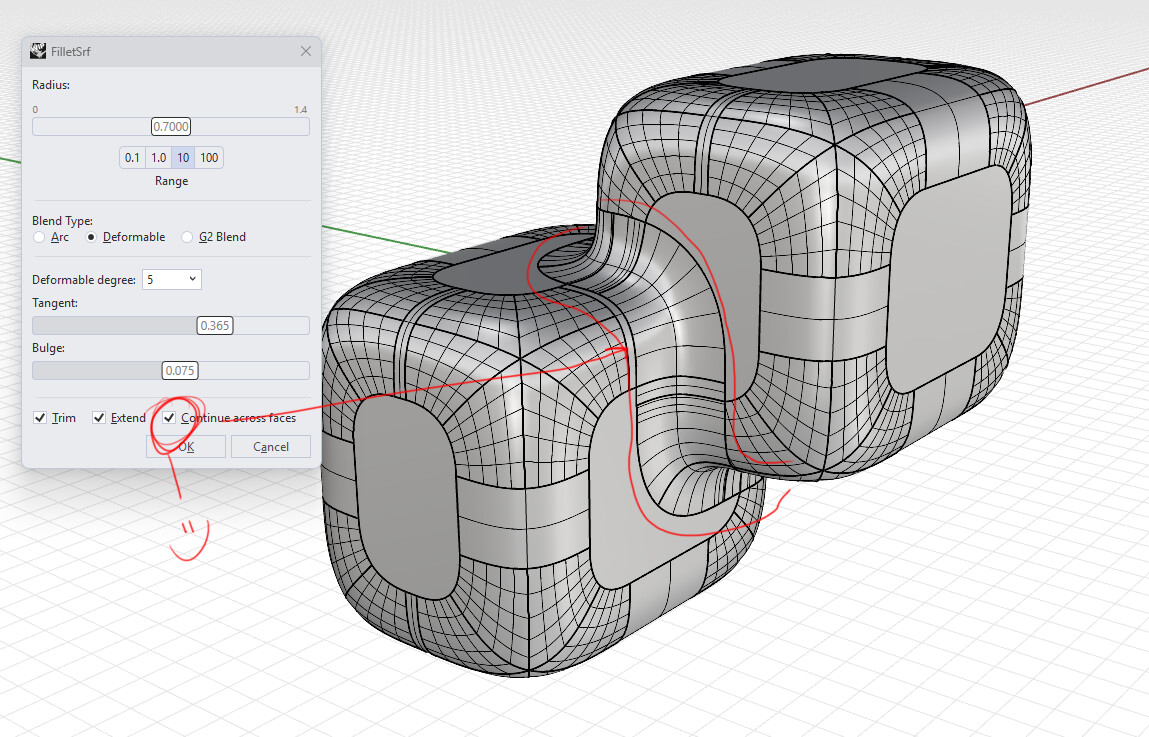
The problem with your example model is that the surfaces need to be tangent. When the base surfaces are all tangent then the individual connecting fillets will join into a single string of fillets, but if they are not tangent (as the cyan surfaces are in your example) then the fillet string will be broken at the place where the surface continuity is bad. Here is a model with the cyan surfaces are made tangent so you can see the difference:
Fillet workflowx.3dm (98.6 KB)
For those of you who are interested in modeling using this strategy attached is a Python script that will make all the fillets in one go. You use it just like FilletSrf - pick 2 surfaces just as you would with FilletSrf and the script will make all of the fillets in a string of fillets. The script will stop when it comes to a discontinuity as in your example model, so modeling the base surfaces with good tangent continuity is important to be successful.
FilsrfX.py (36.8 KB)
Hi Jim.
Yes, indeed the UX would be much improved if you could run the whole string in one go!
Actually, the tangent break is intentional in this model–as these are two parts not tangent and with a step–but you get the idea from the 2 green surfaces and the large side cyan one.
Even better if Rhino could handle these tangent breaks that would be useful; especially if they are an intended part of the design as is the case here.
Sach
You are missing the point. When the input surfaces are made tangent the solution is completely defined. When using FilletSrf there is no good reason the user has to keep telling Rhino repeatedly over and over again where the next fillet goes in a string of tangent fillets. After the user tells it where to make the first fillet Rhino should know where all the subsequent fillets go and just make them. This would save users an enormous amount of time when using FilletSrf.
The problem with discontinuities is its not easy to determine what is intended. In particular, tiny discontinuities are rarely intended at all. They are usually accidents or mistakes. But even when the discontinuity is intended, the filleting solution the user wants is usually not well defined. In your example you could just create a loft between the ends of the fillets that don’t meet up. That might be what some users intend in this situation but will produce garbage in other situations.
I’m completely on the point…
Does this work for multiple edges coming to a point, eg. Top horizontal edges and vertical edges of a cube?
at the moment it has to be a tangent edge connection where the surfaces will be made, so If I’m understanding your scenario correctly, this would not work as you described.
you’d still likely be using edge blending instead of surface blending for this type of work.
but…if I’m confused post a scenario file and I’ll be happy to take a peek or give it a go.