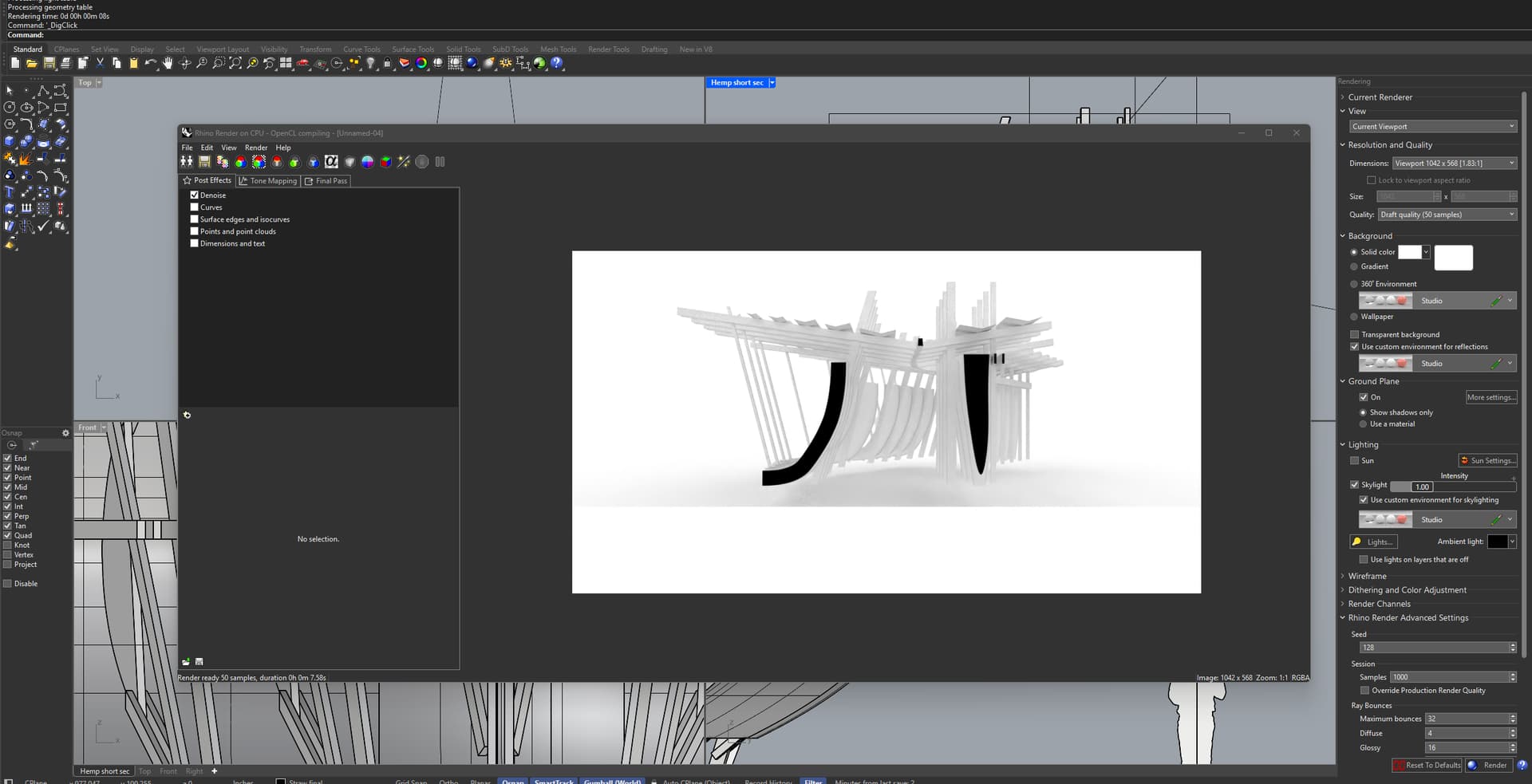
When I attempt to render basic shadows on a model, I continually get the error “Failed to Create CUDA Context (Illegal Address)” in the bottom left corner of the renderer window.
For context, I have been attempting to solve this for a while. I have the latest NVIDIA drivers for my laptop’s RTX 4060, which I have installed cleanly (the option that wipes traces of previous driver install files) two separate times>
Windows 11 (10.0.26100 SR0.0) or greater (Physical RAM: 32GB)
.NET 8.0.18
Computer platform: LAPTOP - Plugged in [100% battery remaining]
Non-hybrid graphics configuration.
Primary display and OpenGL: NVIDIA GeForce RTX 4060 Laptop GPU (NVidia) Memory: 8GB, Driver date: 7-14-2025 (M-D-Y). OpenGL Ver: 4.6.0 NVIDIA 577.00
> Integrated accelerated graphics device with 4 adapter port(s)
- Windows Main Display is laptop’s integrated screen or built-in port
Primary OpenGL: NVIDIA GeForce RTX 4060 Laptop GPU (NVidia) Memory: 8GB, Driver date: 7-14-2025 (M-D-Y). OpenGL Ver: 4.6.0 NVIDIA 577.00
> Integrated accelerated graphics device with 4 adapter port(s)
- Windows Main Display is laptop’s integrated screen or built-in port
Secondary graphics devices.
Intel(R) UHD Graphics (Intel) Memory: 2GB, Driver date: 4-15-2025 (M-D-Y).
> Integrated graphics device with 4 adapter port(s)
- Secondary monitor is laptop’s integrated screen or built-in port
OpenGL Settings
Safe mode: Off
Use accelerated hardware modes: On
GPU Tessellation is: On
Redraw scene when viewports are exposed: On
Graphics level being used: OpenGL 4.6 (primary GPU’s maximum)
Anti-alias mode: 4x
Mip Map Filtering: Linear
Anisotropic Filtering Mode: High
Vendor Name: NVIDIA Corporation
Render version: 4.6
Shading Language: 4.60 NVIDIA
Driver Date: 7-14-2025
Driver Version: 32.0.15.7700
Maximum Texture size: 32768 x 32768
Z-Buffer depth: 24 bits
Maximum Viewport size: 32768 x 32768
Total Video Memory: 8188 MB
Rhino plugins that do not ship with Rhino
C:\ProgramData\McNeel\Rhinoceros\8.0\Plug-ins\Datasmith Rhino Exporter (d1fdc795-b334-4933-b680-088119cdc6bb)\DatasmithRhino8.rhp “Datasmith Exporter” 5.5.3.0
If your machine had a recent update you may have to reinstall your GPU driver using the clean install option in the custom installation options. Windows updates are known to mess drivers up.
You could try recompiling the kernels. In Rhino go to Tools > Options > Rhino Render. Under the device tab page you find two buttons, one of them recompile kernels. Hit that and wait until the color dot after your device turns green. If it stays orange for more than 10 minutes hit the button to show the compile log and copy and paste the contents here.
1: NVIDIA GeForce RTX 4060 Laptop GPU (Optix) (0) | Loading render kernels (may take a few minutes the first time):
Completed 1: NVIDIA GeForce RTX 4060 Laptop GPU (Optix)
time: 00:00:00.4115682
ERROR LOG:
No errors.
[OpenColorIO Info]: Color management disabled. (Specify the $OCIO environment variable to enable.)
[OpenColorIO Info]: Color management disabled. (Specify the $OCIO environment variable to enable.)
Compile start time: 2025-07-31 9:24:56 AM
Compile end time : 2025-07-31 9:28:43 AM
There don’t seem to be any other errors shown in the log. Any other ideas?
Does this error happen with any file or just specific ones? For instance if you just start Rhino, add a box and switch to Raytraced mode or _Render, does that work without the error?
If I open a new file file and try and render a box, it will do a few samples and give the error: Illegal address in CUDA queue synchronize (Integrator_shade_background)
if I try it again in the file with the box or my main file, it will give the first error I mentioned.
One last thing, I am getting occasional artifacts on my viewport when modelling as well, which leads me to think it might be an issue with the GPU and application not working well together.
Would doing a clean reinstall of Rhino 8 do anything to help? And if so, how might I go about that?
To me that sounds more like failing GPU hardware to me, which could explain also the error you are seeing. If it were a code bug I’d be seeing it too on my NVidia GPUs.
It’d be interesting to see if you get issues using Cycles in Blender 3.5 (closest to what we have in Rhino 8) as well. Just download the ZIP, extract it somewhere and run blender.exe, then choose to render the default scene with Cycles.
Just to double-check: you did make sure Edit > Preferences > System has CUDA or OptiX set. And then before you render the default scene that Cycles is set as the render engine and GPU is set as the target.
On first render it will take a couple of minutes for Blender to compile the kernels for first usage - it will say so in the render window top left.
However when I attempted to render the default blender scene to confirm the fix, it gave the same ‘Illegal Address’ error. when I went back to the rhino file and tried to render another model it failed again This time with a different error: “Illegal address in CUDA queue synchronize (integrator shade shadow)”