You don’t need to add a gate. If you change the button action to “Bake” before exposing the Action input, the default action (true value) of the Content Cache component will be bake.
You can save your own version as a user object. I have done that with a few components. A button can also have a user specified false and true state…
We have all the options, really!
Thank you. I did not know this.
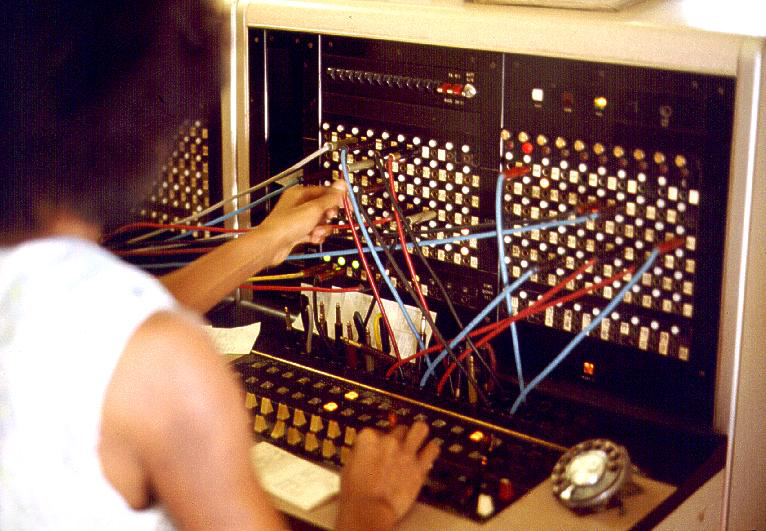
OK,OK, but does it make sense to rummage through the telephone switchboard of a component to get it to do basic stuff ?
This is the exact opposite of a good UI.
That’s what I despise right there !
This component should do a basic bake by default.
And if there’s a daredevil somewhere who wants to waste his time with this whole cache boobie trap, let him fiddle with the component !
You only need to create your custom component once and save it as user object.
You should not need to do ANYTHING.
This is upside-down.
Let’s just agree that we don’t have the same definition of a good UI.
For me, it’s got to be simple by default, yet editable to be more complex, and not the opposite.
You water down your message by mixing reasonable critique with ridiculous rants like this. Just make the User Object man.
Why do you even use Grasshopper when you hate it so much?
It’s true that UX (the “user experience”) is a weak point for GH. Even now, long after its official release, R8 is absurdly buggy - to the point that I don’t use it unless necessary (because someone else has). It’s great that a few of you experienced GH people have waded into it to find and report its flaws. I too would be whining all the time about poor choices they have made but whining gets tiresome. I’m more interested in getting GH to work than complaining and wishing for changes.
I love David’s GH. I’m not sure I like what the other folks at McNeel are doing with it at present.
It seems that even you Martin, who spends your weekends in this forum, don’t fully understand how this egg crate Juggernaut works.
It should make you worry about folks that are completely new to Grasshopper.
I have taught GH to many newbies and I feel I have the right to rant about unnecessary complexities.
Would you look a student in the eyes and tell him to “make a User Object, man” if he wants to bake a bunch of circles ?
Becoming proficient / experts with GH seems to transform some folks around here into nerdy snobs.
No I would not.
I would explain them how to use the cache component.
And then if they need something more sophisticated like in your case, show that a button component can be tweaked.
I’ve used buttons and scripts and what not to bake geometry with EleFront. Many times the button would sort of get stuck in true state. I don’t understand why that happens but it does.
My MMB executes a double LMB… 
Nerdy yes. I am.
I like the fact that we can adjust things to our liking and needs, replacing a geometry or adding it is very useful to have…even if it takes a little time to get used to new features and expressions…feels like you lost some flexibility over the last 20 years. Or how did you learn Rhino 20 years ago?
Also I think your baking is less dangerous than being an astronaut…but that just to say that there is a constructive way of saying things. “Tout de la m****” and cynic comments won’t make people hear your critique.
we might have been nerdy all our lives and don’t like programs with one button only and no options. There are so many gh experts here, although we had to learn everything by ourselves. Students nowadays have the forum, teachers like you…how can it be harder to learn?
However, here an element that does a simple bake with some attributes and a simple button click (no switch) for RH8:
Bake.gh (8.0 KB)
If you don’t care for it, I’m pretty sure @martinsiegrist will, it’s more reliable than Elefront (at least at the moment, Elefront’s authors are really strong)
Hey guys,
As a good snob nerd yes I’m also here on Sunday.
Looks like we are not fulfilling all the expectations, but is hard to decipher the message when some personal decalcifications are mixed in between.
Personally, I think it ads no value to the conversation.
All ideas and criticisms over these are welcome, also any criticisms on the software itself is welcome and necessary, but not about people. It would be a pity that somebody stops himself to express his ideas here afraid of going down to the mud of the conversation.
We are reading you and all your suggestions and even between all this noise we are trying to do something that matches most of your needs.
You can keep writing here or directly to me at kike @ mcneel.com, I’m going to alloc two hours weekly for this topic (Wednesday 5PM-7PM Barcelona time) for anybody who wants to give his feedback, argue or complains about this topic on a video call.
Again please stop throwing adjectives over people here, lets talk about the ideas and I’m sure we will arrive to an agreement on what is best for the software and at the end for all of those that are interested on it.
I know this isn’t the correct thread for this, but since we’re discussing UX, why not.
I decided to try R8 today for something “special” that R8 might be better suited for than R7.
IMMEDIATELY I was confronted with this component using the “*” symbol differently from its traditional use to indicate an expression:


I might have wasted my money on the upgrade because my experience so far is discouraging.
While I know the icons that show up on parameters look similar, they’re actually different. See below.

The icon on the left indicates that the value passed into the parameter will use the “Wildcard text matching” scheme when comparing values, while the one of the right is the icon you’re more familiar with regarding “Expressions”.
The parameters in the Query components (like Name, Layer, Group, etc.) have various text matching schemes that can be applied when making comparisons. This came up because of a user request where someone had wanted to filter for a layer named “MyLayer [Option1]” for example. In wildcard matching, the square brackets matches characters listed inside the square brackets. So for example… let’s say there were three layers called “Ball”, “Bull”, and “Bell”. If you passed in a value like “B[ae]ll” into the Layer input, then it would return the objects on layers “Ball”, and “Bell”, but not “Bull”… So, you can see this caused an issue for the user who was really only wanting to find the objects on “MyLayer [Option1]”.
To fix this, we added a special new “Match Text Parameter” which allows you to control what text matching algorithm is used when comparing two text items. There are six different pattern matching algorithms to choose from: Wildcards, Equals, RegEx, Contains, Starts With, and Ends With.

You can also combine a matching method with the Negate option which will invert the pattern. For example, in the example below, the Query Model Objects component will return all objects on any layer other than “Layer 01”.

Does this help?
How completely absurd  When you have to explain the joke, it’s not funny.
These are just more examples of poor UI/UX decisions, way, way off the deep end. 
I might have been misinterpreted. I wasn’t trying to make a joke. I was merely trying to explain how it all works. The “Ball”, “Bell”, “Bull” example came from the link I posted.
Thanks for the explanations. It’s a way to negate two or more criteria.

I was having this struggle last week with two inputs on the name input. I tried flattening the input but it has no effect. Shouldn’t flattening result in a single list output and grafting multiple inputs result in equal number of lists as inputs?