nussknacker Grundriss Zeichnung!.stp (181.6 KB)
Hi all can anyone help me with this File
im Trying to Cap these 2 objects its says “The openings did not have closed, planar loops of edges.”
nussknacker Grundriss Zeichnung_Cap.3dm (356.0 KB)
Hi, have a look from the right view.
This file was cut from the right view and then cap works. (The value in Z is false now)
nussknacker Grundriss Zeichnung!.3dm (169.0 KB)

didn’t recognize that thnks for the help!
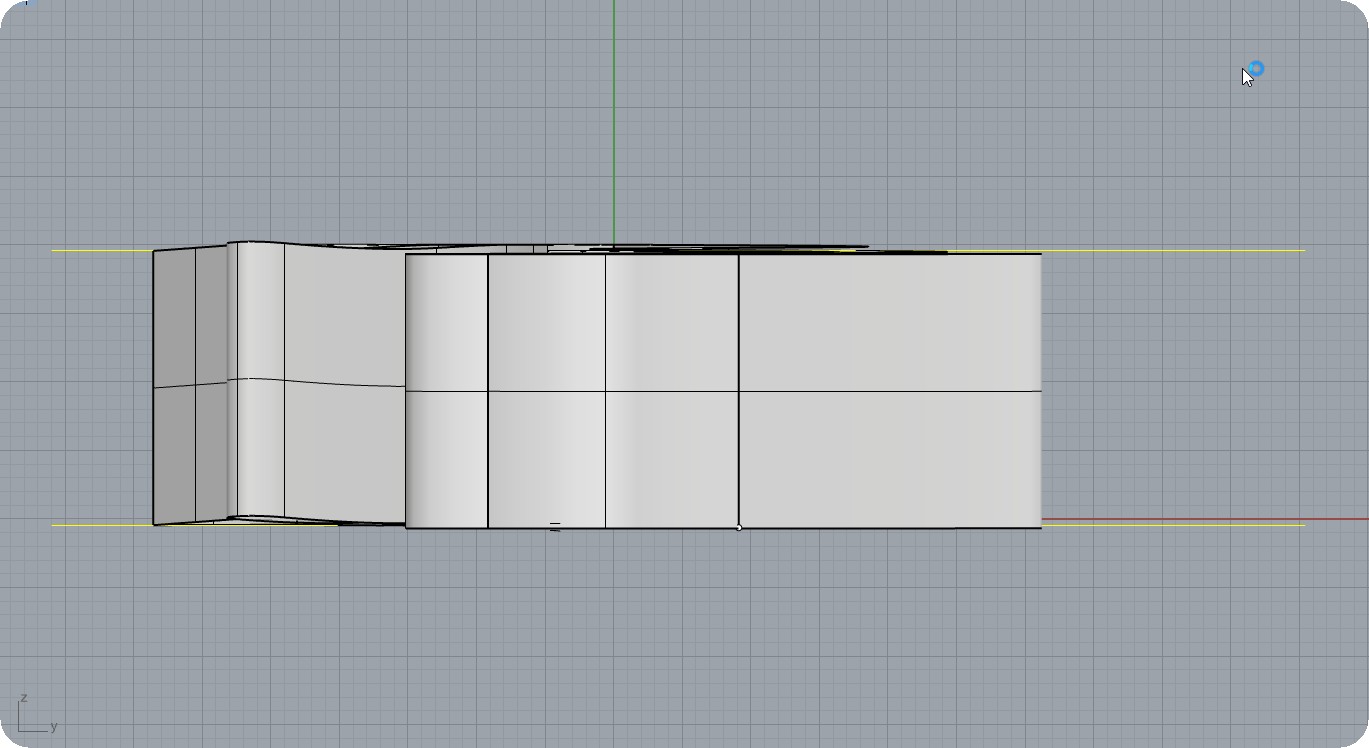
as you can see, your edges dose not located az at the same hight so rhino can not do cap . for a solution you have two way :
1 - first draw a 2d plan for each part az a close spline and then extrude them then type “cap” , select the objects and enter
2- select each of object you create and then type solidpton ( or goto to Solid > solid edit tools > turn on points ) now you can see the points at the bottom and top of your objects. now select the point below and then type “setpt” and in the opened widow select z . now you can move the points to the same level . repeat that for the top pints . if you do correctly , you can type “cap” and then select each of objects and Enter .
Sorry - my english is not well but I hope this be usefull