I love how TriRemesh doesn’t stupidly follow the Nurbs UVs like Rhino’s mesher and rather follows the topology of a shape.
Equilateral triangles hava all sorts of benefits, but I wonder if it would be possible to enhance thjis tool with an adaptive input, allowing to make smaller triangles in areas of strong curvature, similar to the QuadRemesh component ?
Didn’t MeshMachine do this?
Can’t remember…
If it was, why did it go away ? Any idea where I could find it now ?
There is 2 meshmachine, I still use them.

One is there and the other ?
Maybe, we could experiment with the potential of Tri-Remesh a bit further. I’m not quite sure…

AdaptiveTriremesh_re.gh (15.5 KB)
I’ve gotten good results with the RemeshByColour component in Kangaroo. Gives you a lot of control as you can define the color by anything you want and thus gives you a little more fine grained control over the size of the triangles.


I’ve not forgotten about this. TriRemesh fixed some bugs in the old MeshMachine, and I still haven’t released a version with the same fixes for variable edge lengths, but I’m working on some new stuff with fields that ties in with this.
Great work Laurent
This is quite strange. It looks like you hacked TriRemesh.
How did you come up with this idea ?
Thank you Laurent, for the spectacular plugin!
Perhaps I have missed something, but with the same definition, I am unable to achieve the same result as shown above (and below)

In particular, the second image is of interest to me, as I am looking to create a sort of ngon structure (or hexagon tessellation) according to mesh slope (perhaps with a gradient).
I would greatly appreciate any useful suggestions or advice.
Thank you very much.
Hello

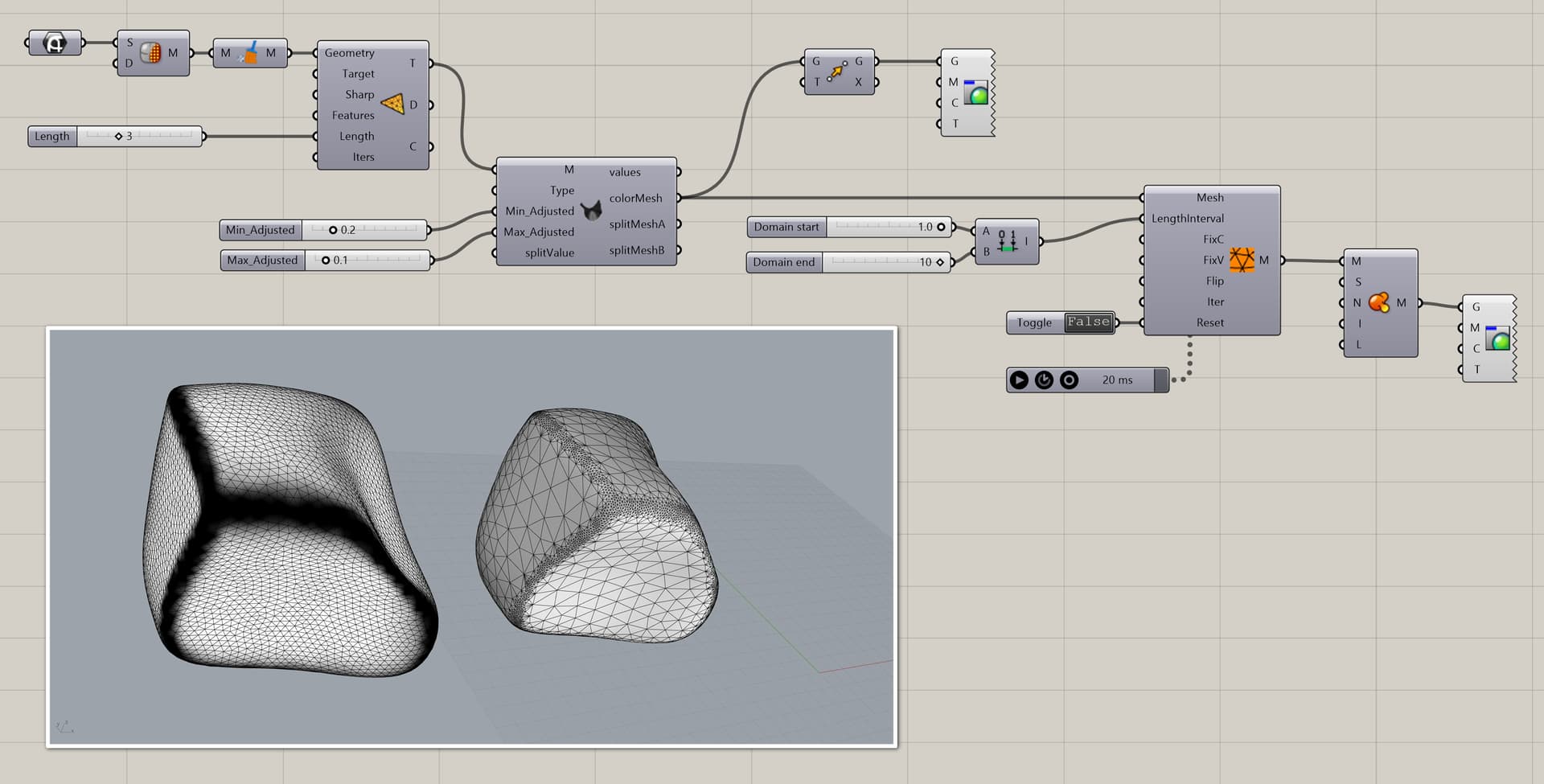
Perhaps I didn’t use the good component to make the RemeshByColor work , button could be better than boolean toggle and MUST be clicked to trigger the computation in Remesh By Color.
RemeshByColor.gh (20.9 KB)
Hope it helps !
OK folks,
Remeshing by colour seems like a lot of fun, but I’m really interested in adaptive remeshing based on local curvature considerations.
Daniel, any timeframe for a “Tri-remesh” with this kind of feature ?
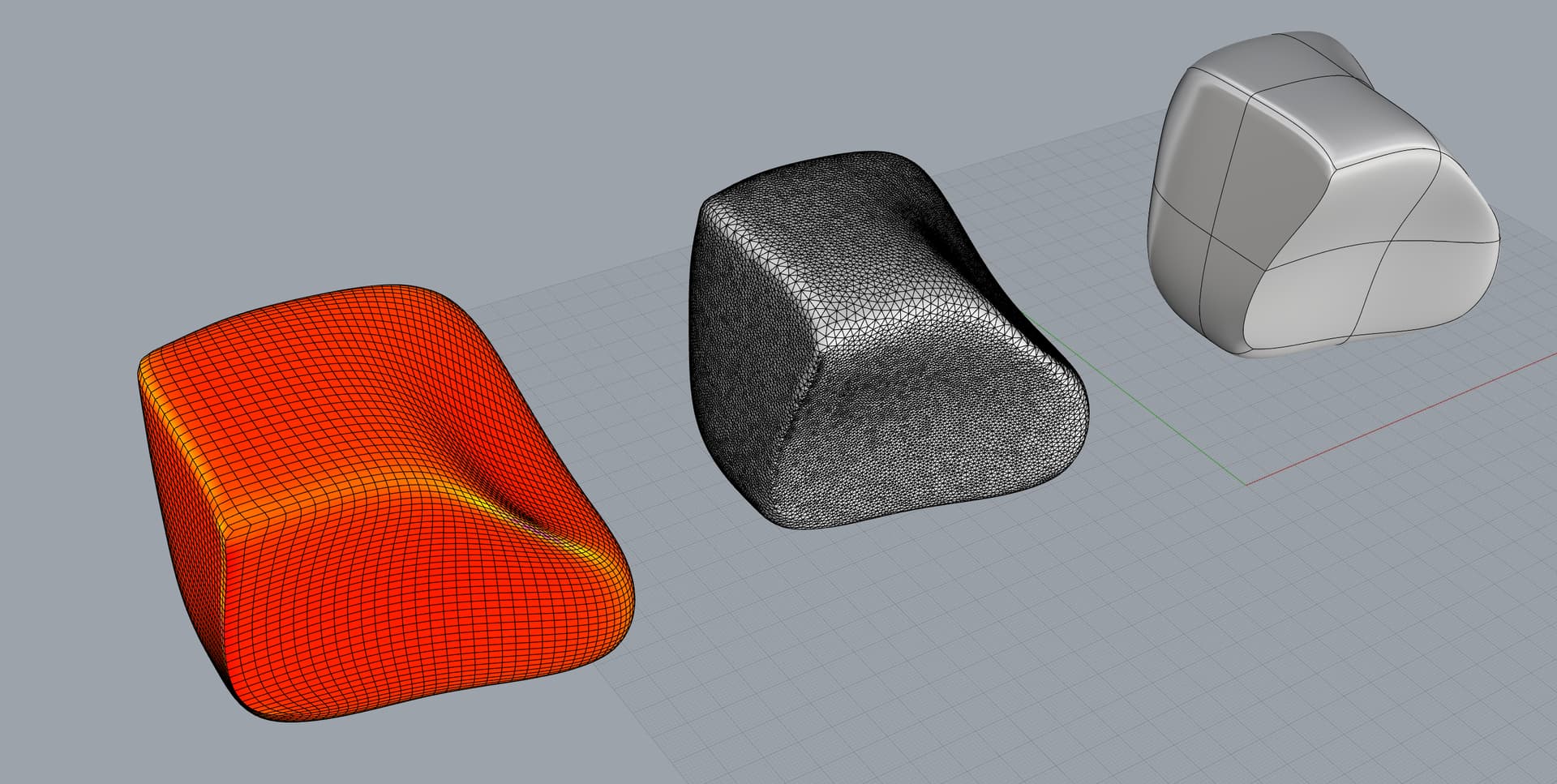
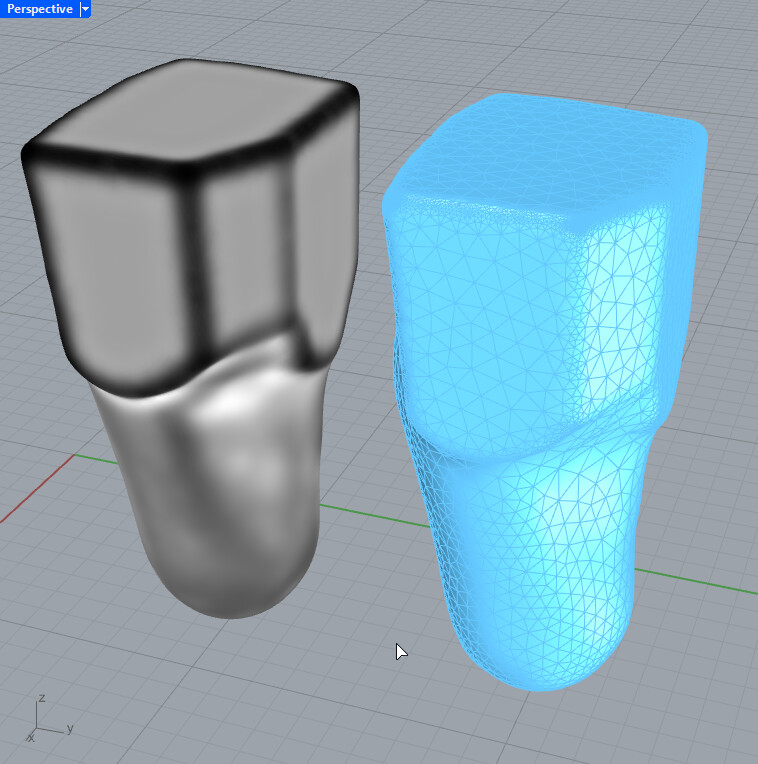
Hear me Martin, Laurent, I’m fine with funky workarounds for edge cases, but I think that this issue deserves a proper tool of it’s own.
My 2 cents
first question what is a mesh curvature ? There are not a single good answer.
How to translate curvature to mesh size ? It is not so simple to transform a graph mapper to some simple parameters.
So “adaptive remeshing based on local curvature” doesn’t seem to be a good or clear specification.
Hi Laurent, I won’t get into hairy topological details with you ; I’m not equipped for that.
Let’s just say that tri-remesh would be really useful it it adapted the size of the triangles in such a way that the distance of the trimesh nodes to the initial mesh was somewhat close to a certain value that could be called “target max deviation” or something.
Does that make sense ?
This is a feature I’m using in Artec Studio all the time to decimate scans. Would be amazing to have this in Rhino. ReduceMesh could be enhanced with this…
