5 Sided Surface Help

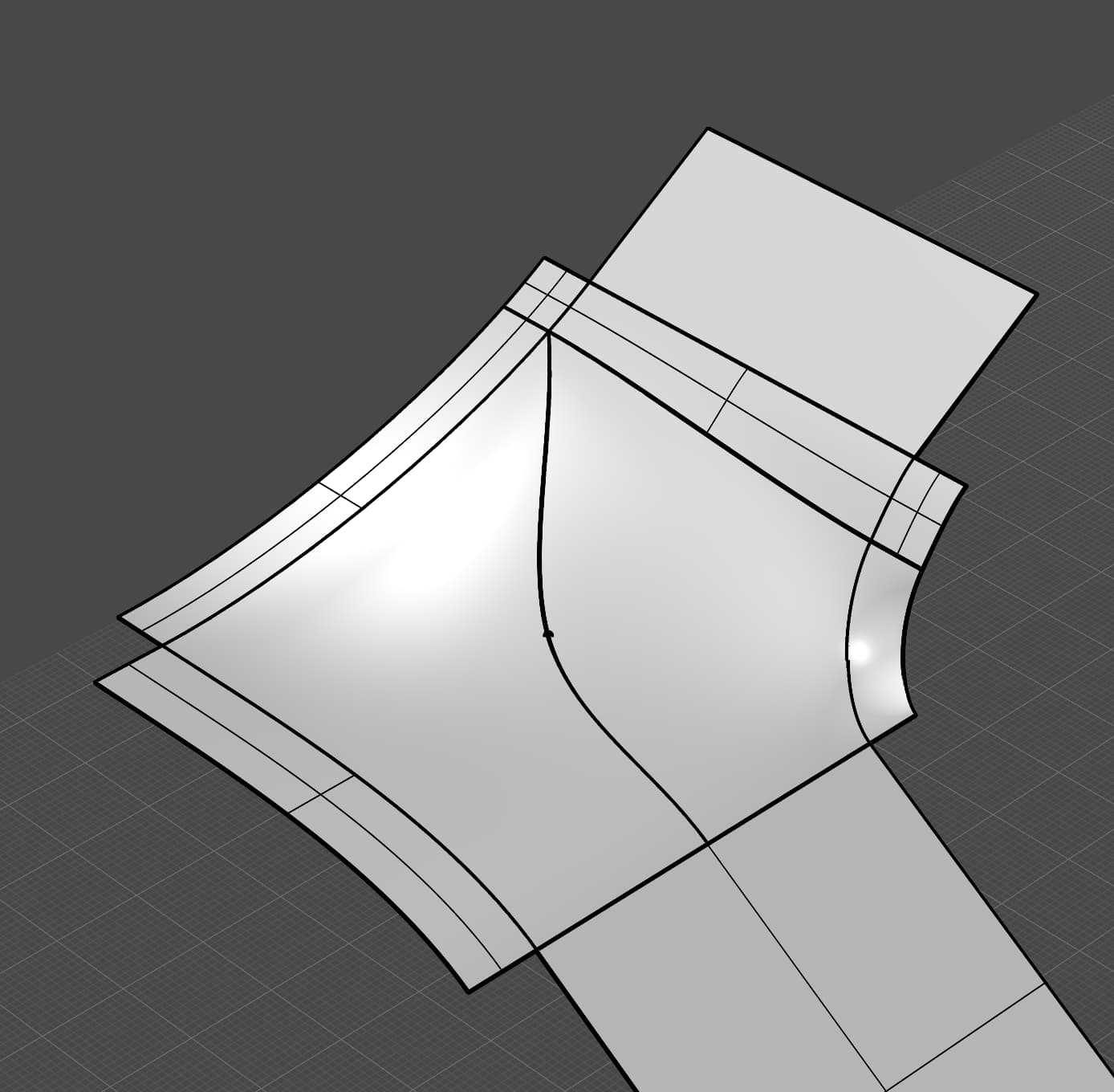
I am struggling to create a clean surface in this opening. Sweeps or patch do not yield the simple surface that I am after. I want it to be tangent to the adjacent surfaces and not trimmed. I have spent hours reviewing 36 Verts surfacing videos, but I’m just not finding a solution.
Any help or advise is greatly appreciated.

STRUGGLE BUS.3dm (119.2 KB)

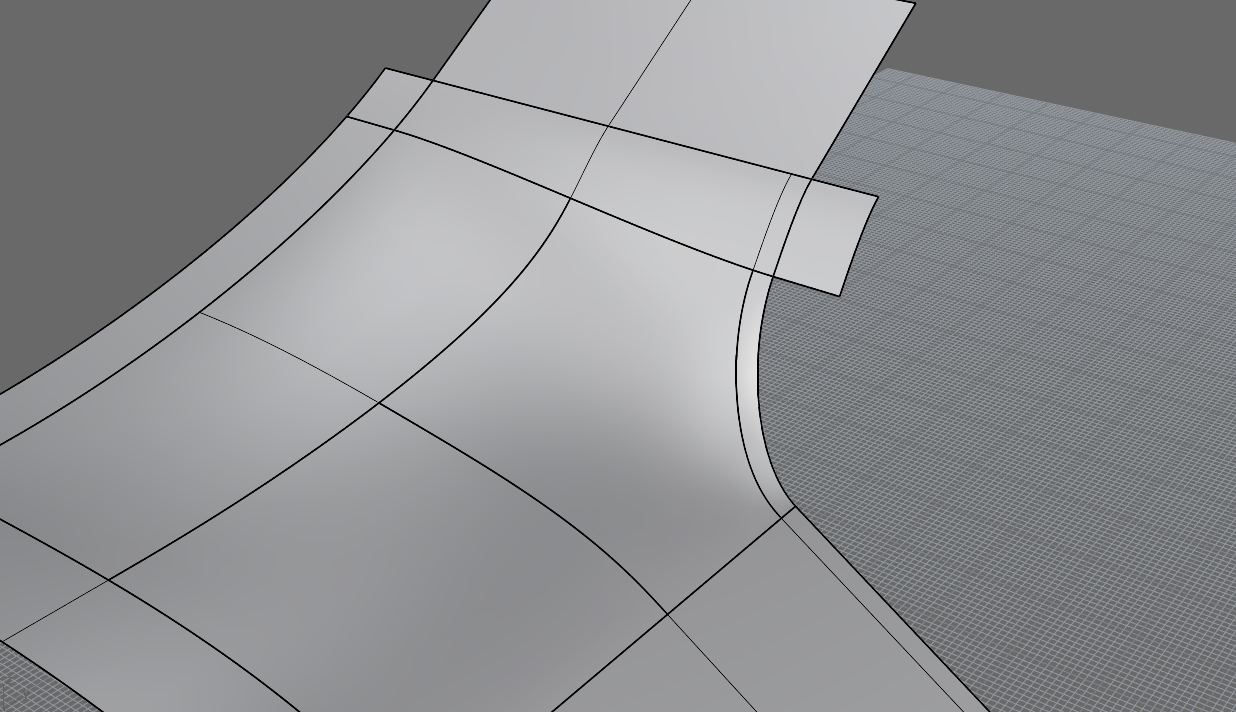
that is impossible just to set your expectations straight, at least not a single surface. you have to divide it into a couple quadrilaterals. alternatively if you have access to Rhino WIp try FillSrf.

2 Likes

Hi Martin. Just wondering which version Rhino you are using. I don’t get the same options control your screenshot is displaying for FillSrf, in 7,8, or wip9 for windows. I know I got the latest wip9 update yesterday or perhaps the day before.

Thanks for your helpp

Gavin

Should be the latest WIP

STRUGGLE BUS.3dm (186.2 KB)

Rhino WIP, 9.0.25161.12305

Rhino 9 SR0 2025-6-10 (Rhino WIP, 9.0.25161.12305, Git hash:master @ c31e7436f1988e26f812b86dfea591758b035e0a)
License type: Commercial, build 2025-06-10
License details: Cloud Zoo
Expires on: 2025-07-25

Windows 11 (10.0.26100 SR0.0) or greater (Physical RAM: 128GB)
.NET 9.0.6

Computer platform: DESKTOP

Standard graphics configuration on OpenGL
Primary display: NVIDIA RTX A5000 (NVidia) Memory: 24GB, Driver date: 5-12-2025 (M-D-Y). OpenGL(4.6.0 NVIDIA 573.24)
> Accelerated graphics device with 4 adapter port(s)
- Windows Main Display attached to adapter port #0
- Secondary monitor attached to adapter port #1

Secondary graphics devices.
NVIDIA Quadro K2200 (NVidia) Memory: 4GB, Driver date: 5-12-2025 (M-D-Y).
> Accelerated graphics device with 4 adapter port(s)
- There are no monitors attached to this device!

OpenGL Settings
Safe mode: Off
Use accelerated hardware modes: On
GPU Tessellation is: On
Redraw scene when viewports are exposed: On
Graphics level being used: OpenGL 4.6 (primary GPU’s maximum)

Anti-alias mode: 4x
Mip Map Filtering: Linear
Anisotropic Filtering Mode: High

Vendor Name: NVIDIA Corporation
Render version: 4.6
Shading Language: 4.60 NVIDIA
Driver Date: 5-12-2025
Driver Version: 32.0.15.7324
Maximum Texture size: 32768 x 32768
Z-Buffer depth: 24 bits
Maximum Viewport size: 32768 x 32768
Total Video Memory: 24564 MB

Rhino plugins that do not ship with Rhino
C:\Program Files\Rhino 9 WIP\Plug-ins\ConstraintsUI.rhp “Constraints UI” 9.0.25161.12305

Rhino plugins that ship with Rhino
C:\Program Files\Rhino 9 WIP\Plug-ins\Commands.rhp “Commands” 9.0.25161.12305
C:\Program Files\Rhino 9 WIP\Plug-ins\rdk.rhp “Renderer Development Kit”
C:\Program Files\Rhino 9 WIP\Plug-ins\RhinoRenderCycles.rhp “Rhino Render” 9.0.25161.12305
C:\Program Files\Rhino 9 WIP\Plug-ins\rdk_etoui.rhp “RDK_EtoUI” 9.0.25161.12305
C:\Program Files\Rhino 9 WIP\Plug-ins\NamedSnapshots.rhp “Snapshots”
C:\Program Files\Rhino 9 WIP\Plug-ins\MeshCommands.rhp “MeshCommands” 9.0.25161.12305
C:\Program Files\Rhino 9 WIP\Plug-ins\IronPython\RhinoDLR_Python.rhp “IronPython” 9.0.25161.12305
C:\Program Files\Rhino 9 WIP\Plug-ins\RhinoCycles.rhp “RhinoCycles” 9.0.25161.12305
C:\Program Files\Rhino 9 WIP\Plug-ins\Toolbars\Toolbars.rhp “Toolbars” 9.0.25161.12305
C:\Program Files\Rhino 9 WIP\Plug-ins\3dxrhino.rhp “3Dconnexion 3D Mouse”
C:\Program Files\Rhino 9 WIP\Plug-ins\Displacement.rhp “Displacement”
C:\Program Files\Rhino 9 WIP\Plug-ins\SectionTools.rhp “SectionTools”

Ok. AS usual I was not paying attention - I was trying to work with FilletSrf, not FillSrf - so yes I see the controls now and can match your results, Thanks as always.

Gavin

1 Like

Thanks Martin,

I didn’t even know that WIPs were a thing. Obviously this is a trimmed multi span surface and not a method of creating single span surfaces to fill the shape, but it definitely yields a way better result than patch or sweeps. I really appreciate your help.

as i have mentioned above this is a thing of impossibility. NURBS Surfaces are always quadrilaterals. any surface that hast more or less than 4 boundaries is inherently trimmed, or in case of less you can also create singularities, but 5 sided untrimmed NURBS surfaces do simply not exist.

2 Likes

to be fair such 5 sided blends are always obnoxiously difficult to make with traditional non trimmed surfaces, it usually involves quite some experiences and a bit time. you can mess around on these things forever and still be a noob…

here is a very simple aproach with 2 quadrilaterals, if any of the more experienced nurbs doctors will see it they might start laughing, fortunately there are not so many around these days, which on the other side is also quite a bit unfortunate

i created 2 lofts and matched them with multiple, there is still a bit some matching to be done, and maybe you have to go back and rebuild once more but it looks like it could actually work out eventually.

no magic bus.3dm (103.5 KB)

What’s so bad about a trimmed surface?

I think the constraints you have set for this surface are such that you’ll never get a satisfying surface no matter how long you try. The corner (Where the curve is drawn) has a nasty torsion. It would be useful to get a bit more context what you are designing.

Winder staircase with radius corners.

pursuing untrimmed surface(s) for this is quite a waste of time

1 Like

a solution, see if it suits you
STRUGGLE BUS_mod01.3dm (277.6 KB)


variant 2
STRUGGLE BUS_mod02.3dm (304.6 KB)


1 Like

This is a quite easy case, but you must be careful with the input geometry and make sure that the tangency or curvature (depending which one you are aiming to achieve) is spot on.
After opening your model in Rhino 7, I found two things that could be improved:

  1. The bottom end of your blend curve has a 0,1 degree deviation, therefore you have to match it to the adjacent surface edge to achieve a proper tangency there.

  2. Once the bottom surface is modified with the “Change degree” tool to match the same amount of control points like the opposite surface, it becomes rational, which is causes lots of troubled with certain modeling tools, such like “Blend surface”. The solution is to either:
    a. Set the control point weight back to 1;
    b. Use the “Rebuild surface” tool. “Change degree” produces errors, so I recommend to be careful with it;
    c. Use “Loft” with tangency option to both sides.


A rational surface means that its control points have a variable point weight ratio. This causes lots of issues with the Blend surface tool due to its reliance on identical point weight. The default point weight of free-form NURBS surfaces is 1 (identical for all control points), and “Blend surface” produces clean output geometry only with these.

“Loft surface”, on the other hand, ignores the point weight, thus it produces clean geometry even if the input surfaces have a rational (variable) control point weight.

Geometry figures such like circles, arcs, cylinders, cones, spheres etc are rational, with degree 2, and point weight of 0,707106781186548 at every 90-degree corner (4 total to form a full circle), which is the correct way to generate perfectly circular geometry with NURBS.


Here is a quick tutorial how to handle such cases, but keep in mind that I slightly adjusted the surfaces to make them G2-friendly, i.e. able to achieve curvature continuity with the future surfaces that will fill the empty space in-between. Also, I haven’t used any input curves and relied only on two blend surfaces instead.


Custom macros used in this video tutorial:

  1. Split surface by isocurve
    ! _Split _Pause _Curve

  2. Move UVN 2%
    !_SetRedrawOff '~_Dragmode _UVN '_Gumball _On '~_-DragStrength _ShowDialog=Yes _DragStrength=2 _Enter '~_GumballAlignment Object '_EnterEnd _SetRedrawOn

4 Likes

You can also check these extra videos related to your 5-sided case:

This claim is incorrect. Loft does not ignore control point weights. If a rational curve, arc, etc is used as input to Loft, the result is a rational surface UNLESS the “Rebuild with” or “Refit within” option is selected.

It’s more appropriate to say that “Loft” ignores that pesky bug that occurs with “Blend surface” when weighted control points are involved.