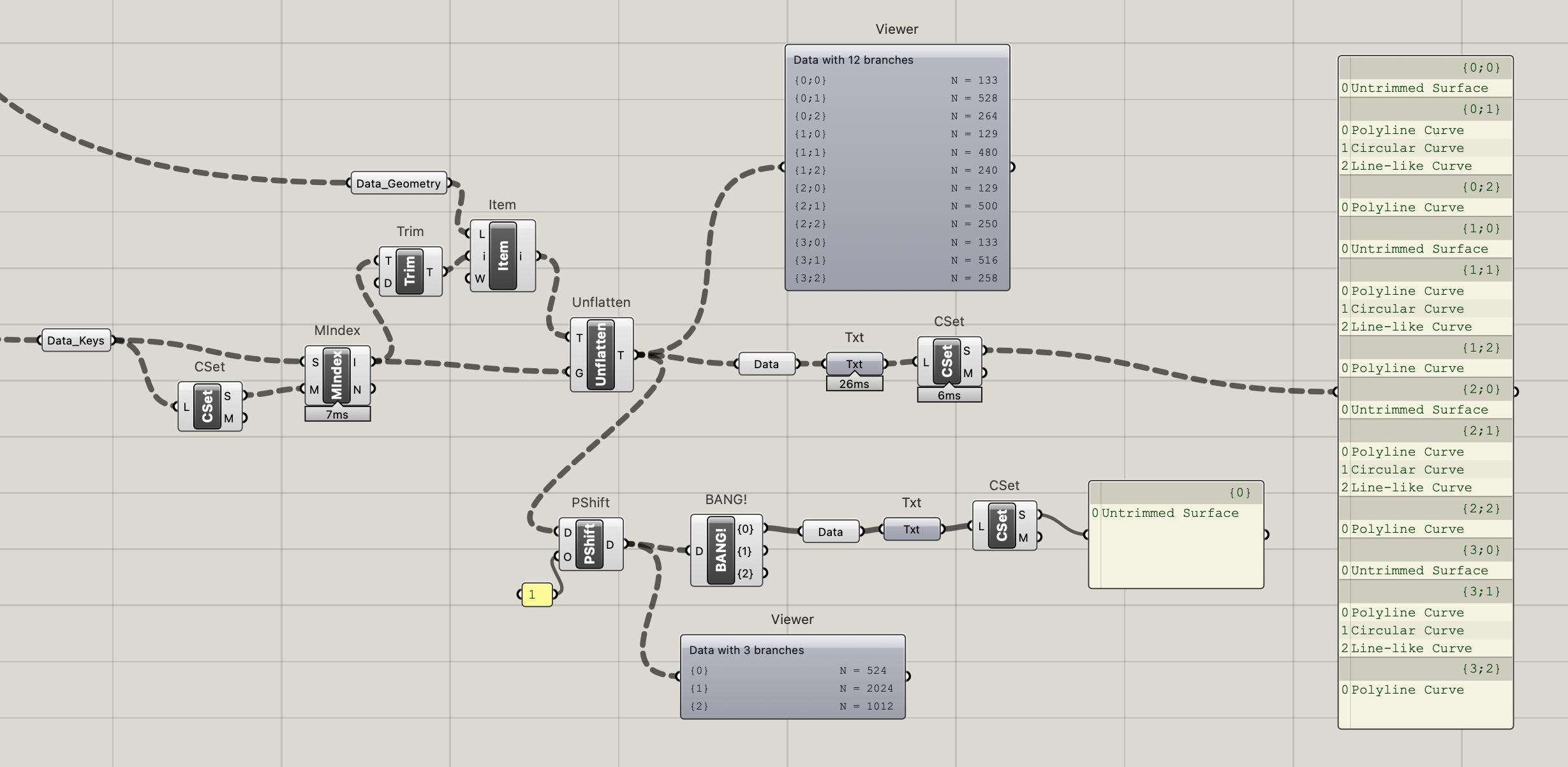
I am trying to reorganize a tree based on the value of the attributes of the objects contained in the branches.
The starting point is this: I am drawing each building volume (or group of buildings) in a different layer. The volumes are composed of “floors” that are then assigned a material. The materials can be used in any layer, so some materials are repeated in different layers (top right view).
In the file I am attaching, there are three layers that get reported in Grasshopper as three branches. I am able to then split the corresponding branches according to the materials contained in that layer, creating subbranches inside the three main branches.
However, when I try to use this information to reorganize the actual geometry the Replace Path component is not working as expected and it generates again a tree with just three branches (removing the subbranches).
I would like to know how this could be fixed. I already saw some posts similar to this (like this), but they are not working exactly in the way I need.
not sure I have understood correctly what you’re after
your original tree has 3 branches (1 per layer of course) and each layer has items with several materials
you want sub-branches to be added depending on the material each geometry belongs to, in such a way each sub-branch consistently indicates the very same material across the 3 original branches?
if that is the case, this might work:
[edit: the following definition produces the wrong result ]
thanks for your help, but I do not think that it is completely working the way I need, because for example in the branch {1;1} you are getting two different materials (Bolig and Næring, sorry, Norwegian language )
Let me try to explain again what I am trying to solve.
In this example I have a flat list and I reorganize the materials in a way that all the materials are organized in different branches according to their values. What I am trying to do is the same but not for flat lists but for tree structures, where each branch is representing a different building (layer) with its materials, that then get sorted out in subbranches according to their values.
the trick to make it work “as similar as possible as it is” is to duplicate the input data tree too List Item in such a way it matches the data tree of the index input
long story short: because of the tree structure of A → then → B must become like C
in such a way the tree structure of C ≈ similar to ≈ tree structure of A
Hey, I’m running into the exact same issue as you here, and I can’t understand why the Set-Member index doesn’t behave as expected when you add a level of complexity to the tree. Any explanation for it?
I always try to avoid solutions that need to duplicate data, but I’m not sure if can do it in this case. @Joseph_Oster I’m tagging you here because I’ve seen your past explanations on this topic and maybe you’re able to enlighten us, sorry if this is not appropriate!
Well, this is kind of embarrassing, because I’ve found a solution while ordering the script to send an example here. And is a nice one that I don’t know why I didn’t try during the hours I’ve spent dealing with this member index issue
I’m explaining the problem and the solution just in case somebody ends up here:
There are several ways to group a list of elements according to some common values (keys), using sets and member index, or replacing paths or with Categorize from Elefront. But these solutions only work with flattened lists. When trying to apply the sets=member idex logic to a list one level deeper, it doesn’t work and is dangerous because the errors appear after the second outer branch (I would love to give some explanation about why, but I don’t have it).
The solution I just found it extremely simple, and I am sorry to have bothered y’all in this thread: using the CreateSet component to the keys list and applying it to a = comparison allows me to cull the original list maintaining the tree structure. Is clean and simple and I just hope that some lost soul find this helpful.
In the script you can find the options, the problematic member index and the solution! Thank you all so much for your help and knowledge
Yeah! That post is really constructive and I’ve followed it but it is only applicable to flattened lists, if you try to make it work with an actual structured list as an input, then it doesn’t work, (the red example in my image)
OMG you’re totally right @kev.r , thank you very much for pointing it, I’m going to edit my optimistic post . Your solution is perfect, thank you very much.


 )
)
 .
.