Hi all,
I can’t find a suiting methode for removing an item on a specific branch.
Am I missing something, how could I do it?
Thanks everybody!
Hi all,
I can’t find a suiting methode for removing an item on a specific branch.
Am I missing something, how could I do it?
Thanks everybody!
Check the data tree class
Thanks, I had searched there.
Anyway I think my intial problem needs another approch.
Thanks for the advice anyways.
Just skip it with a condition. What would remove mean? Set to null, but you would just have to skip anyways otherwise you would get the classical object reference not set to an instance of an object error.
Skipping is what I did in the meantime.
The biggest problem may be asking the correct question. Or recognizing the root of the problem. Well for me at least.
For everyone, recognizing the root of the problem is always the biggest thing
or as a friend always says: the problem sits in front of the screen
Anyhow, to delete an object simply means, to literally set its value to null. In a Linked List for example, you will set the value of a node to null and the free memory immediately, if you are in c++. What null really means is that an object does not have a valid reference any more, this is why in an unmanaged environment you would have to immediately clean your memory. Going back to the Linked List example after freeing memory, you would then change the pointer to reference a valid object.
C# is a managed language, meaning you don’t have to deal with memory yourself. When you set a value to null, the GC will eventually pop it off the heap because null means that something does not hold any valid memory address any longer, meaning the program does not need it. Since Data Tree does not provide this functionality, you should either set the item you want to delete to null (If it’s a reference type) and then always making sure you iterate the tree with a condition to skip the unwanted item. If it’s a reference type, skip it if it is null
The other option is to create a new Data Tree with only the items that you need, now this could be memory consuming and computationally expensive, because by definition to iterate a tree your time complexity would always be O(N^2) . Memory consuming because you would be creating a new tree everytime you want to delete an item. This is why Arrays have such bad performance when you want to delete or add an element, because you have to create a new Array. For example :
int[] numbers = { 1, 3, 4, 9, 2 };
 int numToRemove = 4;
numbers = numbers.Where(val => val !=numToRemove).ToArray();
This is simply because of how arrays are stored in memory, each item occupies a continuous memory block. For this reason an Array can’t really grow or shrink because its impossible for the Compiled Language Runtime to know if a memory block near the location of the Array will be availabe or not. The opposite is true with dynamic data structures, a List for example. Each element in a List does not recide in continuous blocks of memory, instead they are randomly located in memory. This makes it easier to delete or add items. Same as with the Linked List in fact if I am not mistaken a List implements a Linked List behind scenes.
thanks again for taking the time and going so much into detail!
I am trying to practice the Datatree usage as well as the usage of mesh connectivity, so I started recreating a MeshMaze using the recursive backtracking methode.
In order to find the neighborFaces for each current face I am searching on the MeshFaceConnectivityTree with the Path(faceIndex,neighborFaceIndex) on each iteration.
I did not find a better solution, several times when I had this issue, I ended up using it this way.
The whole code is the following:
 private void RunScript(Mesh mesh, int y, int seed, ref object MazePath, ref object mFTree, ref object A)
  {
    int fC = mesh.Faces.Count;
    int mV = mesh.TopologyVertices.Count;

    List<int> indices = new List<int>(fC);// filling a list with a index per meshFace
    for (int i = 0; i < fC; i++)
    {
      indices.Add(i);
    }

    var MFTree = getMFTree(mesh);// get the MeshFace Connectivity Tree

    Random random = new Random(seed);

    var mazePath = new List<int>();//initialize list for the path

    int nb = 0;//initialize neighbor

    int currInd = random.Next(fC); //initialize currentIndex by picking randomly one cell to start
    mazePath.Add(currInd);//add first position to path

    for (int i = 0; i < y; i++)
    {

      List<int> neighborFaces = getNeighborFaces(currInd, MFTree);// getting all the neigbors for the current cell


      if (neighborFaces.Count >= 1)//if there is at least one neighbor, pick one free cell
      {
        indices.Remove(currInd);// !remove the current from the possible indices!
        nb = neighborFaces[random.Next(neighborFaces.Count)];// get randomly one neighbor
        mazePath.Add(currInd);// add it to the list

        for (int p = 0; p < neighborFaces.Count; p++)// remove for all neighbors of current as as possible neighbor
        {
          MFTree.RemovePath(neighborFaces[p], currInd);
        }
        currInd = nb;// set the neighbor cell as actual cell
      }

      else
      {
        mazePath.Add(currInd);// add id to the list
        currInd = mazePath[mazePath.Count - 1];// go one face back and try again
      }
    }
    MazePath = mazePath;
    mFTree = MFTree;
  }

  // <Custom additional code>

  public DataTree<int> getMFTree (Mesh mesh)
  {
    var MFTree = new DataTree<int>();

    for (int i = 0; i < mesh.Faces.Count; i++)
    {
      int[] adj = mesh.Faces.AdjacentFaces(i);
      for (int j = 0; j < adj.Length; j++)
      {
        MFTree.Add(adj[j], new GH_Path(i, adj[j]));
      }

    }
    return MFTree;
  }

  public List<int> getNeighborFaces(int currInd, DataTree<int> MFTree)
  {
    List<int> neighborFaces = new List<int>();
    for (int p = 0; p < MFTree.BranchCount; p++)
    {
      if (MFTree.Paths[p].Indices[0] == currInd)
      {
        neighborFaces.Add(MFTree.Branch(p)[0]);
      }
    }
    return neighborFaces;
  }
It is failling once it has no neighborFace left( the else part is not working)
Maybe you could give some advice to finish it or general improvements? They would be really welcome !
Thanks and have a nice eveneing!
File:20200509_Maze3.gh (9.3 KB)
EDIT: I just finished it
Maybe not te way to cut the mustard but a way to skin the cat I assume.
Was looking for some exercise to do with mesh connectivity.
If you have some ideas for something sticked more to the architectural practice, any ideas are welcome!
Er … hard to imagine a practice doing Maze.
On the other hand here’s the thing of things: given a mesh (wait: in fact a mesh List) do a W truss. This is architecture (and the most challenging task to be honest). Then comes the real pain: the envelope. Then the client rejects the concept and opts for a liquid nonsence.
BTW: Obviously a truss without connectivity is a Ducati without 200++ ponies.
sounds as always.
I had a try on creating steelnodes on a mesh(like on cutty sark from grimshaw architects), it was a nice exercise.As architect I also would try to design something simpler(not every node different), but these projects are nice to learn coding and some logic.
Go for the hot (and rational) stuff. Forget the liquid madness (naive and pointless to the max).
Roadmap:
If you can deal with this (meaning on the fly mods in nodes that yield clash situations etc etc) … well … there’s nothing that you can’t do.
Moral: long is the path (and hilly)
Hi @PeterFotiadis,
thanks for the exercise!
Could you upload some clearer images maybe or a baked model?
I assume the 3. strut is just the meshedge?
I am not sure if it’s rebuilt correctly:
 DataTree<Line> baseStruts = new DataTree<Line>();
    DataTree<Point3d> centers = new DataTree<Point3d>();
    for (int i = 0; i < mesh.Faces.Count; i++)
    {
      Point3d center = mesh.Faces.GetFaceCenter(i);
      Vector3d normal = mesh.FaceNormals[i];
      center += normal * h;
      centers.Add(center, new GH_Path(i));
      int[] topoVerts = mesh.Faces.GetTopologicalVertices(i);
      for (int t = 0; t < topoVerts.Length; t++)
      {
        Line line = new Line(center, mesh.TopologyVertices[topoVerts[t]]);
        baseStruts.Add(line, new GH_Path(i, topoVerts[t]));
      }
    }


    DataTree<Line> secondStruts = new DataTree<Line>();
    for (int i = 0;i < mesh.TopologyEdges.Count;i++)
    {
      int[] connFaces = mesh.TopologyEdges.GetConnectedFaces(i);
      if (connFaces.Length == 2)
      {
        Line line = new Line(centers.Branch(connFaces[0])[0], centers.Branch(connFaces[1])[0]);
        secondStruts.Add(line, new GH_Path(connFaces[0], connFaces[1]));
      }
    }
Probably a stupid question: the angles are from the interior meshedges, in a plane which is a average of all the face frames which belong to that node ?
Forget angles for the moment and stick to the basic things.
In trusses we sample the items in question (edges, nodes) in Lists and then we use connectivity for accessing anything.
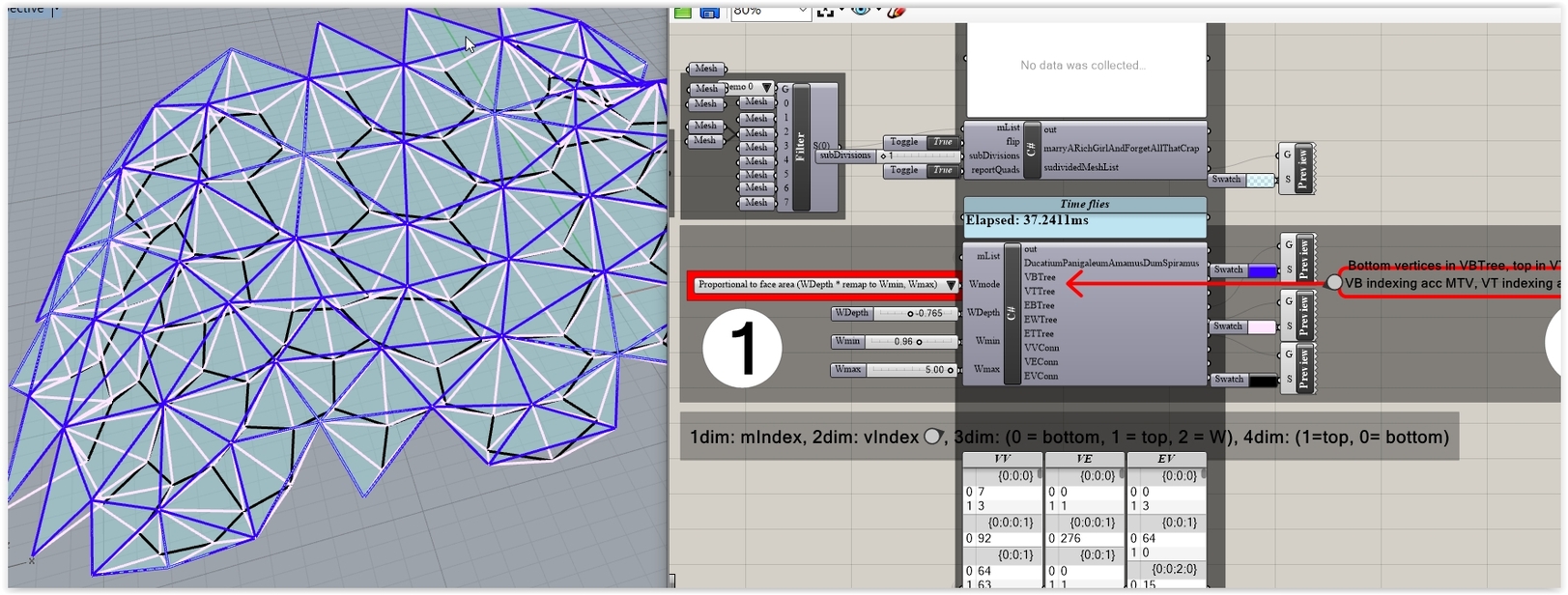
So for your single truss you need 5 Lists (nodes: base, top + edges : base, W, top ). Obviously if you deal with mesh Lists (or a disjoined mesh) you’ll need a way to manage the Lists: Trees, that is.
So work with a mesh List and do the 5 item Trees and the required connectivity (VV, VE, EV).
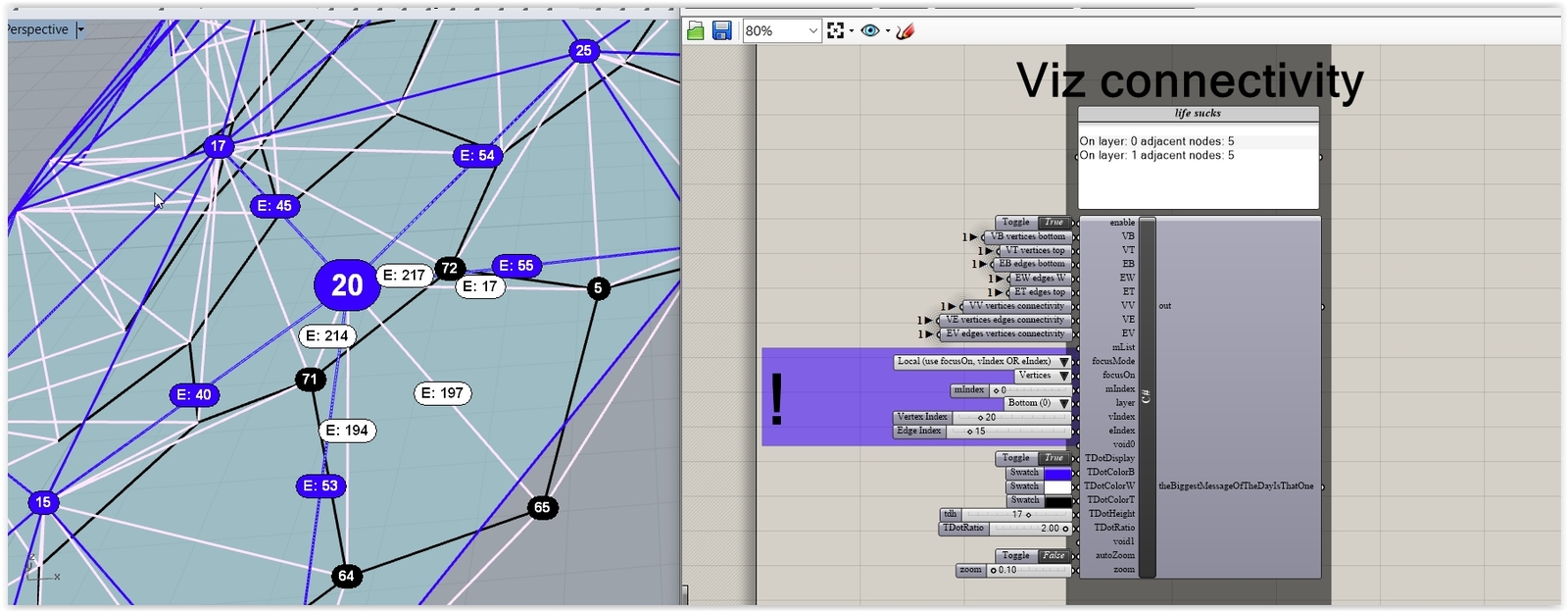
Note: a viz C# (I.e. see what we have on a per node basis) is critical since later on we need to check the angles and spot areas where clash situations happen.
Note: Spot the fact that the attached is a 2Mb file that contains only Lines (the axis). Imagine what happens if we invite the real things to the party. In fact we don’t need these since R is not a BIM app (only an amateur could attempt to use R for doing real-life BIM) … but this means that you should test what to export (coordinate systems in fact) and what your BIM app can read. This means that real-life is a quite complex thingy.
Moral: NEVER attempt to do anything similar without Instance Definitions .
Mess_toTruss_UAE_34B.3dm (2.1 MB)
BTW: in // with the above you’ll need some things like these (for the min angle clash checks … depending upon what member sizes you deal with):
Hey Peter,
thanks for the file and the explanation!
Unfortunately I still have some ambiguities:
That’s also how I got it in GH:
With the connectivity trees I also have a (essential it is)question:
Probably I completly misunderstand that trees.
I would have done:
1.dimension mesh
2.vertex index
hope dies last, haha
In fact managing nested collections via GH DataTrees is not a good thing since the C# core (the structure) would be associated to that internal to GH structure.
I.e a bad thing because the goal is to use R/GH as a rather small part in a big arsenal of BIM aps (main and verticals) … meaning that the code must be as GH neutral as possible: calling R geometry Methods is one thing (meaning that the code is portable (kinda) to other aps) … but what matters here is the management of the collections.
Anyway I’ll prepare an entry level take on these 5 Lists/Trees matter (minus internal tricky stuff). All that if the laptop works and if there’s no wind and if the social Dist thingy is the correct one (I doubt).

Moral: hope should die first.
UPDATE:
There’s wind … but I found some screenshots related with that matter.
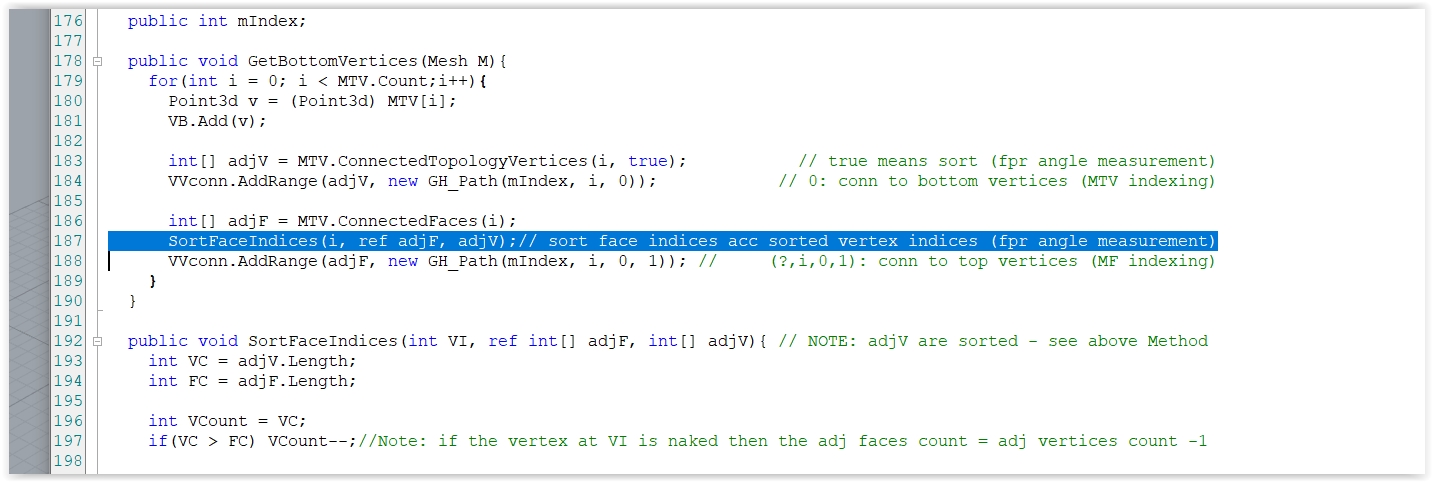
First you should use as many public stuff as possible (avoid locomotive long Method calls - we use that kind of approach in recursion as well):
Then use mini Methods to address each task separately:
Nice! Thanks!
Will prepare my file this weekend,most seems straight forward until now.
Hi Peter,
my laptop broke and it was a bit difficult to get the sparepart in mexico in corona times.
But finally I started to work on the excercise and I think your tree indexing is now clearer to me.Nevertheless I still have some questions:
That is what I was able to do so far:
 private void RunScript(List<Mesh> meshes, int wMode, double wDepth, double wMin, double wMax, ref object VB, ref object VT, ref object EB, ref object EW, ref object ET, ref object VV)
  {

    initTrees();

    for (int i = 0; i < meshes.Count; i++)
    {
      mIndex = i;
      MTV = meshes[i].TopologyVertices;
      MF = meshes[i].Faces;
      MTE = meshes[i].TopologyEdges;
      initLists();


      getBottomVertices(meshes[i]);
      vBTree.AddRange(vB, new GH_Path(mIndex));

      List<double>  aList = getAList(meshes[i]);
      getTopVertices(meshes[i],aList, wMode, wDepth, wMin, wMax);
      vTTree.AddRange(vT, new GH_Path(i));

      getBottomEdges();
      eBTree.AddRange(eB, new GH_Path(i));

      getWAndTopEdges(meshes[i]);
      eWTree.AddRange(eW, new GH_Path(i));
      eTTree.AddRange(eT, new GH_Path(i));

    }

    VB = vBTree;
    VT = vTTree;
    EB = eBTree;
    EW = eWTree;
    ET = eTTree;
    VV = vVConn;
  }

  // <Custom additional code>

  //::::::::::setting up lists and trees::::::::::

  //declaring variables
  public int mIndex;


  //declaring the lists
  public List<Line> eB; // edges Bottom
  public List<Line> eW; // edges W
  public List<Line> eT; // edges Top
  public List<Point3d> vB; // vertices Bottom
  public List<Point3d> vT; // vertices Top
  public Rhino.Geometry.Collections.MeshTopologyVertexList MTV ;
  public Rhino.Geometry.Collections.MeshTopologyEdgeList MTE;
  public Rhino.Geometry.Collections.MeshFaceList MF ;


  //declaring the trees
  DataTree<Line> eBTree; // edges Bottom
  DataTree<Line> eWTree;// edges W
  DataTree<Line> eTTree;// edges Top
  DataTree<Point3d> vBTree; // vertices Bottom
  DataTree<Point3d> vTTree; // vertices Top
  DataTree<int> vVConn = new DataTree<int>();
  DataTree<int> eVConn = new DataTree<int>();
  DataTree<int> vEConn = new DataTree<int>();


  //::::::::::geometrical methods::::::::::

  //BottomVertices
  public void getBottomVertices(Mesh mesh)
  {
    for (int i = 0; i < MTV.Count; i++)
    {
      vB.Add(MTV[i]);

      int[] adjV = MTV.ConnectedTopologyVertices(i, true);
      vVConn.AddRange(adjV, new GH_Path(mIndex, i, 0));

      int[] adjF = MTV.ConnectedFaces(i);
      sortFaceIndices(ref adjV, adjF);
      vVConn.AddRange(adjF, new GH_Path(mIndex, i, 0, 1));
    }
  }


  //TopVertices
  public void getTopVertices(Mesh mesh,List<double>aList ,int wMode, double w, double wMin, double wMax)
  {
    for (int i = 0; i < MF.Count; i++)
    {
      Point3d center = mesh.Faces.GetFaceCenter(i);
      Vector3d normal = mesh.FaceNormals[i];

      if(wMode == 1) center += normal * w;
      else center += normal * remap(aList[i], aList.Min(), aList.Max(), wMin, wMax) * w;

      vT.Add(center);

      int[] adjF = MF.AdjacentFaces(i);
      vVConn.AddRange(adjF, new GH_Path(mIndex, i, 1));

      int[] adjV = MTV.IndicesFromFace(i);
      vVConn.AddRange(adjV, new GH_Path(mIndex, i, 1, 0));
    }
  }


  //BottomEdges
  public void getBottomEdges()
  {
    for (int i = 0; i < MTE.Count; i++)
    {
      eB.Add(MTE.EdgeLine(i));
      IndexPair neighbourVtx = MTE.GetTopologyVertices(i);
      eVConn.Add(neighbourVtx.I, new GH_Path(mIndex, i, 0));
      eVConn.Add(neighbourVtx.J, new GH_Path(mIndex, i, 0));

      vEConn.Add(i, new GH_Path(neighbourVtx.I, 0));
      vEConn.Add(i, new GH_Path(neighbourVtx.J, 0));
    }

  }


  public List<double> getAList(Mesh mesh)
  {
    List<double> aList = new List<double>();
    for (int f = 0; f < mesh.Faces.Count; f++)
    {
      var newmesh = new Mesh();
      newmesh.Vertices.Add(mesh.Vertices[mesh.Faces[f].A]);
      newmesh.Vertices.Add(mesh.Vertices[mesh.Faces[f].B]);
      newmesh.Vertices.Add(mesh.Vertices[mesh.Faces[f].C]);
      if(mesh.Faces[f].IsQuad) newmesh.Vertices.Add(mesh.Vertices[mesh.Faces[f].D]);

      if(mesh.Faces[f].IsTriangle) newmesh.Faces.AddFace(0, 1, 2);
      if(mesh.Faces[f].IsQuad) newmesh.Faces.AddFace(0, 1, 2, 3);
      var amp = AreaMassProperties.Compute(newmesh);
      aList.Add(amp.Area);
    }
    return aList;
  }

  public void getWAndTopEdges(Mesh mesh)
  {
    for (int i = 0; i < MF.Count; i++)
    {
      Point3d center = vT[i];
      List<int> fv = vVConn.Branch(mIndex, i, 1, 0);//vertices on this face
      for (int v = 0; v < fv.Count; v++)
      {
        eW.Add(new Line(center, MTV[fv[v]]));
      }

      List<int> nf = vVConn.Branch(mIndex, i, 1);//neighborFaces
      for (int n = 0; n < nf.Count; n++)
      {
        eT.Add(new Line(center, vT[nf[n]]));
      }
    }
  }

  //::::::::::non-geometrical methods::::::::::

  //SortFaceIndices
  public void sortFaceIndices(ref int[] adjF, int[] adjV)
  {
    int vC = adjV.Length;
    int fC = adjF.Length;

    int vCount = vC;
    if(vC > fC) vCount--;

    Array.Sort(adjV, adjF);
  }

  //Remap
  public double remap(double oldValue, double oldMin, double oldMax, double newMin, double newMax)
  {
    return -(oldValue - oldMin) / ((oldMax - oldMin) * (newMin - newMax)) + newMin;
  }

  // Initialize Lists
  public void initLists()
  {
    eB = new List<Line>();
    eW = new List<Line>();
    eT = new List<Line>();
    vB = new List<Point3d>();
    vT = new List<Point3d>();
  }

  // Initialize Trees
  public void initTrees()
  {
    eBTree = new DataTree<Line>(); // edges Bottom
    eWTree = new DataTree<Line>();// edges W
    eTTree = new DataTree<Line>();// edges Top
    vBTree = new DataTree<Point3d>(); // vertices Bottom
    vTTree = new DataTree<Point3d>(); // vertices Top
  }
Thanks again for taking the time, really appreciated.
File:20200523_3dTruss.gh (15.7 KB)