Project Base Point to Named Construction Plane

We added a new command ggIFCNamedCPlane to the ggRhinoIFC plugins to facilitate creation of a named construction plane from base point description (for rhino origin). This should make it easier to get a consistent model origin between Rhino and Revit but still query and work with shared coordinates in Rhino/Grasshopper. We didn’t yet enable CAD import, export and link relative to a named construction plane but we plan to do so (if McNeel don’t do it).

Cheers,

Jon

Having a similar issue at the office - Using Rhino.Inside, trying to import geometry into Revit using the Shared Point (or Project Base Point ) is not working accurately. It would be nice to have a grasshopper component that matches the coordinates and angle of the Shared Point in Revit.
image

I thought Rhino Origin = Revit Internal Origin
so I moved the Geometry according to the Project Base Point, but it is slightly off.

@kike

Hi!

How did you end up setting up your Rhino files to work best with Rhino Inside?

Cheers

Ivan

Hi guys,

Is Rhino Inside is now capable of setting out the Project base point from Rhino to Revit properly? any success in this topic as it is quite essential?

thanks

Hi @sketzjewel,

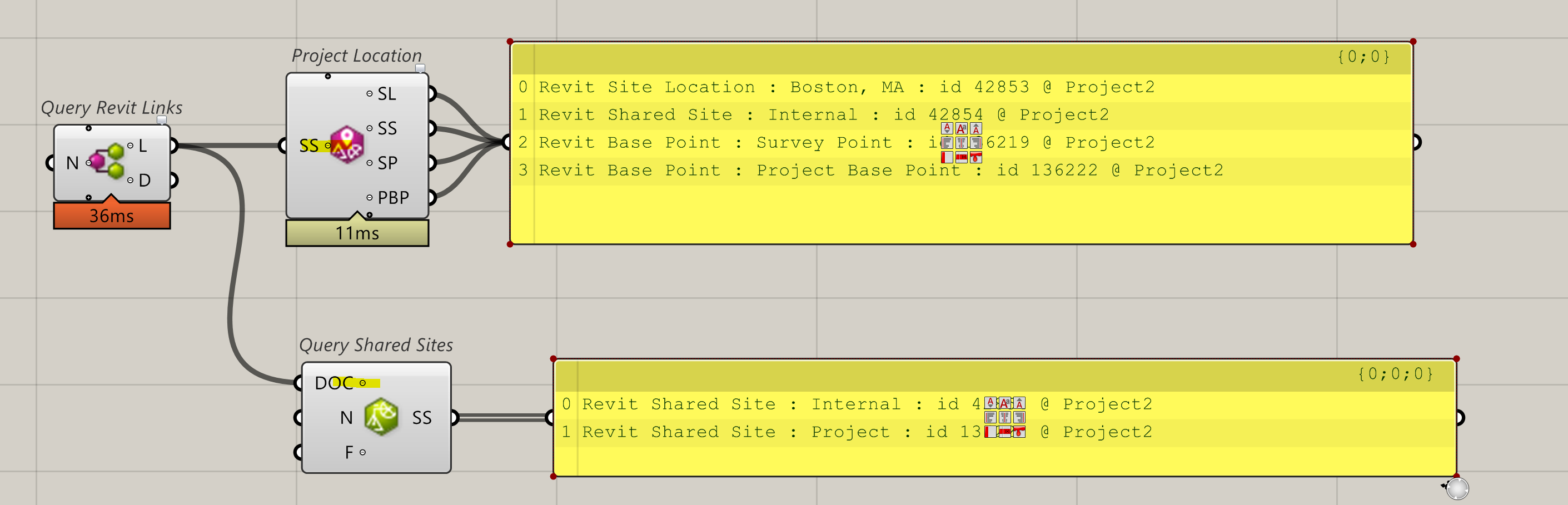
Project Base Point is also an element that can be placed anywere with ‘Element Location’ component like this.

Thanks Kike for the explanation, I am wondering what do you need to feed to the point component?
cheers

I would recommend using a Plane vs a Point (point has no rotation)

Thank you guys, in this stage, are we now capable of acquiring coordinates from the linked model inside the revit project?
cheers.

That’s available. To use the component on the links Zoom in and add the + to expose to Doc input.

Thanks you Japhy, l will try this, cheers.