Hi all,
I am currently developing (or trying to develop) a sort of user interface in Rhino/Grasshopper that let the user display the hierarchy of the layer table from a layer source (see image below). Ultimately, I would like to be able to click on the arcs portions (displayed here as polygons/meshes), enabling the user to hide/show or lock/unlock layers, and then select objects (I guess that would be the most challenging part).

As you can see, there is a lot of objects displayed, mostly curves, polygons and text.
Right now, I am scripting in python and use the Rhino.Display.CustomDisplay class from which I can add objects to the Rhino document with the sticky library and some cool hacky tricks introduced by @AndersDeleuran.
In my case, the large amount of objects displayed here lead to write painful additional lines of code just to lift the objects in the Z direction (since I work in 2D only), so I can manage the display order. See image below:
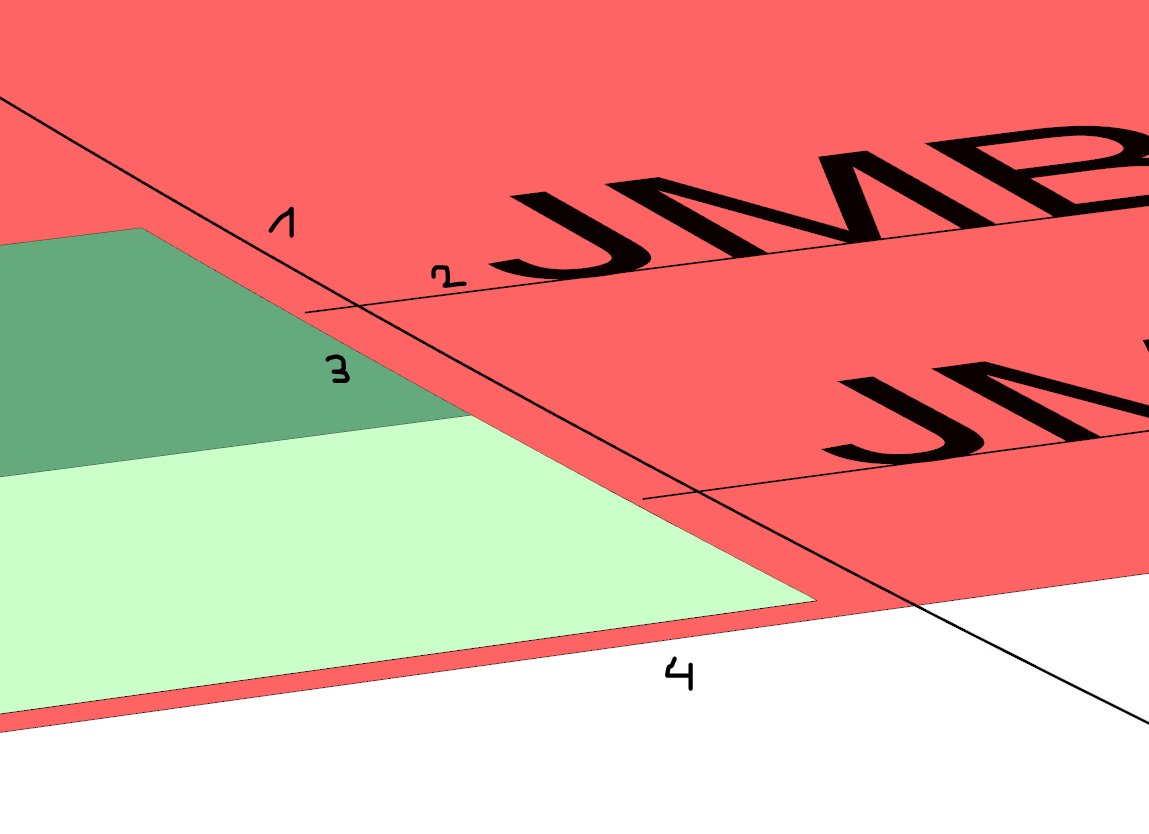
So I am considering some alternatives…
Contrary to ghPython, a DisplayPipeline is integrated within the C# component (I know that ghPython handles it as well in Rhino 6 WIP, but well… it’s WIP and I want to develop something in a stable environment), offering a wider range of options to draw different objects (much wider range than in Rhino.Display.CustomDisplay…), and enabling better display management of all my items situated on the same plane - at least I hope!
So I have been playing around a bit with C#, adding a bunch of preview objects to the viewport and see how i can manage the order of appearance. The only way I found to display objects of different types, by keeping the order appearance corresponding to the order I call them, was to disable/enable the DepthWriting between each type. On the image below you can see a series of circles, some mesh and a text dot, appearing on top of each other.

Long story short… my question is:
- What is the best way to deal with the preview order of multiple objects (of different types) displayed onto the same plane?
I also have quite a few side questions:
- Is it actually faster to generate/display meshes or polygons within the display pipeline?
- Ultimately I would like to click on a polygon/mesh and retrieve it’s meta data information (here a layer index for example). Is that possible? Maybe more feasible with a Mesh rather than with a Polygon? Any hint on interactive selection in the Rhino/Viewport? Where can I find useful information about that? I know that Kangaroo2 enables the direct dragging of particles with the mouse, for example…
Thanks for reading until here, any advice would be greatly appreciated!
Paul
