I would like to divide a roof surface into row of panels, which are:
Quads. But if necessary, few triangle/pentagon panels can be accepted
Planar panels
The less rows of panels - the better.
Top edge of the roof surface should be fixed - it should have anchor points.
Can someone help me with this task?
I think my problem is initial mesh topology mesh, which needs to be created according to roof principal curvature, is wrong. And I do not know how to create the right one.
One thing PanellingTools does is that panels are not joined with other ones.
I forgot to mention: I need this too. PanellingTools threats each panel as an individual object without connection to neighboring panels:
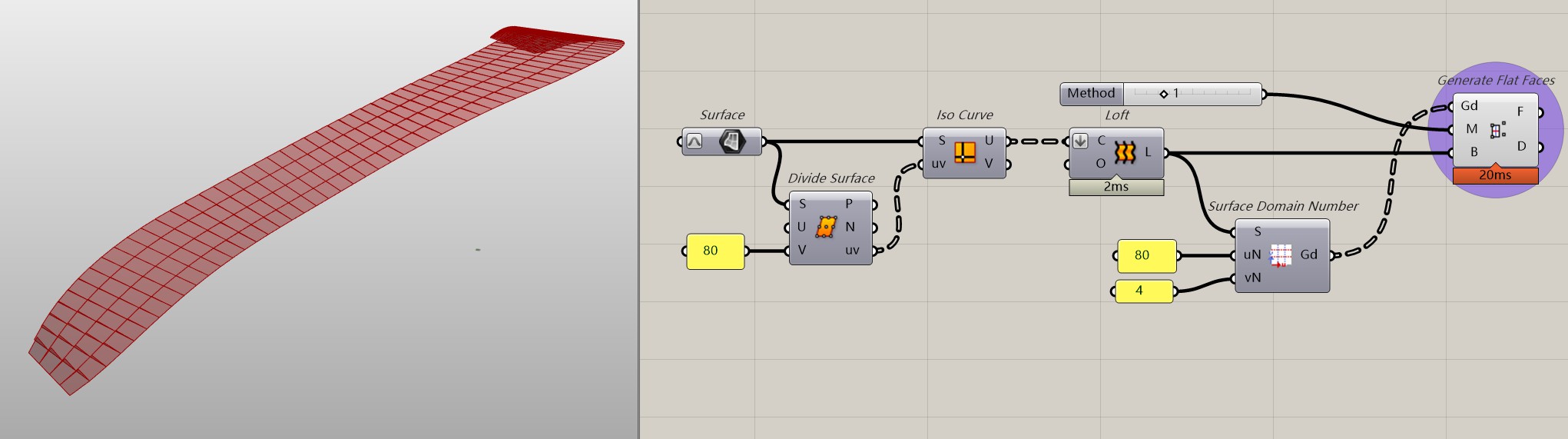
I noticed that you require all panels to be flat, while the base surface you provide is a curved surface with curvature. For this specific case, PanelingTools is an excellent solution.
BTW, You can modify the input paramter M in the Generate Flat Faces to choose which point to leave ‘suspend’(the panel will pass entirely through three of the points, effectively ‘abandoning’ the fourth point)
Hello @DanielPiker
If I could get any help from you about the initial topology mesh it would be a gigantic assistance for me. I am at the moment stopped with this planar panels difficult task.
Thank you truly.
By looking at the upper definition it seems that IG-Mesh has no capability to define the underlying surface. Kangaroo has this input and also ability to define the strength of the pulling towards the surface.
Nevertheless I am sadly still on Rhino 6 SR35. IG-Mesh supports Rhino 7, 8.
Now the final Kangaroo solver mesh is no longer in XY plane and it follows the curved surface.
However now the final solver mesh is still wrapped around the curved surface.
Green mesh below shows the wrapping:
I am having difficulties using isothermic quads Kangaroo definition.
Trying to quad panelize attached surface.
Tried changing all of the upper definition Goals: Length, Angle, OnMesh, Smooth.
But the resulting final mesh is either wrapped, or does not follow the surface.
Is it possible to get any kind of help from you?
I would be very grateful.