I recently discovered OpenNest, and i have to say, it’s amazing !
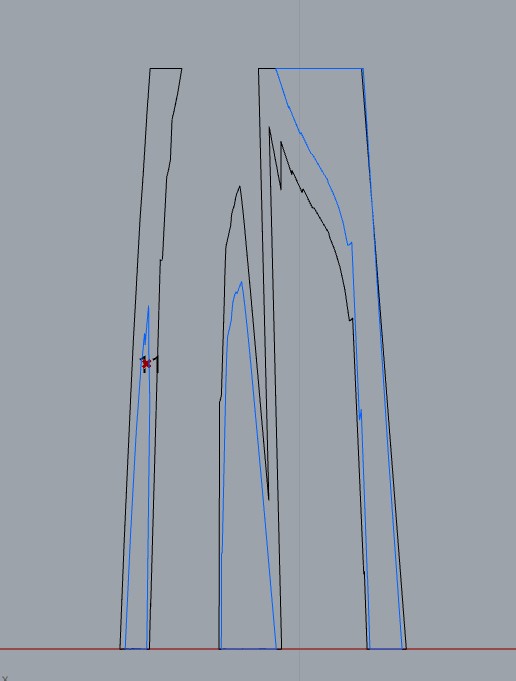
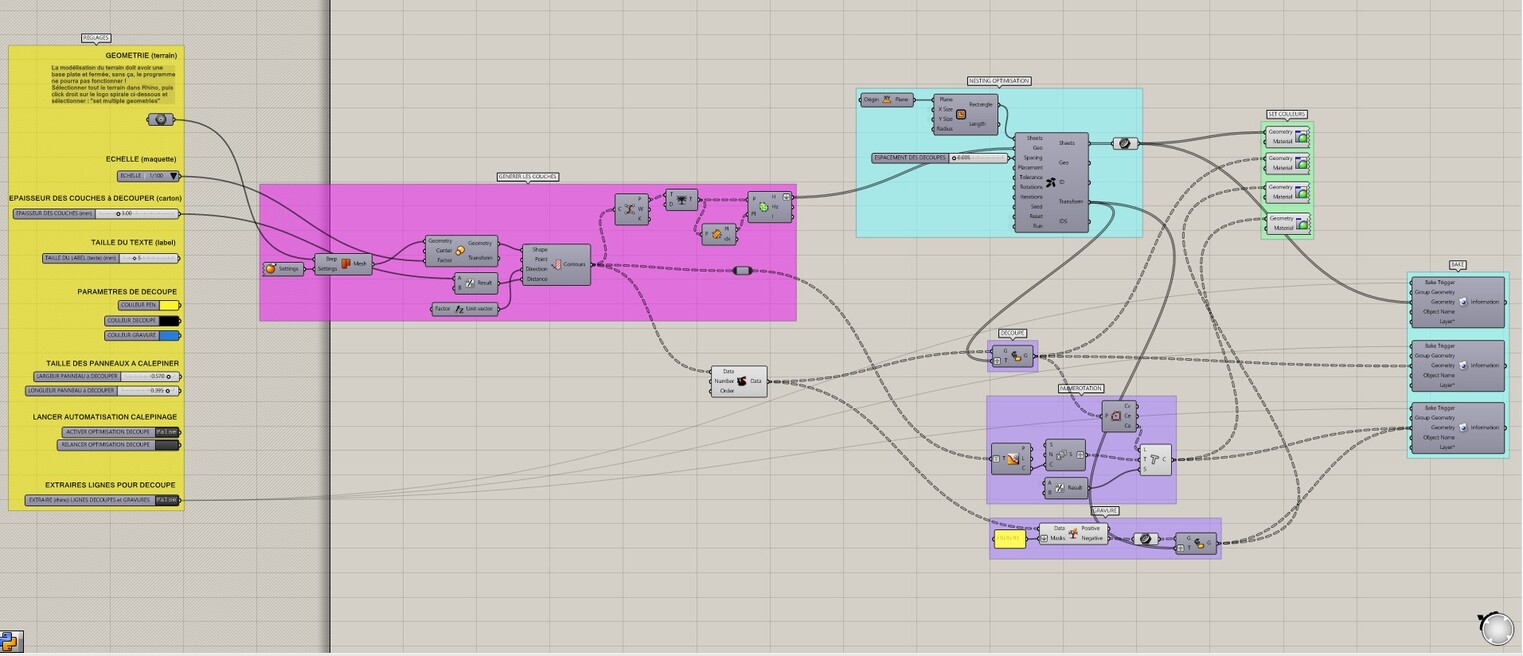
For now i managed to optimised my cuves on sheets for a laser-cutting purpuse but i wanted to had some more geometries on the same place as my original geometrie is.
I searched and read the forum and figured out i had to work with the “Transform” output of the OpenNest solver. When i do so, my new geometries are wild, impossible to make them superpose propely.
My goal is to have several curves with different colors for each curves (so i can tell to the laser cutter to cut black curve and engrave blue ones for exemple). I guess it’s a tree / data problem but i guess i still to beginner for now and i cant solve it by myself.
So if anyone can help me to figure this out, i will be so gratefull !
A little bonus thing, i have a same kind of data / tree management for the number tag, when the contours is cutting my geometrie in 2 or more surfaces on the same plane (like 3 montains of the same height cut by the same plane) my tag mumber can only label one the the 3 surfaces or will give a wrong number thincking it’s an other plan (1 plan can contain several closed curves or surfaces and should all have the same number) !
No one could help me with that ? i’m really close to the point but without help i wont be able to finish this tool and work with it :’(
I would really apprciate some hep !
Hi Petras and thx for your answer, to tell the truth, i saw this topic and tried this solution without being capable to find the way. I’m still a beginner in GH and try to do my best but i’m stuck there…
I am pretty novice at GrassHopper/Rhino CAD as my career is more focused on IT Operations, so unfortunately I do not have to much to add.
I also have a similar need in which I want to group each ‘nested layout’ to be able to print them out one at a time. Take a look at the ‘Human’ plugin by Andrew Hueman. It may have some tools to offer that could help. I think his tool will help me to solve some of my issues after Petra’s tool takes care of the nesting amazingly.
Wow !!! Thanx a lot Petras ! I’m so glad.
I still trying to understand data Tree but i dont get it for now (i bought AAD book from @Arturo_Tedeschi and i hope this will help me to get it finaly)
For hull logic, maybe my french native language is a barrier, even when i translate hull in french, it doesnt mean nothing and when i search in google about your hull tool, i cant find a thing.
Anyway, thx again for your plugin and for your help, i really appreciate both of them
Hello may i join the discussion with my “cat looses eye” issue? i cant get it fixed to nest in ner contours…catlooseeye.3dm (51.7 KB) catlooseeye.gh (16.3 KB)
Hi, I reviewed the corrected algorithm and noticed that you adjusted the rotation and seed in OpenNest to achieve a more optimized and aligned arrangement. My question is, how can we easily determine the optimal rotation and seed? This is particularly crucial when dealing with a large number of different pieces.
the rotation value indicates how many divisions of 360° (2*Pi) you want the parts to be able to rotate
so Rotation:
1 = 0° (no rotation)
2 = 0° or 180*
3 = 0° or 120° or 240°
and so on
the seed is an integer number that generates a different starting situation, you can connect a number slider there and move along numbers to see the different solutions, but there’s nothing that says that seed 40 will produce a better final result than seed 7490286
what you can do is increase the iterations, in such a way to give the algorithm more rounds of optimization (I would start low and increase iterations for a given seed… then if you want to try a new seed just lower the iterations again, change seed, and progressively increase iterations again)
at a certain point, giving more iterations does not produce changes: there you can stop and try a new seed
this playlist of 3 videos will guide you zero to hero with OpenNest: