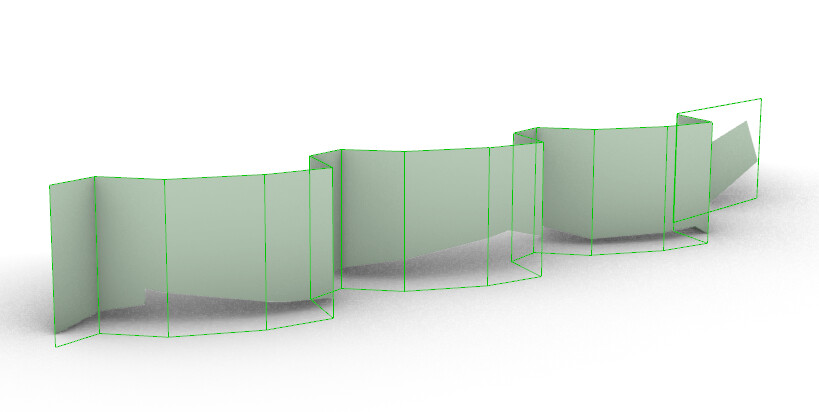
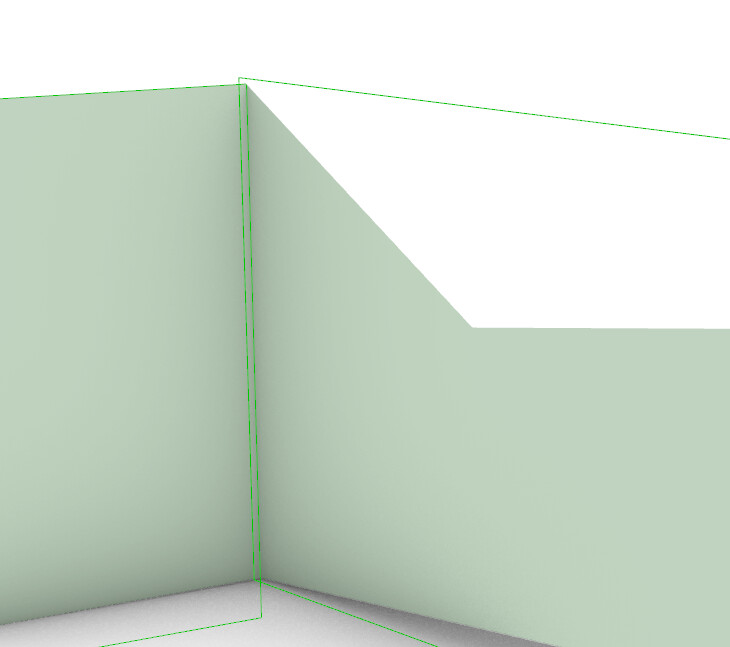
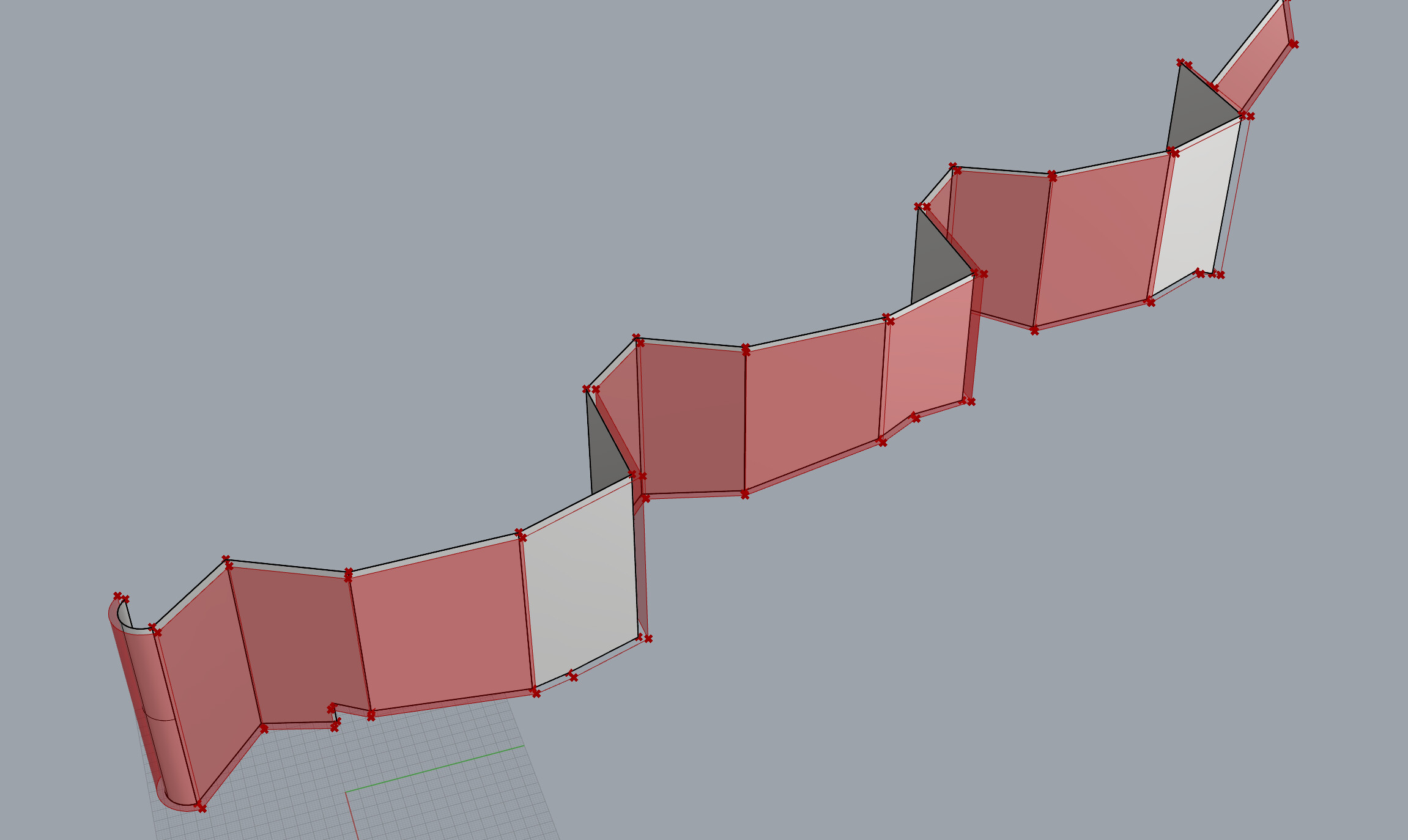
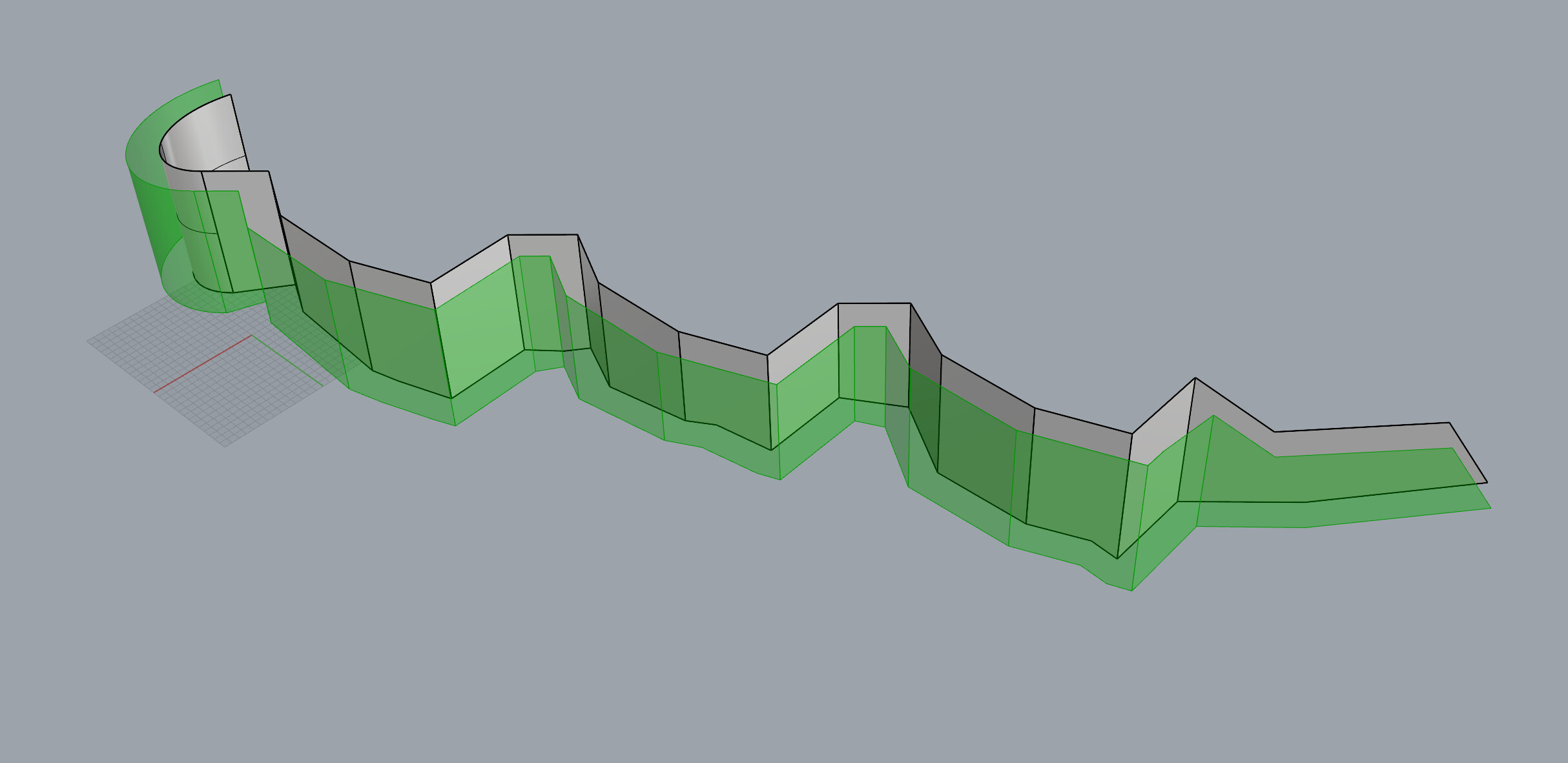
For a project I’m working on, I need to offset and modify a source Brep to populate with cladding geometry, but I can’t figure out how to create the offset correctly. The closest solution I have so far uses Brep.CreateOffsetBrep(), but it generates additional edges which ruin the offset for the purposes I need.
Ideally, the number of edges and the face conditions (planar faces remain planar, single curved surfaces remain single curved) would remain the same after the offset.
Is there a better way to generate the offset Brep? Any help would be appreciated!
I was going to suggest offsetting the bottom (or top) edge and extruding the result, but your geometry makes that very difficult. You might consider offset direction (±) as that can make a big difference.
Yeah, I’ve been whittling away at this for the past few days without much progress - it’s a much more complex problem than I originally thought going into it!
Unfortunately, I need the offset to be in the direction as shown above. The edge method (and derived methods) has some promise but its implementation leaves cases that I’m not sure how to handle. I was trying to move the vertices of the Brep some offset distance, but it ruins the surface condition of certain planar faces and does not account for curved faces. Handling these with a patch or offsetting surfaces based on the surface conditions leads to other cases - it goes on forever.
Been thinking about using plugins that might be able to handle this more effectively. Would you have any recommendations?
I’m the wrong guy to ask about plugins. Offset distance is another factor, as sometimes small offsets work where larger offsets fail. I would try offset surface on each of the faces and deal with the intersections somehow. Each face can easily become a solid by lofting the original face with its offset surface, then maybe solid union? But I know there will still be fragments.
Brep.CreateOffsetBrep() looks pretty good by comparison! I don’t think it’s realistic to expect no compromises when some of the offset surfaces clearly interfere with each other.
The fact that your original geometry that has both convex and concave connected planar surfaces means that offsetting each one by moving it a fixed distance along it’s surface normal will result in surfaces that either overlap/intersect each other or end up with open spaces between them.
This suggests that you’ll have to deal with each pair of surfaces starting from one end and going to the other, and fix up their edges as needed by either trimming overlapping parts or filling in open spaces. This strikes me as a fairly daunting task indeed.
But it should be possible to develop an approach that deals with each pair one by one. Maybe you’d need some C code to do this, but my guess is, just because you’d be dealing with only 2 planar surfaces at a time, there should be a way to do it with just standard GH components.
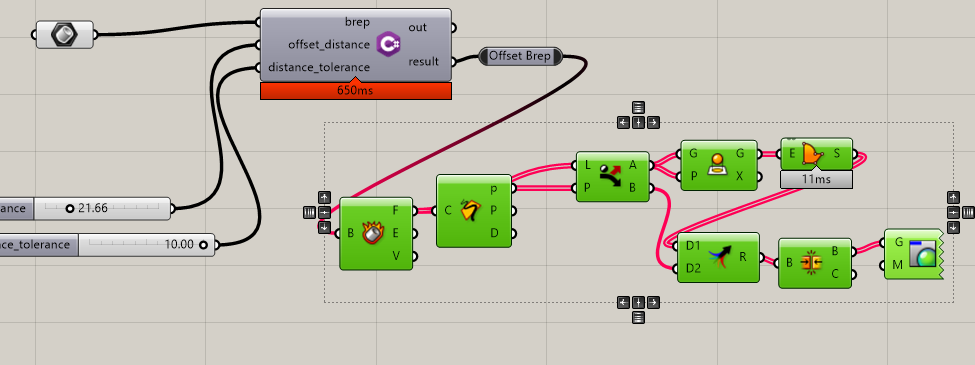
From what I’m aware of, it has an offset surface component which acts similar to Joseph’s approach. I think I’ve seen a component that does what my C# component currently does but outputs the solid offset - either way, no dice.
In a prior post I was adjusting the vertices in such a fashion. It works well for the edge conditions except on strange cases and for curved surfaces (regretting not adding a curved example to the file, but oh well).
I’ve considered mapping the FaceTrims from the original faces to the offset untrim-faces before, might be worth looking into more. I have an idea that I’ll whip up here in a moment and see how it works, but it’s something like this:
Generate offset like I’m currently doing it,
Iterate through the vertices until it hits a vertex on an interior edge,
2a. Check for nearby vertices; if they’re within some distance tolerance, add to a list,
2b. Either remove these vertices or draw them to the vertex on the interior edge
Output resultant brep.
I’ll keep you guys posted. Very much appreciate the help so far, feel a little less insane for having problems with this.
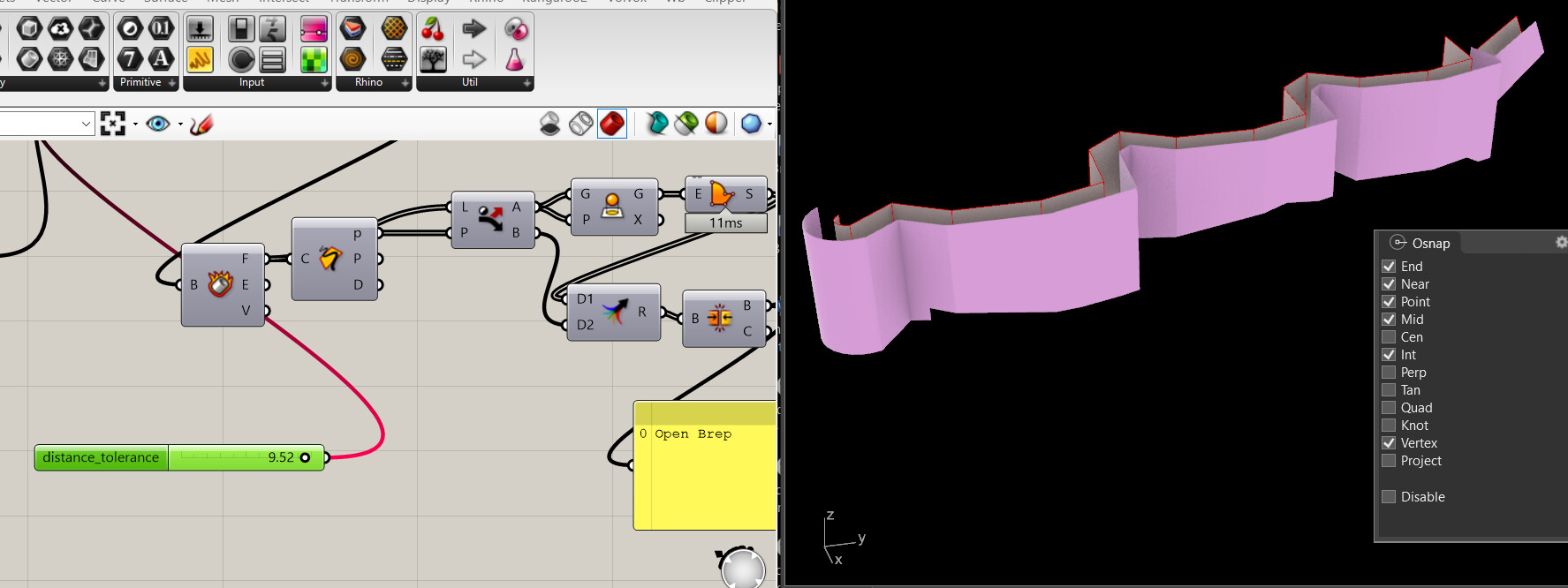
I wonder what that is - if you bake them, they bake naughty, but if you bake the borders Rhino accepts the PlanarSrf command like nothing for the planar ones that are ‘invisible’. Changing the Rhino tolerance then recomputing GH left it with only one naughty one. Then increasing the tolerance by a lot made them all display properly.
But then returned tolerance to default and it seems ‘reprojecting’ them worked:
My guess is that since I’m not deleting the vertices, only moving them to overlap a shared vertex, Rhino has no clue how to display them since they are below tolerance. Each face has a lot more vertices than it appears when looking at them in Grasshopper.
In truth, I need an offset of between 1 - 10 units (inches in my case), but the method does work for greater offsets. The tolerance might devour vertices you want to keep at a certain point though.
Will keep in mind - still new at posting. Martin and I are using the same RhinoCommon method under the hood. Extend in this case means that the hard edges are extended instead of being blended together.
Okay, I think this is in a state that I can use now - thanks everyone for the help!
In case this is useful for anyone else, the way the method works is described earlier in this thread, but with the addition of culling the less useful edges. When using the distance tolerance, you’ll need to pick a value that is smaller than the smallest edge in your offset Brep, otherwise the method will collapse that edge as well. Very acute angular edges may also cause problems as the distance between the ideal vertex and the unnecessary vertices increases by sec(θ/2), where θ is the angle along the edge. Lastly, make sure to watch out for curved faces as their edges may collapse and ruin the surface condition near the edge.
Looking forward, some way of removing the duplicate vertices, calling BrepEdgeList.RemoveNakedMicroEdges() or even just reconstructing the Brep from the ground up using the new brep properties would go a long way to making this method better.
Let me know if there are strange edge cases around this one as well. For my purposes, this works, but it’d be better if this could work more generally.


 Offset distance is another factor, as sometimes small offsets work where larger offsets fail. I would try offset surface on each of the faces and deal with the intersections somehow. Each face can easily become a solid by lofting the original face with its offset surface, then maybe solid union? But I know there will still be fragments.