Hi all,
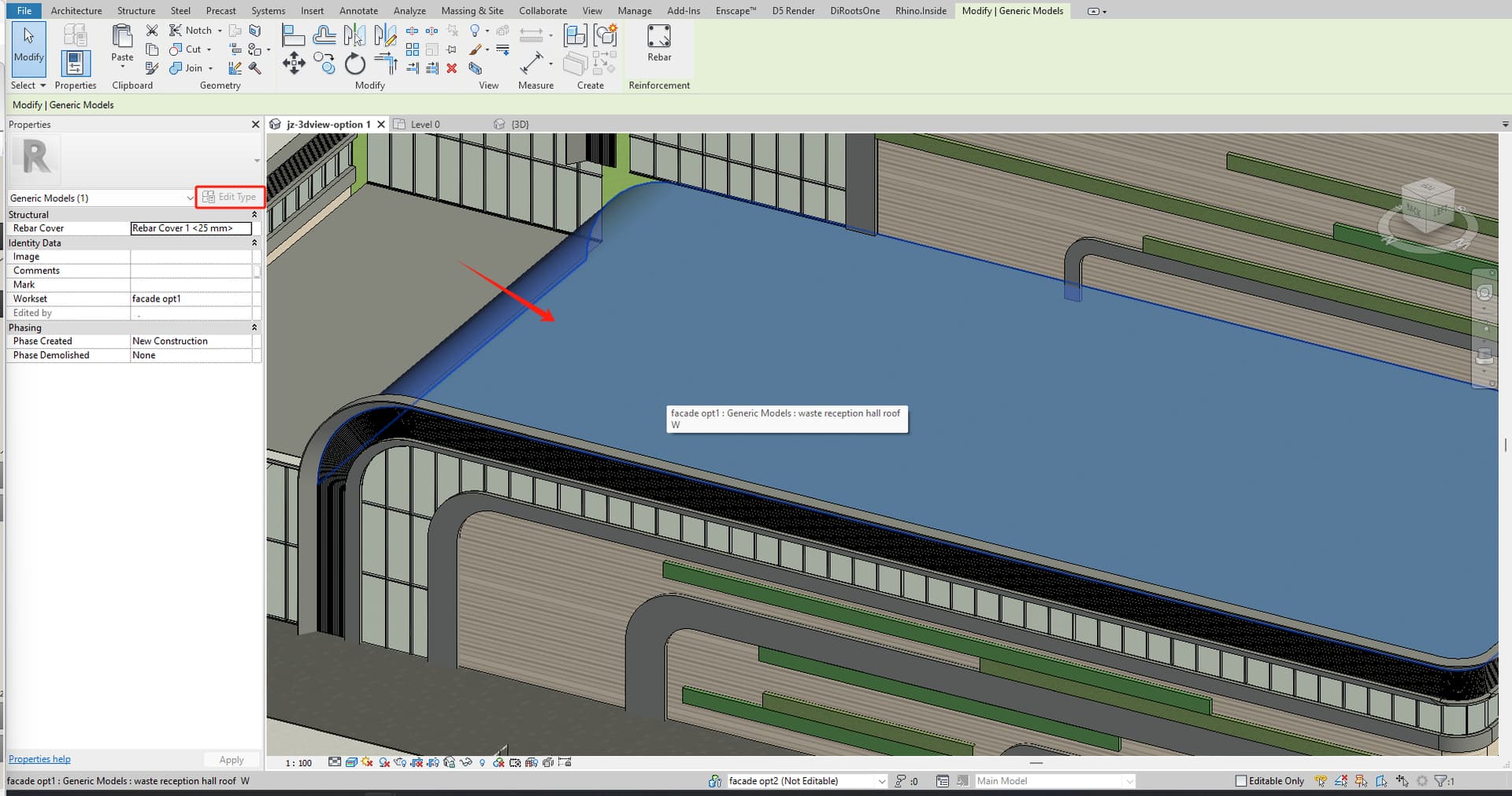
My colleague has passed a roof via RIR to Revit. Now I want to modify its material, or change its’ material to something else. But I don’t know what is the material he used on the direct shape. I select the direct shape and found the “Edit Type” button is grey out…
How can I know what is name of the material has been applied on the direct shape roof?



Great, thanks!
Sorry a a bit late to the party…
A) I am importing direct shapes in structural framing families and connect them to the “Structural Material”.

B) I then import the family into a project and assign the “Structural Material”

The appearance of the element does not pick up the “Structural Material” I set
Not even in section for instance.
HELP!! 
@SA12 You can skip the Family part. You can directly create the DirectShape type with Structural Framing Category and the Target Material.
Thanks for the speedy response,
The material might change in the future. We want to govern the material in the project environment.
is that possible?
How about creating separate Material Parameter for the structural framing Category?
Check the following workflow
I have used the tool “Add form” instead and it works fine. Thanks

@SA12 This parameter is only for the material reference. Changing the material here will not affect the DirectShape geometry, because DirectShape materials are applied as face paint.
You have two options:
Change the material in Revit by painting the faces.
Set the material during the DirectShape import through Rhino.Inside.Revit components, and populate this parameter at that stage, as shown in the example.
Everything is controlled through the Grasshopper workflow. This aligns with how Revit handles DirectShape materials and face-based painting