The glass was assigned the glass material within the Va window style editor, receiving whatever material attribution Va uses by default. This should be brought to that team’s attention.
Even with a pixel size of 25, nothing happens. I will need to work on that sofa to further reduce its complexity.
With the sofa unfixed no dpiscale value will help, unless you pick CPU for rendering (:
@fsalla it’d be useful if VArq moved to using modern RDK-style materials (RenderMaterial codewise). For glass using the Glass material, for metals using Metal and so on…
Well… perhaps, this far along, it’d be better to look into using BSDF materials - so that you (in theory) are in line with what is used for energy simulations in e.g. Honeybee. Isn’t that what RH7 will use?
Sure, but RH7 is still X years out… looking at a file I see still v4-style materials being created and used.
1 Like
Thanks!
In looking further at my file, I can see that the Va Material selector seems to direct itself to a project’s material library. So it’s actually not just clear glass, but the first one that came up called “glass” which must have darkening attributes.
Problems Continue.
I have changed the material attribute of the glass in the VaWindow Object to “ClearGlass” as it is offered by the Rhino material prompt. Rhino Render, Render View Mode and Ambient Occlusion will recognize whatever material it’s set to, but it renders opaque, and matching the wood frame, with Raytrace. WIne glasses on the table render as “ClearGlass” in all View Modes and Render Types (including Raytraced) so It’s a problem with the window material.
Can you post a screenshot of what you mean and you think is wrong?
When the material is set to Clear Glass for the VaWindow Leaf’s Glass element, as are the WIne Glasses, this is how Render View Mode Interprets the scene:
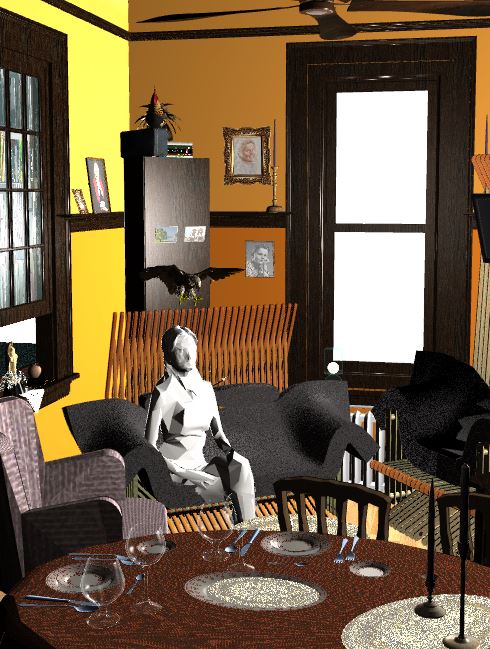
This is the best I have so far in Rhino Render with the same settings and scene (the oval dishes aren’t oval though. The transparent corners are reflective, but that’s not what you and I are dealing with for now.) The point here is that the windows are windows:
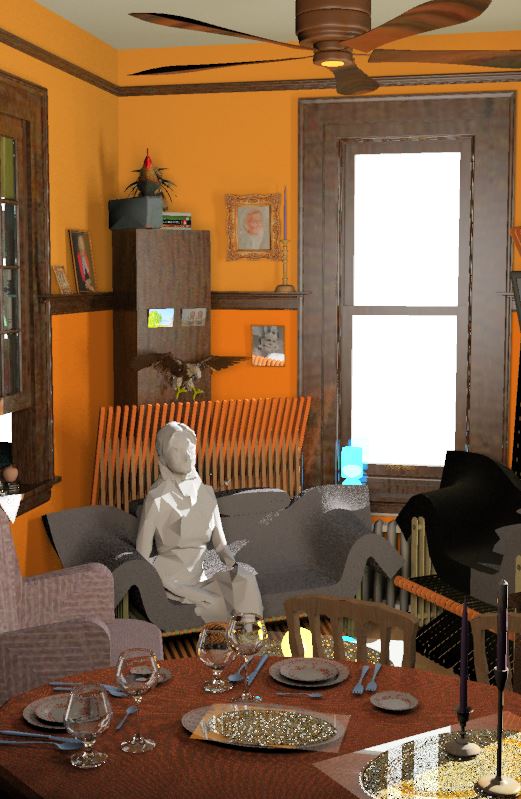
Here is how the windows are in Raytraced View Mode with the identical settings and scene. you should just barely be able to see that the glass is rendered in the same wood material as the window frames. It’s so dark because no light’s getting in but a fill light I set up inside. YOu can see that Raytraced is reresenting the material correctly on the Wineglasses though. It just can’t read the same glass material on the windows…:

I think I’ll go for a little walk…
1 Like
How strange, this is how it looks like when I use Clear Glass from your material list:

using this Clear Glass

I thought it was something like you show in the below post. So as long as it’s within Va, Raytraced probably can’t read the material definition so it goes with “By Layer” which is how the rest of the window is set up for material definition. But all the other render modes can read it correctly, but in the instance of Raytracing this is another case of incompatibility between Rhinio and VisualArq.
Sheesh. Sacrifice parametric ediitabilty for a render, or manage multiple versions of the same project for every render.

Hi @djhg,
Regarding the Raytraced display mode: we’re aware there are still some issues with VisualARQ. We’ll fix them as soon as possible, but we prefer to focus on Render and other features.
Regarding the default materials on the templates: they are just very basic materials. We created them to avoid having all objects black when you render the first time. We also used a simple Rhino materials (no RDK), as not all renders for Rhino 5 are RDK-aware. I don’t know if that is the case for all Rhino 6 renders.
The idea is that the user will use its own material library with his preferred render engine.
Enric
@enric, I guess the problem here is that assigning the Clear Glass material, which is a RDK material, through VArq for some reason fails. I can’t test, because I don’t have VArq here.
I think that the problem is related to the Raytraced display mode not supporting objects that override the MeshDisplayAttributes virtual function:
After setting a RDK Glass material to the glass component of a Window, this is what I get in a Raytraced viewport:
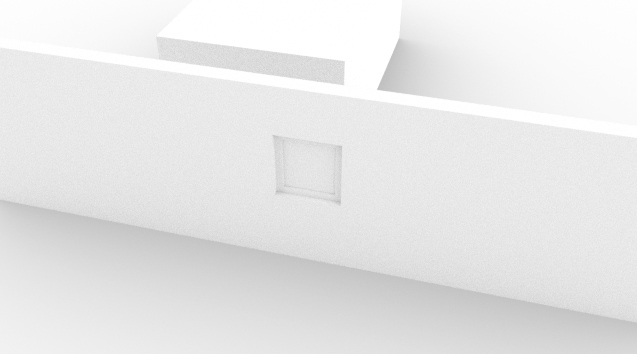
And this is what I get in a Rendered viewport:

Also, Raytraced display mode seems to have a custom cache for meshes, as after modifying a VisualARQ objects, the old mesh for the object is still visible, and the new mesh is also visible. This has never happened in any other display mode.
Enric
I think just setting MeshDisplayAttributes isn’t enough. You should actually set the material to the object. Even so, this is probably something the changequeue mechanism can take care of.
Likewise this is a changequeue issue most likely.
A VisualARQ object, like a Window, has several components (frame, leaf, glass, etc), and each one is using a different material. As we’re using custom object (and not block instances), we have to deal with all the drawing. But I really think this is a bug in the raytraced display mode, as all other display modes work great.
Enric
As soon as I have enough time, I’ll try to deal with this problem, and fix it, in Rhino or in VisualARQ.
Thanks,
Enric
As said I think this may be something the changequeue can simply handle.