This is a much simpler question than all of the cool stuff above:
Would Isopod be a good tool for finding the thickest part of an object somehow? Or vanilla Kangaroo? I’m thinking a dynamic “inflating sphere packing” or similar?
This is a much simpler question than all of the cool stuff above:
Would Isopod be a good tool for finding the thickest part of an object somehow? Or vanilla Kangaroo? I’m thinking a dynamic “inflating sphere packing” or similar?
This has come up a few times for 2d (Finding centroid of wavy enclosed curved pieces - #4 by DanielPiker), and I expect an extension of the same approach to 3d would be the best way to approach this.
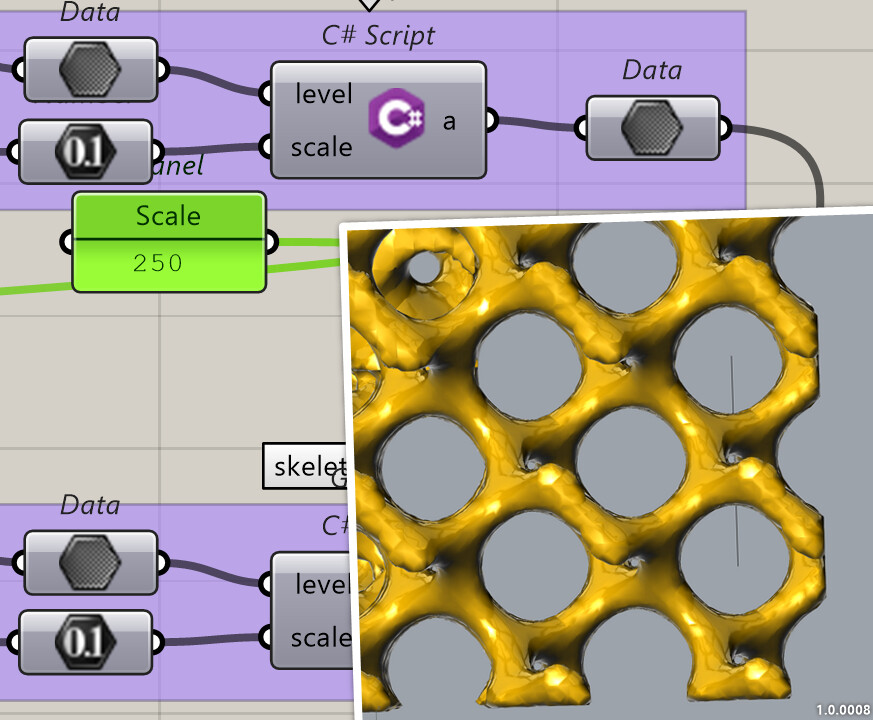
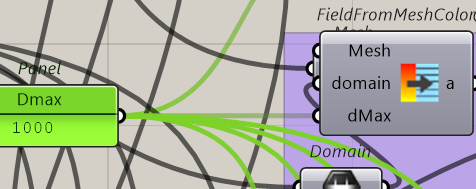
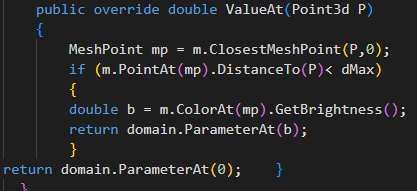
Anyway, here’s a way you could use fields to approach this - I don’t think it’s a very efficient way to solve the problem but maybe fun to see.
insphere.gh (154.6 KB)
Getting back to some of the earlier replies I didn’t manage to respond to at the time:
@martinsiegrist asked for more examples of the Kangaroo OnIsosurf goal:
For the question about other SDF/Implicit/Voxel plugins - I did look at several of the existing ones like Millipede, Jellyfish, Dendro and Axolotl. These are all nice plugins, but none of them simultaneously met all my needs for:
However, interoperability with other plugins and external software is something I’m looking at for future versions.
Wow 
Has it been taken down? Link is broken and not available on package installer
Sorry, I meant the SDF for Grasshopper link shown here - Isopod - implicit surface tools - #208 by lander
Ah ok, I see it now…
Hello Daniel
Would it be possible to get the example file for the radial gyroid structure?
Hi,
I was away over Christmas, sorry for the delay responding on this.
Here’s an example with a polar mapping field. It takes an input scalar field (which can be a gyroid or any other field), and wraps it around an axis, with input parameters for the angular,radial and height scales.
Related to this,
here’s an example that also includes a ‘normalisation’ operator for fields.
polarmap2.gh (22.0 KB)
To illustrate what this is useful for - here’s a polar mapped gyroid simply thickened using the shell operator. Note how the shelling gets thinner towards the centre, and would ultimately fall below the threshold for what can be meshed at a given resolution and also what can be 3d printed.
Polar mappings are just the start though - there’s a lot more to say about mapping implicits with complex functions, surfaces etc. I’ll share some more examples soon.
I’m looking forward to this  I’m curious how this may conform to different outer curvature boundaries per say.
Reminds me of this:
 looks similar to how nature might setup the densities maybe … very interesting.
would be really cool to 3D print some of this, and see any strength material efficiency pros vs cons. Might need some 5 axes printing too hehe. 
Hi @ Laurent Delrieu,
I’ve been experimenting with the method you demonstrated in your post, trying to adapt it so each face of a cube can have its own distinct target image. Initially, I assumed the field would seamlessly interpolate between the faces, but instead it looks like the overlapping faces end up being added together.
My goal is to create a cubic gyroid structure where each of the six sides has distinct, recognizable features that resemble the corresponding input image.
Eventually, I’d like to evolve this script into a artistic interpretation, where a seemingly random cloud of points forms recognizable images when viewed from different perspectives. So essentially an anamorphosis (like the example discussed here > perceptual shift), except taken to the next level—so it’s not limited to a single viewpoint.
I’m also drawing inspiration from @daniel piker’s 4D inversion work on Space Symmetry Structure.
Any thoughts or suggestions on how to approach this? My hunch is that the implicit geometry could be a possible way
Let me attach the setup with 6 image for each cube face, in case you wan to have a look. Thanks !
image_graded_gyroid2.5D_all-sides.gh (1.7 MB)
Hello @crz_06
for the script I have many suggestions,
from my example you changed the scale of your object by a big factor and here size matters on many parameters.
So size does matter 
thanks a lot for looking in to the file, i now better understand the relationship between these input values
@DanielPiker could the isopod tools be used to sharpen a mesh?
I just installed Isopod. Was able to sort out the path issue, but now I am stuck with an “Invalid cast: Goo >> iField” error message on the Isomesh component
Has anybody had a similar problem? Thanks for any suggestions !
Which path issue are you referring to? If the libraries are loading correctly, then it shouldn’t be necessary to do anything special to set the paths.
Did you uncheck the COFF option as shown here?
Not exactly. As I mentioned towards the start of this thread, I am working on some different approaches to meshing implicits that are better at producing meshes with sharp edges where those sharp edges exist in the implicit functions.
Taking a mesh where the edges are already jagged/rounded and turning them into clean sharp creases is a slightly different (and hard) problem, more in the realm of mesh processing/denoising.
If we had a good tool for the latter it could potentially be used for sharpening the output from Isopod though.
Thanks for the information. I thought of something like inverse smoothing?
Awesome - thank you that did the trick! I had not been aware that GrasshopperDeveloperSettings is a commandline comand to be called in Rhino. After adding the correct paths and unchecking the COFF option everything seems to work.