Let’s say I have one Block Instance in Rhino and I assign it in Grasshopper to the Block Instance Param.
Then I internalize data. Save the grashopper file. Open it in another Rhino instance and I see that the instance internalized is missing.
Blocks are stored in your rhino document. So if you open an other empty Rhino file the block definition will not be there. You can save blocks as separate rhino files somewhere on your system. In your grasshopper document you can import these files.
Yes, I am aware that Blocks are stored in my rhino document. But so is other kinds of geometry.
Cuves can be internalized, Polysurfaces can be internalized, why not Blocks ?
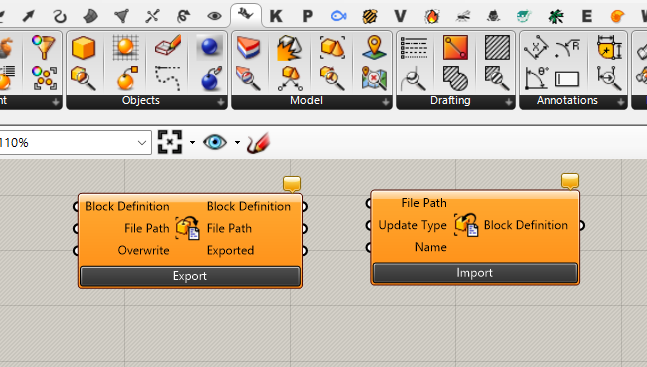
I’m not at a computer at this point, but as far as I know, they are. Can you post a .gh file (with a block internalized, of course). [Yes, they are somewhat hiding…]
-wim
I copied an internalized block instance component, closed all Rhino instances. Opened a new instance and pasted the instance component into Grasshopper from clipboard. I’m able to bake but what I don’t like is that the baked block instance always end up as ‘Embedded’ and there seems to be no way to bake it as ‘Linked’
I don’t know if this a is a bug. A block instance is a block definition with a plane. The block definition is saved in Rhino. You cannot save a block definition in Grasshopper. I thought maybe the internalised instance saves just the plane and ignores the geometry? Not sure. In the end you also cannot save / internalise a Rhino file inside Grasshopper or can you?
Well, in my view, if you are able to click Bake in Grasshopper, something should show up in the scene… You get a record of the block in BlockManager, the only thing missing is the geometry.