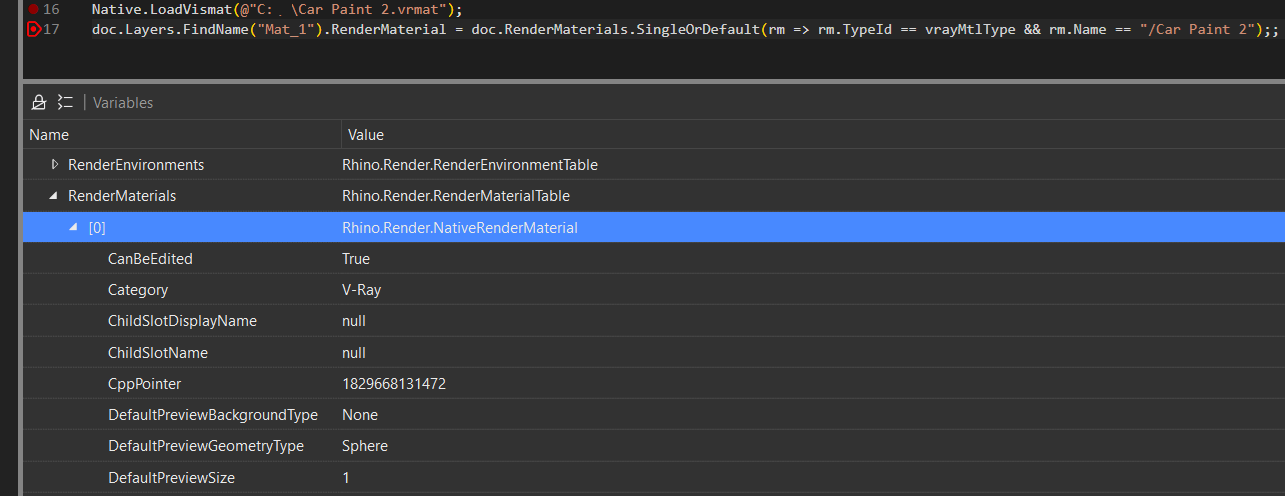
I want to load the Wood.vrmat file and assign the material defined in it to the layer named "Mat_1" in the current Rhino document. After that, assign this layer to specific objects.
However, I couldn’t find any official documentation or examples explaining how to do this using RhinoCommon or the V-Ray API.
Any guidance, example code, or pointers to documentation would be very appreciated!
Rhino does not understand .vrmat files, nor does V-Ray for a matter of fact. It is the V-Ray Asset Editor that can load such files and make Rhino materials out of it.
You can leverage the V-Ray for Rhino C API for importing VRMat files:
using System;
using System.Linq;
using System.Runtime.InteropServices;

static class Native
{
    [DllImport("VRayForRhino.rhp")]
    public static extern void LoadVismat([MarshalAs(UnmanagedType.LPWStr)] string path );
}

Rhino.RhinoDoc doc = Rhino.RhinoDoc.ActiveDoc;
Guid vrayMtlType = new Guid("68a07d39-9b12-4dcf-9007-e81ec233f0b7");

//load the file
Native.LoadVismat(@".\Materials\Wood.vrmat");//abosolute path is preferred

//find the material and assign it to the layer
doc.Layers.FindName("Mat_1").RenderMaterial = doc.RenderMaterials.SingleOrDefault(rm => rm.TypeId == vrayMtlType && rm.Name == "/Wood");
Unfortunately LoadVismat() does not return the GUID, index or the name of the loaded material, so you must know the name and search for it in the material table.
Thank you for your answer, but for some reason the materials only appear in the RenderMaterials list after the command is called again (after rendering).
How can I refresh or update the material list before rendering? doc.Views.Redraw(); doesn’t help.
If LoadVismat() does not make the object appear in the material panel, then there is something wrong with your file, or with the document - f.e. locks. This will most likely not work, if you run it while another command is executing.
I tested this script on an empty file, and it worked out of the box.
Once the script is run, check the if the material shows up in the Asset Editor.
You may need to debug your specific setup.
doc.Views.Redraw() only redraws the viewport, that has nothing to do with refreshing panels.
This material shows up in the Asset Editor, but when the script is running, the RenderMaterials are empty and I cannot call doc.RenderMaterials.SingleOrDefault(rm => rm.TypeId == vrayMtlType && rm.Name == "/Wood");
The material only appears after the script is executed.
Here is my code:
namespace TestMat
{
    static class Native
    {
        [DllImport("VRayForRhino.rhp")]
        public static extern void LoadVismat([MarshalAs(UnmanagedType.LPWStr)] string path);
    }

    [Rhino.Commands.CommandStyle(Rhino.Commands.Style.ScriptRunner)]
    public class TestMatCommand : Command
    {
        public TestMatCommand()
        {
            Instance = this;
        }

        public static TestMatCommand Instance { get; private set; }

        public override string EnglishName => "TestMatCommand";

        protected override Result RunCommand(RhinoDoc doc, RunMode mode)
        {
            Native.LoadVismat("...vrmat");

            foreach (var mat in doc.RenderMaterials)
            {
                RhinoApp.WriteLine("Material {0} was added.", mat.Name);
            }

            doc.Views.Redraw();

            return Result.Success;
        }
    }
}