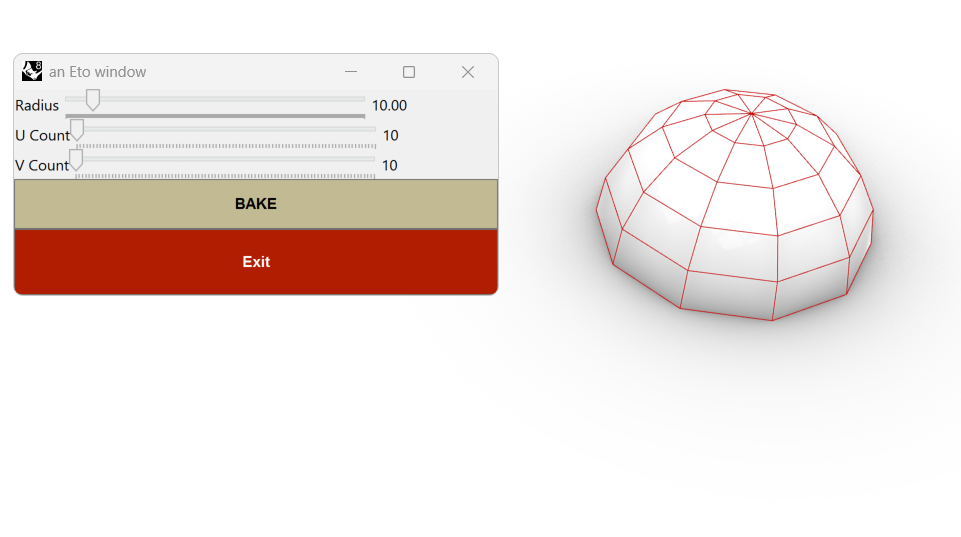
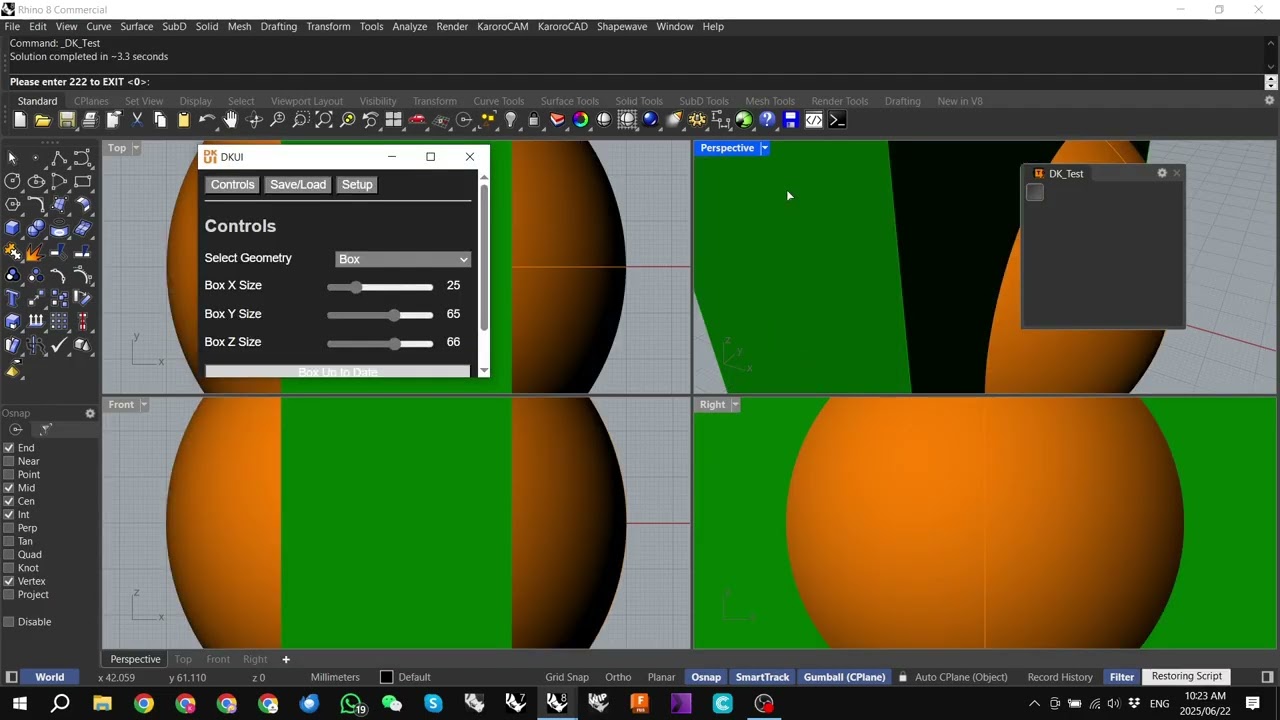
it seems like the Grasshopper Player misbehaves in compiled plugins. I have made a plugin using GH definitions that are launched headlessly via C# script (the process is explained here), which used to work up until RH8 SR15.
I hadn’t tested this workflow in a while. I just did it with the latest SR21, and the player acts up. It seems like the definition executes only once and ignores the “Keep open after command completes” property.
If the same definition is launched manually via the GrasshopperPlayer command, everything works as expected, and the definition remains open until the “exit” button on the interface is pressed. When launching from the compiled plugin, it seems like the definition is executed once and then exited, leaving the custom UI disconnected from the definition (buttons do nothing).
In a nutshell:
plugin command: the definition is executed only once (not what is expected)
grasshopperplayer launched manually in Rhino: works fine, as expected
This is something that can be tested using the attached rhp (it’s also in the PackageManager as “Test_RCP”).
You can try the “launch_Synapse” and “launch_HumanUI” commands from the plugin, and compare the behaviour by running the corresponding Grasshopper definitions using the GrasshopperPlayer manually from Rhino.
The plugin depends on HumanUI and Synapse (v. 0.4.0) plugin (you can try either, not necessarily both). It also has a command that uses UIplus, but you can skip that test (and avoid installing that dependency).
Hey, thank you very much for the tip! I searched the forum for about one hour before posting, but I somehow missed that part of the thread (btw, congrats on DKUI plugin, looks rad!)
I’ll try with your suggestion; unfortunately, the actual plugin (for which Test_RCP is a small pipeline example just for these kinds of cases) has a way larger interface, and converting from Synapse to DKUI will take me quite some time, but I mean to try it in the near future, if time allows it…
I just recompiled replacing the Content Cache with Human’s Bake component, but the same issue remains (exits immediately with the plugin, leaving the interface disconnected, works as expected when manually invoked via GrasshopperPlayer).
Attached is the updated gh definition using Synapse, you can find the updated Test_RCP plugin in the PackageManager, last version.
NOTE: the updated plugin (and the definition) now use Synapse v 0.5.0 Test_RCP_Synapse.gh (78.7 KB)
Thank you again, I’ve just tested the logic you suggested and it works, but I consider it a crude workaround rather than a solution (not your fault of course, on the contrary, I am very grateful for your suggestion!).
For one, I’m not really a fan of the fact that, with this logic, you cannot interact with Rhino geometry while the script is active. Especially because this was possible before, something changed between SR 8.15 and 8.21, and I consider this a regression. Not to mention that an exit button, in case of a UI, is much more elegant and integrated than having to type a command to exit. For now, I guess I’ll have to make do with what’s possible.
Again, none of what I am complaining about is your fault, I hope the developers in charge of the Grasshopper Player can get this issue sorted.
McNeel/Rhino has introduced tooling to compile Grasshopper definitions into YAK-deliverable plugins — which is great. However, these tools were built with a “run once and exit” execution model in mind.
For those of us looking to build persistent or semi-interactive tools, this presents a problem. In Rhino 7, there were some workarounds (e.g., using the Remote Control Panel). Rhino 8 introduced the “keep open after script completes” option, which helps — but what’s still missing is a clean way to intentionally exit or shut down a compiled Grasshopper plugin.
At the moment, there’s no reliable or tidy way to programmatically close or exit a GH script that’s running in this compiled plugin context.
So I’ll ask again: Can we please get a “Terminate/Exit Compiled GH Script” component or method?
Would really help with building more robust, user-driven tools in this new plugin model.
I’d love to, but how can I create a UI without external plugins? Can I use ETO directly in C# or Python components for that?
To clarify where I see the regression: before this change in behavior, my compiled plugin setup that worked had only a Context Print component waiting for a value (which was provided when an Exit button in the interface was clicked):
In that situation, the script worked while interacting with Rhino entities was still possible, and the developer’s control over the exit condition was at least intuitive.
With the current SR, a Context Input NEEDS to be present (other than a Context Output), and the script works until the Context Input receives the expected input. In this situation, the script prevents any Rhino entity interaction while it’s running, and to end the script one has to type at least one input in the Command line, with far less control from the developer over the exit condition.
Replying here just because it is related to the Script Compiler: I’ve made a test using Script Compiler, and it seems like the Python script used to launch the definition does not work in that version (the same script works if compiling with Script Editor).
I’ve created the same plugin in two versions:
Test_RCP_SC - compiled using the Script Compiler. Available commands: launch_Synapse_SC (the launcher Python script), Test_RCP_SC (the gh definition), helloWorld_SC (a test Python command that creates a HelloWorld text in 0,0,0)
Test_RCP_SE - compiled using the Script Editor. Available commands: launch_Synapse_SE (the launcher script, C# version), launch_Synapse_P_SE (the launcher script, Python version), Test_RCP_SE (the gh definition), helloWorld_SE (a test Python command that creates a HelloWorld text in 0,0,0)
The Grasshopper definition (using Synapse) is the same in both versions, the only difference is in the exit logic: the Script Editor version uses a Context Boolean input to “stay alive”.
The Python launcher script is the same in both versions (except for the gh definition they call, of course):
#! python3

import rhinoscriptsyntax as rs

import Grasshopper as gh

# Disable command line echo

# rs.Command("NoEcho")

# Load Grasshopper with no Banner

# Banner: Disable, Window: Show

rs.Command("-Grasshopper B D W S _Enter", echo=False)

# Collapse GH Window to title bar

gh.Instances.DocumentEditor.CollapseForm()

# Window: Hide

rs.Command("-Grasshopper W H _Enter", echo=False)

# Add the RCP to the current GH/Rhino

gh.Instances.ShowRemotePanel()

# Launch the Grasshopper Script Headless with GH Player

rs.Command("Test_RCP_Synapse_SE ")
The weird thing is that if I execute the launch Python script for the Script Compiler version directly from the Script Editor, it works just fine, but when I execute the corresponding command from the compiled version (launch_Synapse_SC), nothing happens. If I execute the Grasshopper definition related command (Test_RCP_SC), it works fine.
Attached are the two yak packages (they can be installed in parallel, dragging them onto an open Rhino instance), and a zip file containing the source files and project files for both versions.
@Japhy maybe you can check this out as well? Thanks in advance and sorry for bugging you, but this is a head-scratcher for me… This is not the first time I used the Script Compiler, but I’ve never encountered this behaviour before.
I have an update as well with some tests we have done.
We have compiled 4 different events and write information to the console to follow their behaviour. See link below:
1: Debug_QueryModelObjects_Project
The Query Model Object component expires correctly when a point is added to the Rhino document but it fails completely if you MOVE a point. In the non-compiled version it works.
2: Debug_DynamicPipeline_Project
Dynamic Pipeline works as expected.
3: Debug_DocumentUserText_Project
Event listener that expires if the document user text has been changed.
Works as expected.
4: Debug_DKUI-Window_Project
For you @kiteboardshaper , Here we look at the event of window state, and the behaviour is very odd and not consistent.