Drawing order Hatches and Curves

Drawing order Hatches and Curves or how to emulate a transparent overlay mode

Hello Zookeepers,

I’m drawing a siteplan for an architecture project. I want to produce a drawing for different levels on top of the ground level. Very sadly, Rhino doesn’t have a transparent overlay mode like ArchiCAD or Vectorworks have, so I’m trying to build a workaround:

  • Base drawing is on floor level 0.00.
  • I created a new Cplane +15.5m above
  • In a new layer above the base layer I drew a transparent white hatch on the new CPlane which I use to control how strong I can still see the base layer.
  • Now, newly drawn Curves are being sorted/displayed behind the hatch, despite being in a layer above and even when moving the white hatch -1m lower, the hatch still is shown above my Curves.
  • only BringToFront after I have drawn the Curves brings them in front of the Hatch which makes my DIY transparent mode not really feasible..

Is this a bug? I would assume that a newly drawn curve in layer above the hatch (which is actually now -1m lower) should also be displayed on top of the hatch and not underneath..
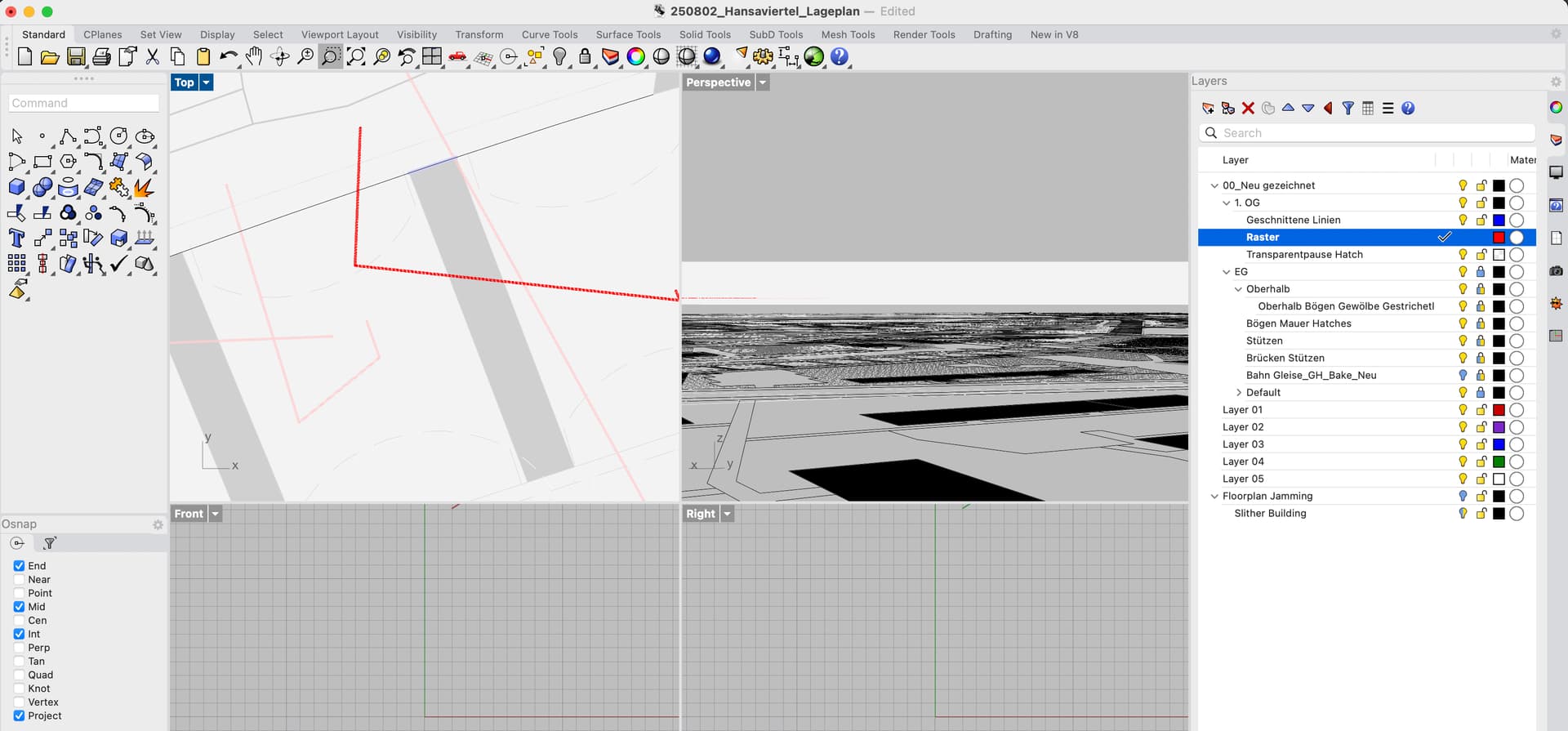

Here’s a video of the issue:

Even when the black line is moved several meters above the hatch, it’ still being displayed underneath the hatch, even though the hatch has been SendToBack.

Only selecting the curves and BringToFront actually brings them to the front. It would be great to fix this issue (or tell me what I’m doing wrong) so I could work with this workaround for a Transparent Overlay Mode..

Not seeing that here in a quick couple of tests - can you export a file to test with just the hatch and the curve? OK, I’m on windows, maybe there is a display diffeernce…

I am going to test this to see if I can recreate it. Getting the model would help.

But if I had to guess, it might be one of two things:

  1. Limitations of the Video card ZBuffer. This can happen if the groundplane is very large and then the curve and stuff is zoomed quite far in. The large baseplane image sets the Zbuffer to be quite large in size and that leave as little detail to sort objects in the screen. Typically zbuffers have 256 levels they can sort. The Zbuffer sorting is video card related, so seeing systeminfo here would help.
  2. Less likely, but possible far from origin problem? How far from origin is the curve? I run Analyze point and snap to an endpoint to determine that.

Looking into how to do a transparent overlay would be interesting to look into also.

Can you explain how you use a transparency overlay? For what purpose of workflow?

Generally to create transparency overlay in Rhino use layer transparency. That could be extended to a linked insert.

But, I see that there is some difference with the way Hatch transparency works specifically when compared to surfaces. This I need to report to see how that is supposed to work.

Hi Scott,

I will try my best to explain what I’m trying to achieve:

For architectural projects it’s incredibly useful to be able to stack drawings as you would stack floors. Imagine a house with 3 floors. The internal layout of walls might differ on each floor, but certain walls and other things like shafts etc. need to be properly aligned on each floor.

In ArchiCAD, for example, there’s the possibility to draw on different planes (similar to CPlanes but different, I believe), such as Basement, First Floor, Second Floor and so on, and when drawing on the second floor for example, you can adjust how strong the lower floors shine through. A great feature that makes me wanna jump ships and use ArchiCAD.

I’m trying to find a work around for this in Rhino.

In my file, I have a referenced .3dm file inserted as block. This is the site plan.

Now I want to be able to draw on top of it, without seeing the clutter from the site plan. At the same time I need to align certain parts with the site plan. Therefore, I made a white hatch on an extra layer on top of the inserted block. With the layer transparency I can adjust how much the original plan is visible. So far so good.

The issue is that when locking the layer with the white hatch, it sometimes “jumps” behind the referenced block. The transparent overlay is gone.

When using “BringToFront” it places the hatch on top, but when I then draw new lines on a separate layer above the hatch, they are shown behind the hatch. I then have to manually select the new lines and also use BringToFront on them. Very tedious and annoying.

In other threads I’ve read about the wish for a proper drawing order. I can only second that. Also in layout view and printing, the transparent hatches don’t seem to behave as I would expect them to.

Maybe a good way would be to really enforce the layer order (layer above the other layer should really be drawn on top, as in Illustrator/Photoshop) although I also see some downside to that, so it might be better to consider adding a column in the layer view with a “z-drawing-value” so you could really control it precisely.

Thank you in advance!

So, draw order is generally layer based. So the top layers will draw over the lower layers. This also counts for the blocks that are inserted on certain layers.

The example model here shows how that works and I hope we can use it as an example of what you are trying to do.

Locking layers allows them to be visible, snappable but not selectable. In Display options locked objects can be automatically faded with color transparency and draw behind other objects. Would those settings work in this case?

Another way, but I am nto sure neccesary is Layer color can be changed to transparent colors. So potentially this could be used to fade out certain lines so they fade into the back, but still can be snapped to.

faded background.3dm (657.9 KB)

Dear Scott,

thank you for the time you took. I’m in the final weeks of my MA project, that’s why I haven’t found the time to investigate it further – I worked around it but will come back to it, but I think the problem stems from something related to this… drawing order in blocks…

The issue that I cannot wrap my head around is the drawing order inside of Blocks. For example, I have many blocks and nested blocks. In my understanding the drawing order should follow the respective layer position. It appears to me that when the objects are inside a block, which I created on the separate layer “Blocks” the newly created hatches (on layer “Hatches” below the layer for the outlines) are being displayed above the outlines – despite layer order suggesting the other way round..

The screenshot shows two blocks of a column clipped in plan. In the left block, the lighter net hatch is being displayed above the outline. In the right block I moved the hatch to the back with _SendtoBack. But according to your logic, I shouldn’t have to do this because the hatch layer lies below the outline layer. What am I missing?