hello,
i have a bunch of contour curves in different heights,

and i would like to make them closed in order to make surfaces from each curve
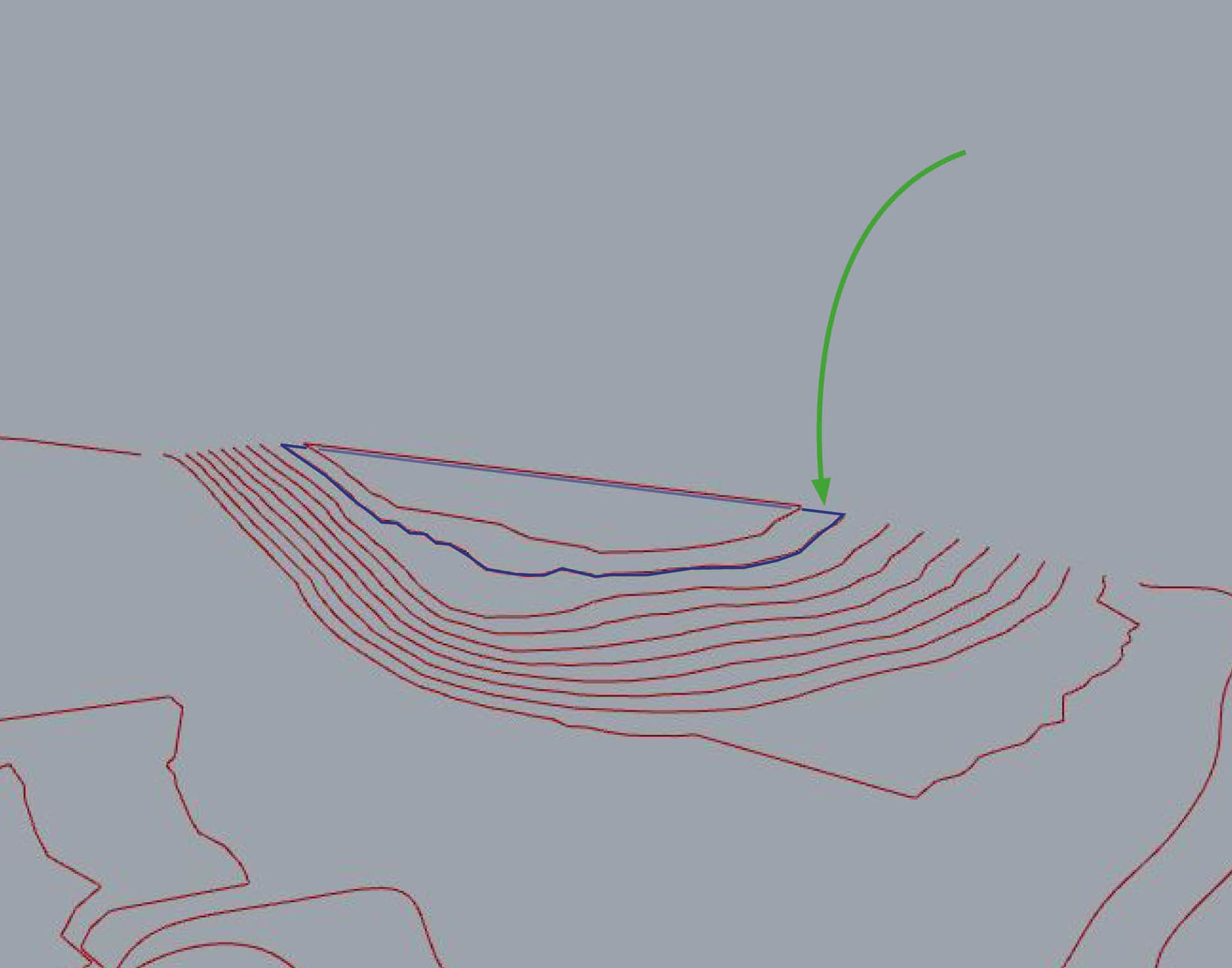
any ideas?
CloseCurveHlp.gh (2.3 MB)
hello,
i have a bunch of contour curves in different heights,
any ideas?
CloseCurveHlp.gh (2.3 MB)
hey,
i tried to trim my frame curves with the topo curves, or to intersect, but it does not work either.
i will be thankful for any help possible
close topcurve HLP.gh (858.5 KB)
Here’s something to get you started. The issue is once we Split the rectangle to close the curve we need a way of choosing the right segment to keep. Is it a inside closure or an outside, i believe there will be instances of both.
Hi @EliabuRada
It is not perfect, but it is something.
order lines by height
generate surfaces on each height
split surface and do some filtering
CloseCurveHlp.gh (2.3 MB)
Do you have just the curves or also the mesh of the terrain?
Also the mesh,
Here:
CloseCurveHlp_v01.gh (3.1 MB)
Hi Erik Beeren,
Thank you very much for your help, for the moment it doesn’t work, maybe because i am missing the curve midpoint component, but i am using the point on curve, which should do the job…
the curves on your script are projected to the c plane, and i am trying to close them, but keep them in their position.
In Rhino, extrude the mesh downwards. The result is a closed mesh in this case. Using that for the contours, there’s no need to close anything.
CloseCurveHlp_v01.gh (4.3 MB)
This is Great!!
thank you very much


