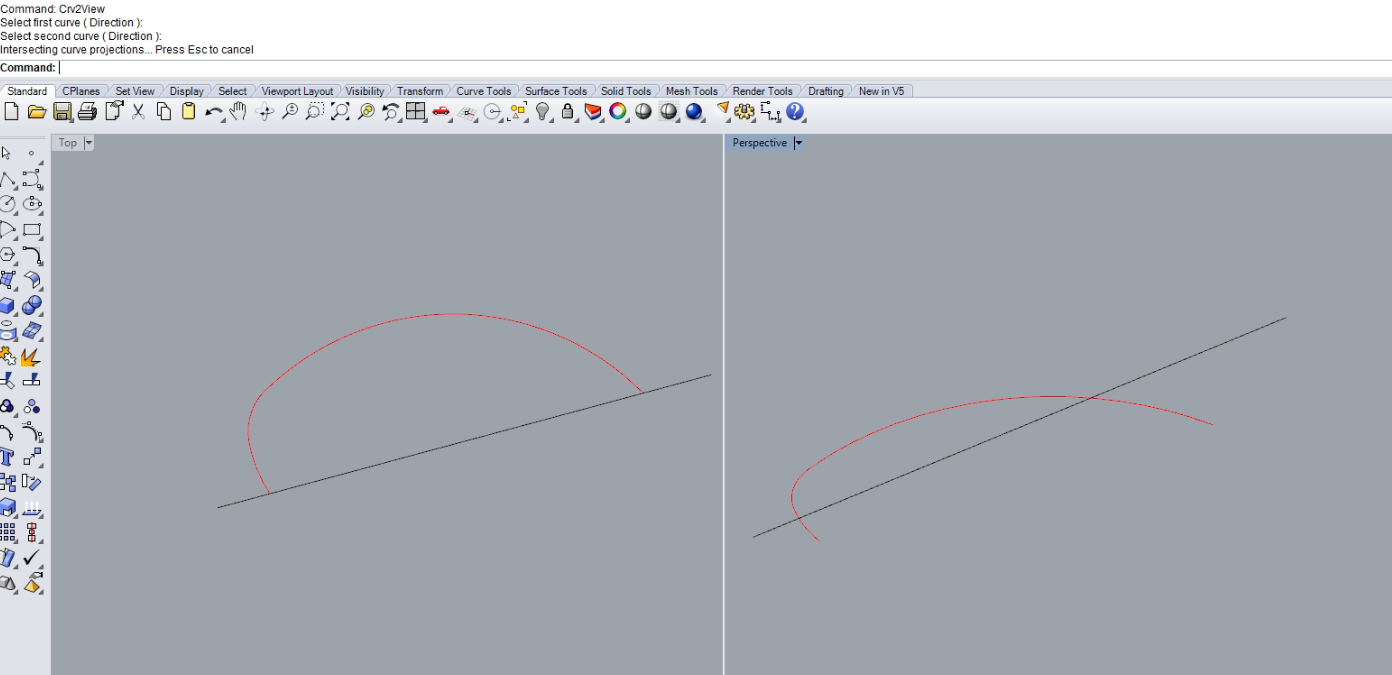
I have a 2D curve with certain points and I want to create a 3D curve in green colour.
I do know the start and end point Z-value so I have move them into the right place but how can I align the rest points to their places on the green curve? Suppose the green curve with a constant slope.
No, the green curve is what I want to create. What I have now is the 2D red curve and the Z value of start and end point of the green curve which I have move them already
that’s true but it would cost a lot of time for me to calculate the corresponding z value of each points to make the curve coz there are thousands of them
If you have a single curve with thousands of points then you need to Rebuild or FitCrv that surface with many fewer points, and/or Split it into several curves.
If you want to a curve with constant grade from the flat, 2D curve then:
ExtrudeCrv a vertical surface from the 2D curve
Put a point at the desired end of the new curve.
ShortPath on the extruded surface from the start of the 2D curve to the point. ConstantGradeDC01.3dm (1.6 MB)
From what I understood, you are attempting to elevate a set of points in Z using Ratio’s that are mainly calculated using distances along the original path (from start to t ) and the total length of that path
You can try command “Flow”
“Flow” → Select pink curve → Enter → Select black curve as base curve → Select red curve as target curve → Will generate blue curve