I’ve come across something I don’t understand. I have some very simple shapes, just triangles with filleted corners. Most of the time they are fine, but sometimes I can’t offset them. I can force an offset to happen, but that’s not why I’m trying to figure this out… when the triangles won’t offset, I also get a glitch in my CAM program where there appears to be a microscopic break somewhere, and it’s very difficult to find and even more difficult to fix. I have tried all kinds of things to clean up the geometry like project to Cplane to make sure it’s flat, and re-drawing the fillets and making sure they are trimmed to the lines… I always make sure when I join them I end up with a closed curve, yet I end up with some like the one in the sample drawing attached that I can’t offset… when I start the offset command, it shows the offset in the preview:
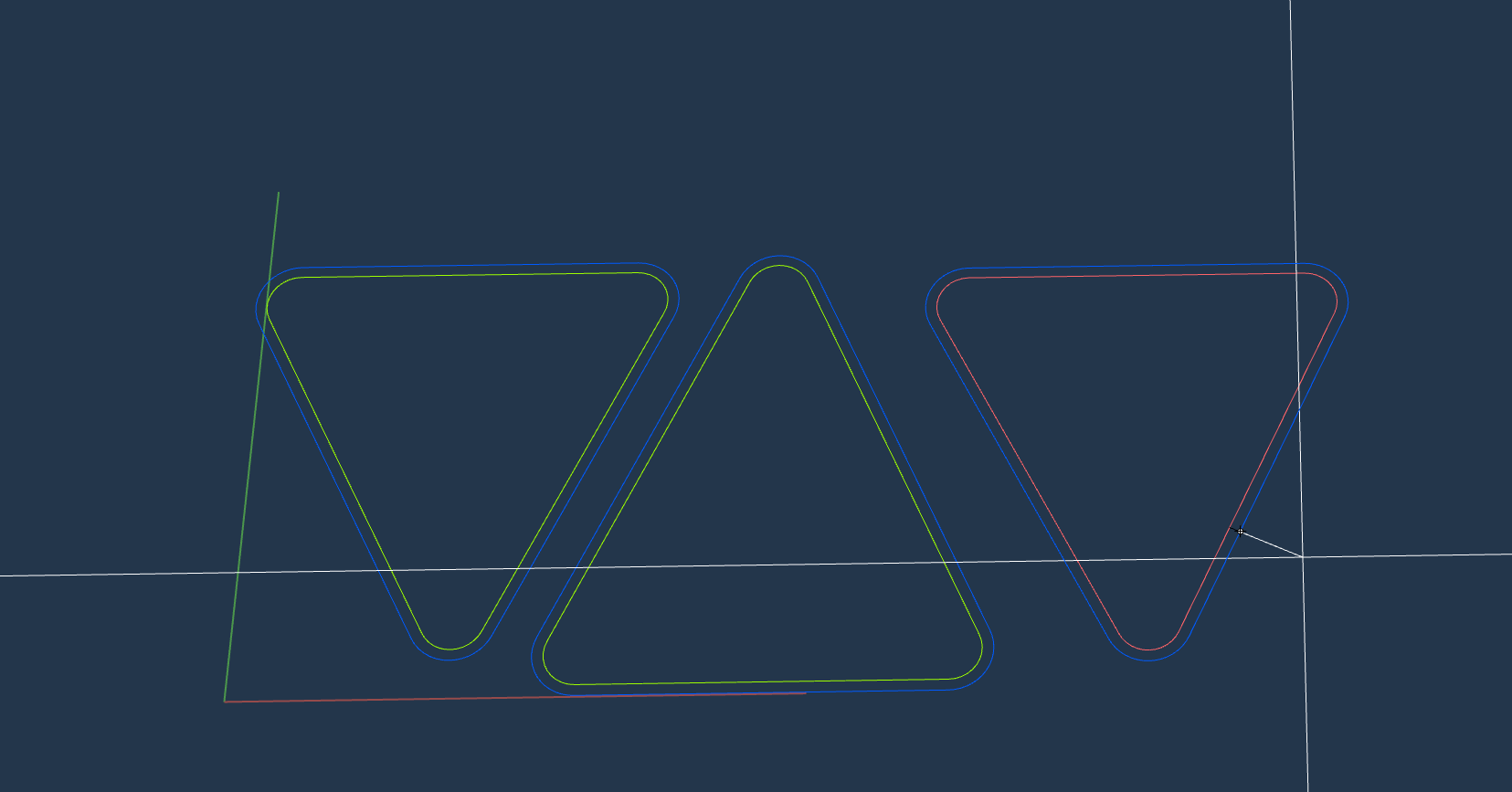
.
but when I click on the side I want to offset to, it just disappears and it says
Curve offset into one open curve.
I don’t understand this at all, when I joined everything it says it created a closed curve, and I should be able to offset any closed curve to another closed curve, why is this one resulting in an open curve? I can see the tiny segment it makes:

but I can’t figure out how to fix it… I’ve deleted the fillet and re-drew it… I’ve deleted the line and drew a new line tangent to the two curves. I’m baffled by this. Can anyone figure out what is wrong with my geometry and tell me how I can detect the problem and fix it? I have verified that I have G1 Continuity with two methods, if I explode it, and try to select it with SelChain and set ChainContinuity=Tangency then no matter where I start the selection, the entire filleted triangle is selected. or if I analyze each pair of entities with _Gcon it reports each pair are all G1… soooo??? I just can’t understand what’s happening here. If I have a closed curve with G1 Continuity, then why can’t I offset it to the outside and get another closed curve with G1 Continuity?
The parameters I am using are:
Side to offset ( Distance=1 Loose=No Corner=None ThroughPoint Trim=Yes Tolerance=0.001 BothSides InCPlane=Yes Cap=None OutputLayer=Current )
I can turn on Loose=Yes and then I get the offset, but that is not resolving my problem. The offset I just use for positioning these, it’s temporary, but I have noticed when I have this offset problem, I also have problems in my CAM program… so I am trying to figure out what is going on and how to clean this up so when I get to the CAM program I don’t have to figure anything out, I can just get it done.
The Offset is only an indicator that there is something wrong and I notice the same thing wrong when my CAM programs goes to offset for the toolpath. I can fix it in my CAM program by re-filleting them, but why can’t I fix them in Rhino?
The problem is, I don’t know they are a problem until I get out on my machine and get an error… then I have to go back to my office and figure it out, fix it, re-generate everything, etc… it’s a major slowdown in my workflow, it would be much better if I could fix this in Rhino when I try to do the offset and see it gets offset into a microscopic open curve. So I have a quick way to verify things in Rhino, just try to offset to the outside… but I have no idea how I can fix it.
When I can offset to the outside and get a closed curve with Loose=No then everything is fine from then on. If I get an open curve, then it’s messed up all the way through and I have to keep battling with it.
sample.3dm (50.9 KB)
Any help is greatly appreciated!