MEGA bummer. So the idea is to set section options for each layer individually, or by selecting multiple layers? “Custom” doesn’t tell us enough.
This is way too much brain damage to implement a fundamentally good thing
MEGA bummer. So the idea is to set section options for each layer individually, or by selecting multiple layers? “Custom” doesn’t tell us enough.
This is way too much brain damage to implement a fundamentally good thing
Adding section planes (and styles) to the grasshopper toolset is on our roadmap (although we have not begun work on it). I’m not sure if this feature would go into Rhino 8 or Rhino 9. Most new features (at least bigger ones) tend to go into the WIP first so that any bugs, etc. can be worked out before it goes into a final release. So, it’s possible this wouldn’t be available in Rhino 8 (but would be in the Rhino 9 WIP). But, I don’t have a timeline as to when this feature will begin work for Grasshopper.
I decided to take this comment back, but generally, there are things in Rhino that are presented as new tools and workflows but they are a few years of development away from being feature-rich enough so one can avoid tiring workarounds.
Appreciate your quick response,
Too bad this Rhino 8 feature will probably not make it. Its the only layer attribute missing for making these components very useful 

So I totally agree here, Rhino8 features still feel very WIP’py
Hi everybody,
I’ve just downloaded rhino 8. I’m testing the Clipping Planes tools.
Is there a fast/easy way to extract the section lines including also what is behind the Clipping Plane?
If I use “make 2d” I obviously lose all the hatches and the combine use of extraction of the Cllipping Plane section + “make 2d” it is not fluent at all.
Thanks for your support
Try ClippingDrawings command. Here is a quick video:
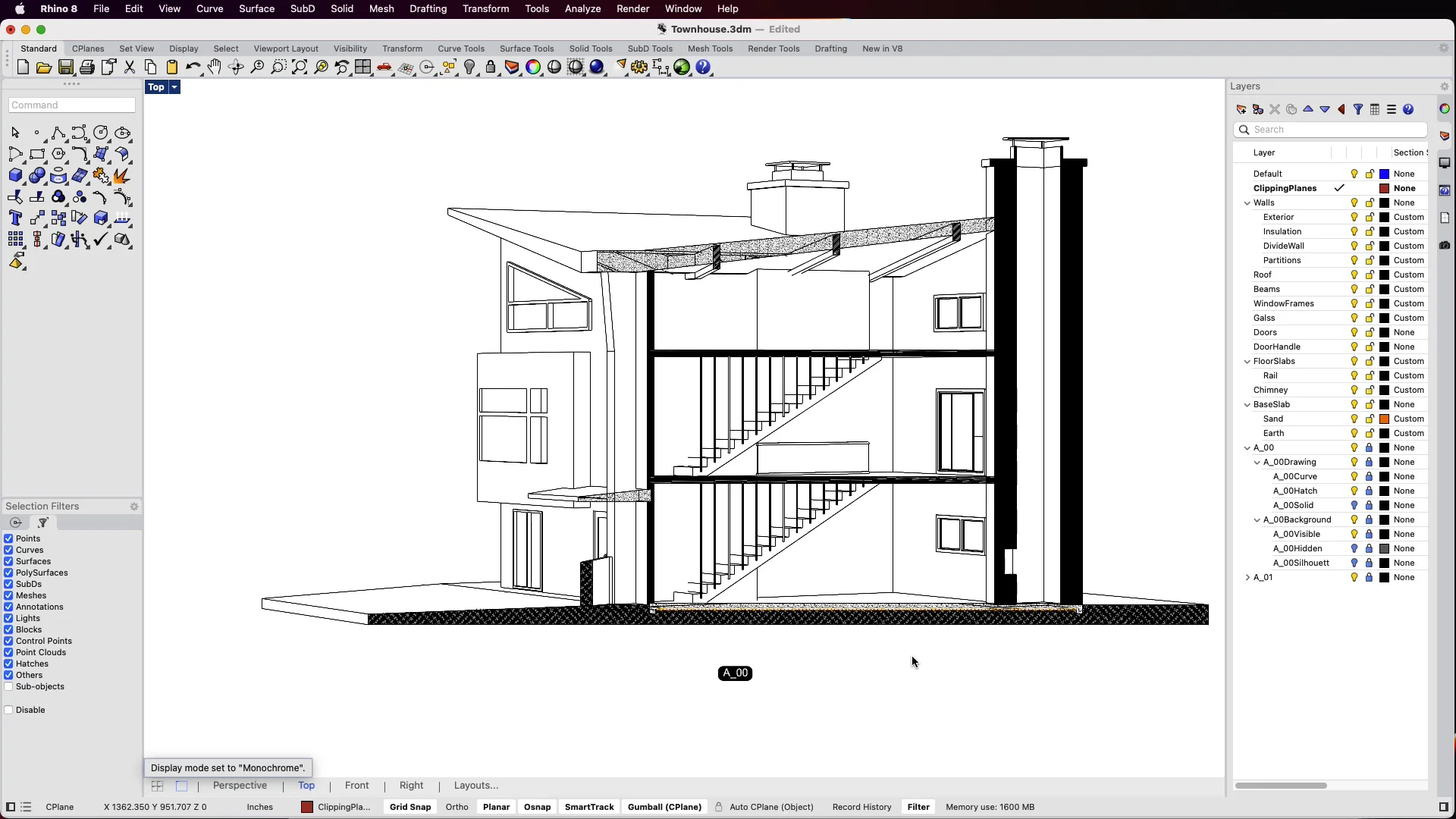
Thank you for your quick answer!
ClippingDrawings is great, but it’d be nice to be able to turn them into independent vectors, ala Make 2D, and have it preserve all the background, hatches etc. Feels like it’s a missing piece of functionality. Quite often - when creating working drawings for furniture - I hand edit the 2d representation to help clarify things.
The clipping drawings are vector drawings, you can always unlock the layers and make a copy to edit, dimension, etc. Would that work for you?
Ah, brilliant. Somehow I hadn’t spotted that - it’s just what I needed. Thanks.
I was glad to see someone mention the Make2D. As it would be handy to keep the properties in the same way Make2D works. Object properties>Maintain source layers
So in this way source Layer, Name, ect can be keept. Maybe as a sublayer.