how could I unify the my points to construct rectangle with 2 points some pieces cant construct a correct rectangles green is wrong created white what I need, I will appreciate your help
rectangle 2 pts.gh (146.9 KB)

what is wrong?
can you upload a file with 1 ore two examples only?
if you’re not happy with the rectangle through points at index 0 and 2:
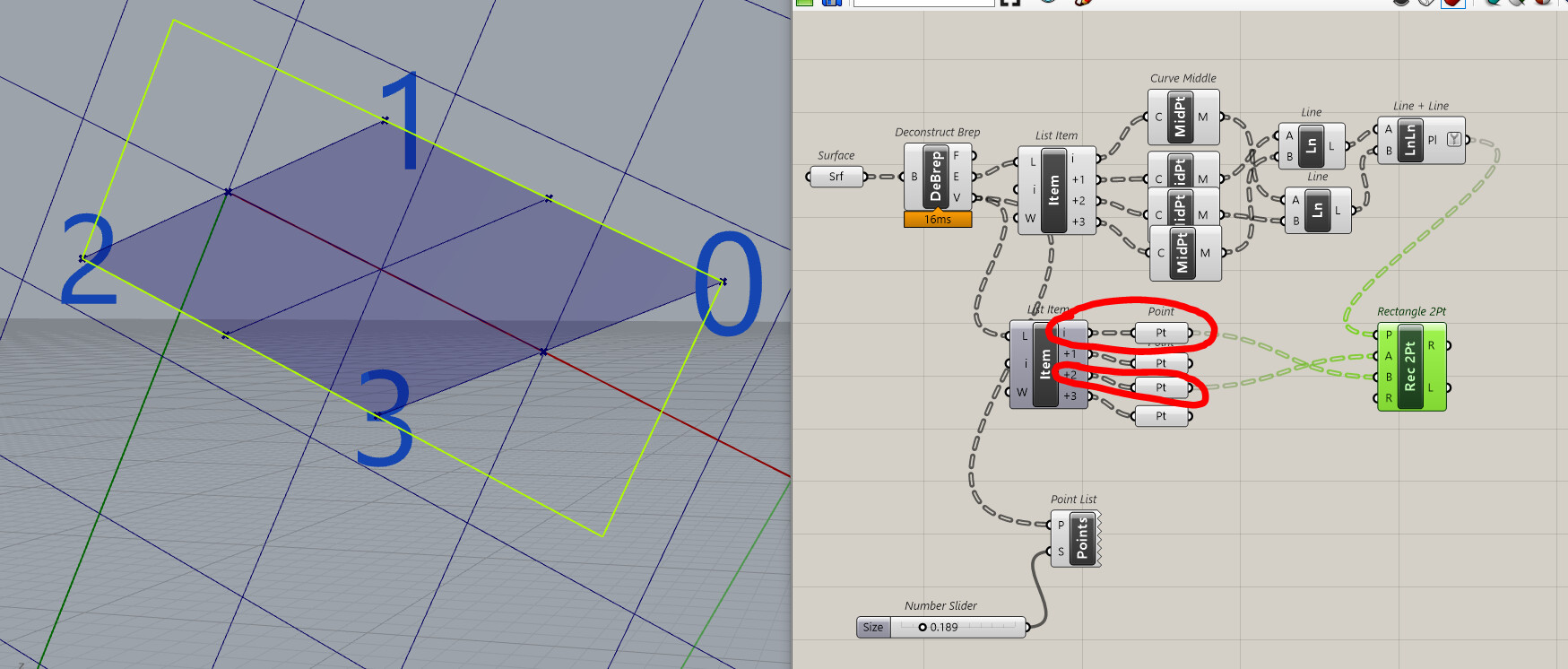
you can use points at index 1 and 3 ?

rectangle 2 -other- pts.gh (145.1 KB)
but the best solution might be to Bounding Box those? (to take care of some weird-shape cases)
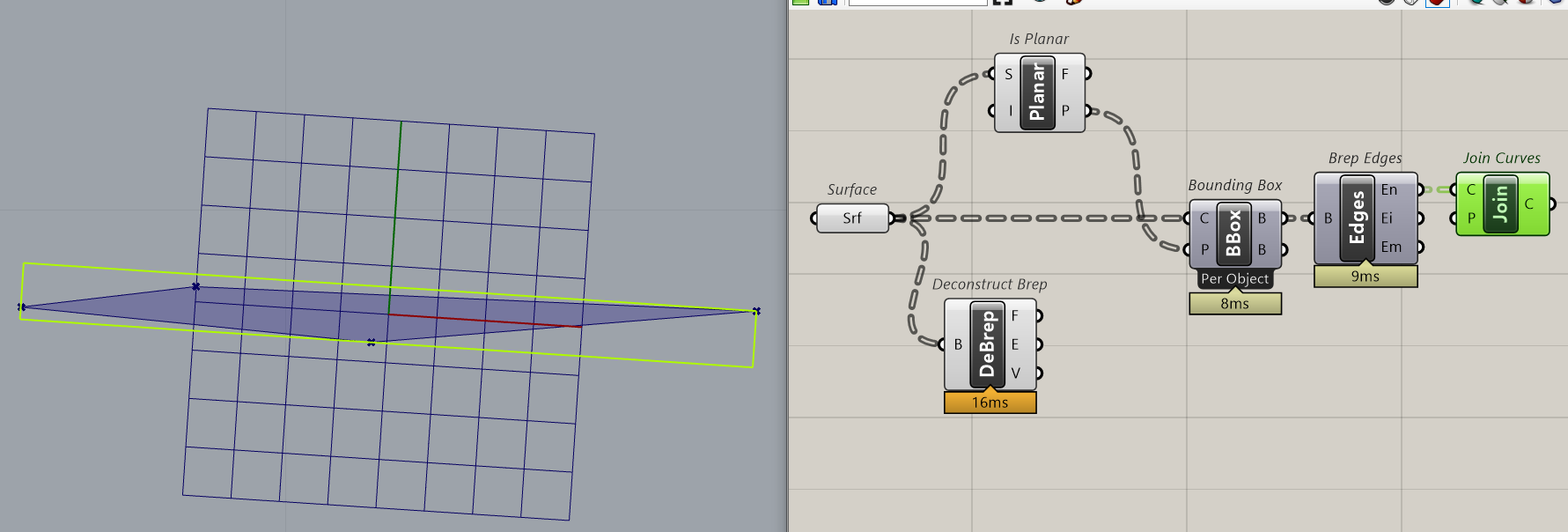
bounding_box_into_rectangle.gh (139.3 KB)
(the above is the generic approach, but consider you can Align Plane with the edge of the surface of your choice first)
Two points don’t define a plane  Three points do, so you can use Rec 3Pt or supply an aritrary plane to Rectangle.
1 Like
Busy day but i think this can works I need to evaluate but thanks for take a look