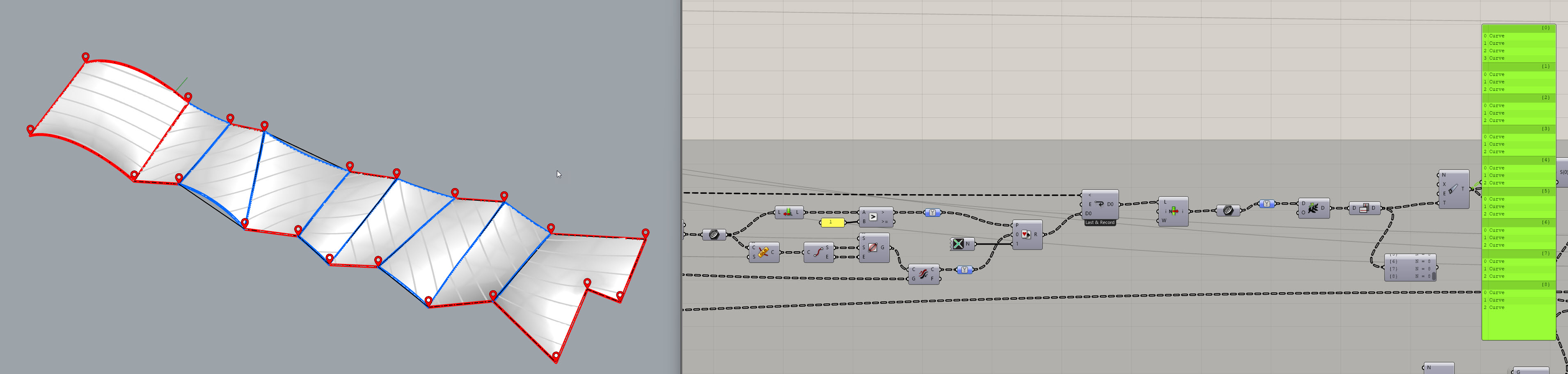
I really don’t use Anemone often, and, while it is kind of working with my tree input, it seems to produce a lot of duplicate results, useless branching… proportional to the number of branches in my input.
how? you are asking for a condition never given! listlength = 2? but you choose one before you check
in the end you do not succeed to create a curve - so listlength is always 0 or 1.
and the loop does end or is continued. if you want to stop processing just certain branches that could be done. but i do not see that in your example.
Each loop, it takes the branches (lines) and decides whether to cull them, split them and which direction they should go in and creates new branches which get fed back to the start of the loop.
It sounds like you want Anenome to loop once for each branch in your data tree whereas I think what happens is the whole tree of data goes through the loop. I might have misunderstood what you want though. AnenomeLeaf3a.gh (41.4 KB)
I think that you don’t really understand what’s going on in the loop.
Curves are created by intersection of a given surface with successive cylinders.
This yields a variable number of curves that I first filter for being on one side of a plane, but the resulting curves could be of any number ; I just don’t want there to be 2 curves.
If you flatten the exit condition as you did in your version of the definition, it makes no sense, because this test is meant to be done for each surface separately, thus the tree.
Anemone Loop End input wants a single boolean: that boolean decides if the iteration continues or not (if the iteration Counter has not already reached the number of repeats) and if another iteration will happen, it will go through your whole D0 input data-tree
one way you might maybe tweak the whole thing, is to add a second loop input (D1) that loops all the 3 booleans that now are used as Loop End
and also implement a selection system that, if one of those D1 input is already True, data in that corresponding branch is just sent to next iteration “as it is” without going through the grinder
at the same time, you need a Mass Multiplier with flattened input to handle the Loop End
will try to sketch something fast and update this post
Anemone can handle trees perfectly, you need to handle them correctly
If you don’t have a good knowledge of trees, especially in anemone you can make your pc explode
Suirify component is very NOT recommended. Some component will ad an extra element at the end of your tree (I suggest reading this Rhino - The Why and How of Data Trees). if you need to remove it, it’s better to trim. almost NEVER use simplify and flatten when working with trees.
Can you share a sketch and/or and explanation of what are you tring to model?
My conditional statement now only replaces the looping data by a null if the condition is not met.
For those who wonder, this algorithm is meant to perform patterning of textile membranes where the seams must be geodesics and the widths of the patterns must be close to a certain value (just a bit less than the fabric roll they will be cut out from).
Now as per the “Suirify” component which is named after me, don’t get me started on Grasshopper’s habit to graft data trees without being asked !
I, for one, hate working with stupid-long tree indexes such as {0;0;1;0;3;7;0;0;0;0;0;1}. The structure of the tree becomes un-readable, and you can have components bearing identical data structures, but with different index structures, and my brain just can’t deal with that.
I prefer to keep the structure lean and clean, even if that means always controling how much my data branches out.
If you don’t do that, and you need to Merge data streams, you can be sure your definition is going to break apart, or you’ll need to fiddle with the infamous Path Mapper, so to me, keeping indexes under control is the lesser of two evils ; that’s just how I roll.
Thanks for clarifying, I didn’t know the backstory behind Suirify — nice to learn it was added on your request!
From a workflow perspective though, I think there’s an important distinction:
When a new “0” layer shows up in the tree, the right move is to Trim at the point where it’s created. That way you remove the redundant branch level exactly where it appears, and only if you’re sure it will always stay unique.
Using Suirify everywhere after the fact is more like a blanket fix: it collapses everything, even when that extra level might later hold multiple lists. In those cases, Suirify actually destroys useful structure instead of just cleaning noise.
So yes, Suirify is handy as a shortcut, but it shouldn’t be a substitute for explicit tree management. Otherwise you’re just hiding structural issues instead of controlling them — and that’s when definitions start to get brittle.
My definitions are not brittle because I choose to control the branching, at the price of a loss of flexibility.
At each step, I consider that I should know what level of branching I need to achieve a specific task.
I could use “Trim” each time the components do their stupid grafting thing, but do you realize how silly my definitions would look like ? This is just nuts ; I would need to pepper the whole damn canvas with “Trim” components !
No ! A trim component works at a fixed depth while Suirify will adapt to the number of useless grafts that the previous components heave created.
I don’t agree ; you need MANY more for the reason exposed above
Now talking about the “Shift” component, that’s a real booby trap right there, because it will break your definition if the branching level is suddenly too low ; thus the “Shift path safely” component ; I think it’s from Treesloth.
Anyways, Fabio, after 20 years of working with GH, you are not going to change my mind on this
Come on… you are Suirifying every time the tree is grafted by one, which is exactly like trimming by one.
I also know very well about TreeSloth, thanks.
I don’t agree with you either, but ok. I encourage you again to read this (Rhino - The Why and How of Data Trees). It’s a must, even for a “20 years experience” user (which is longer than GH itself, by the way).
If you still don’t change your mind — have fun, and keep playing with yourself.