If you use the Vector Display Ex component to visualize the normals of your surfaces, you can see that they appear to be facing in 6 directions.

If you bypass the group that rounds the normal vectors and use a Paramater Viewer component to see how many branches the normal vectors have been divided into, you can see the 1,484 surfaces have been placed in 416 branches (not very useful). Looking at the S output of the first Create Set component you can see the list of unique normal vectors. The Evaluate component displays the values with all available decimal places (the Panel component by default only displays 6 decimal places).
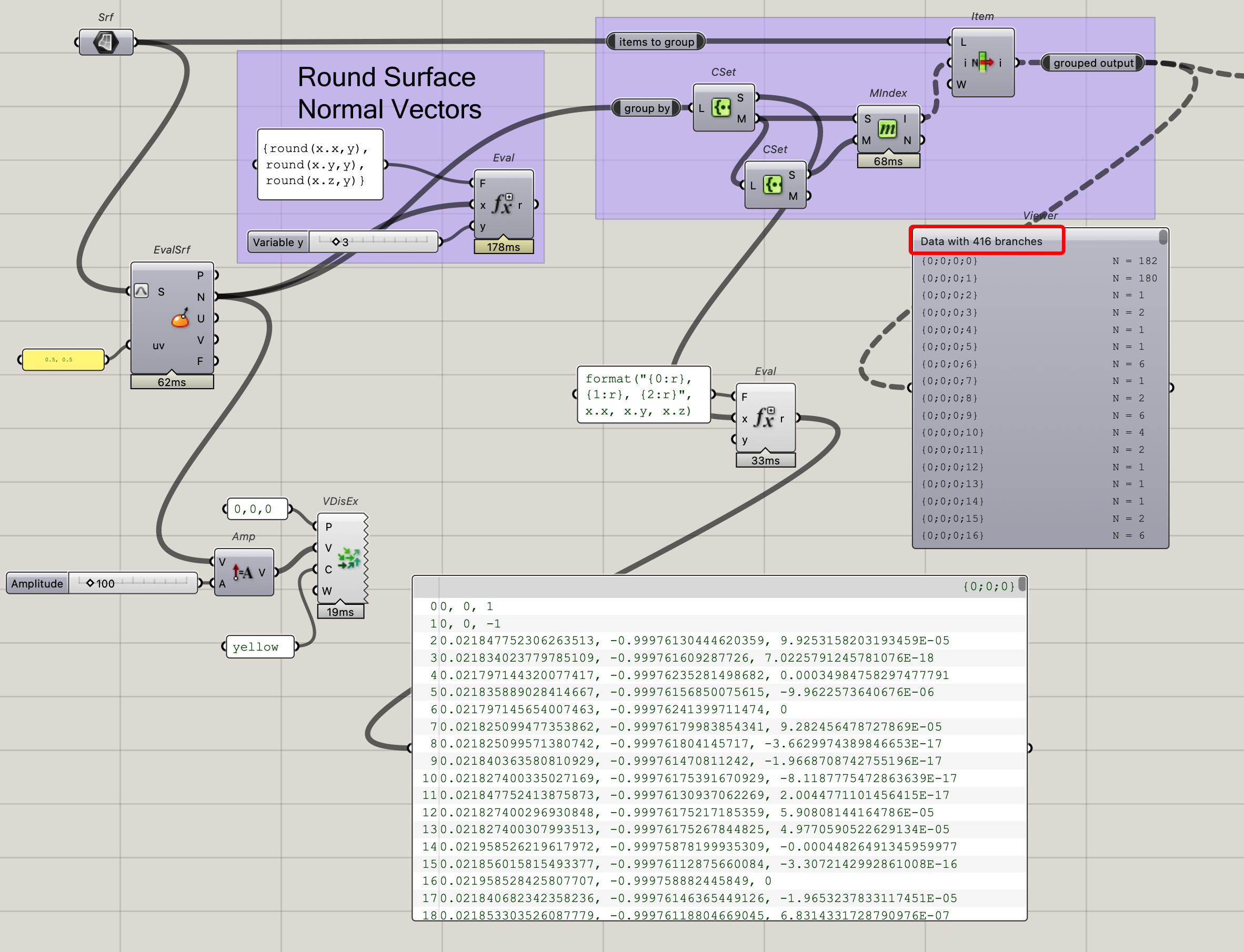
If you re-connect the group that is rounding the normal vectors and set the slider to 3, you can see that we are still getting 17 branches. Better, but still not what we’re looking for.

Changing the slider to 2 gives us 6 branches, this is our desired result.

It’s best to use rounding with caution, you want to keep as much precision as possible. With the file you provided, you could round to 1 decimal place (or even 0) and get the desired result, but it could cause problems in the future if you wanted to use this definition with another set of surfaces.
-Kevin