Ah yes, I think I see the problem. The script assumes a single boundary and tries to keep all naked vertices on that boundary curve, so when given multiple curves, it is pulling points from each mesh boundary curve to both target boundary curves.
I’ll modify it to allow multiple boundaries.
Here’s a version that allows multiple boundary curves as input

compactcircles_multiboundary.gh (18.9 KB)
Note that while there always exists a compact circle packing for a given connectivity graph within a single boundary curve, this is no longer true for multiple boundaries, so the circles generally cannot all be perfectly tangent.
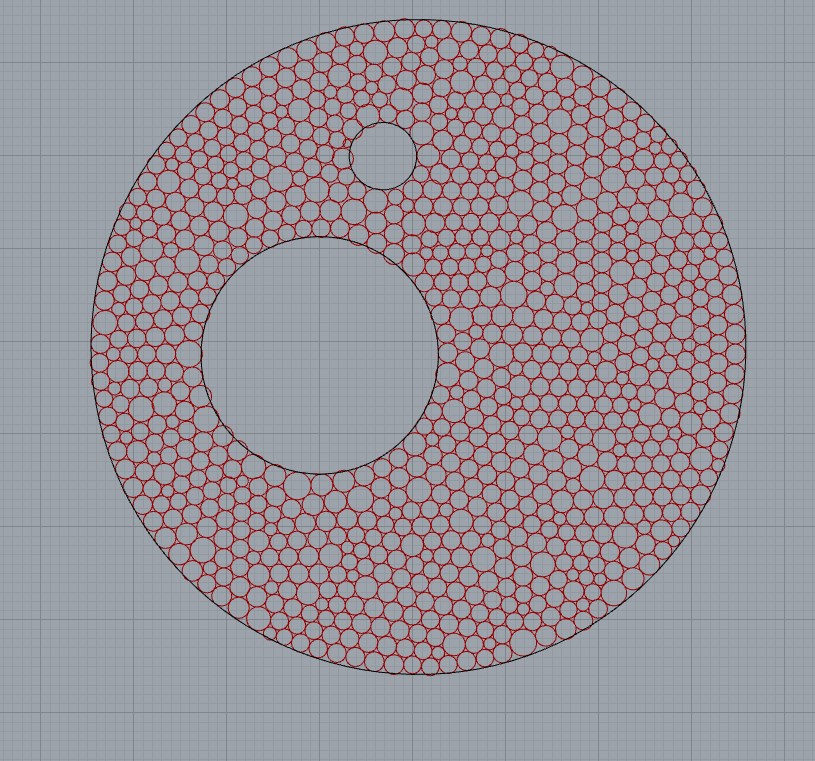
yummy, thanks a lot!
Hello, does anyone know where to get Kangaroo 2 v2.5.3? Food4Rhino only seems to have up to Kangaroo 2.42 available and I would like to use the trimesh component but my grasshopper cannot find it,
Thanks in advance!
Hi Lizzie -
Kangaroo 2 is a plug-in that ships as one of the factory-default plug-ins in Rhino 7. As long as your version of Rhino 7 is up-to-date, you’ll be using the latest version of Kangaroo 2 as well.
The TriRemesh component can be found on the Mesh tab.

-wim
I see! I’ve been using Rhino6 so there’s the problem, many thanks!
Hello again! I’ve been working this into my script but I can’t quite understand where the range for circle size/radii is input as I would like to control this, is this possible? Where would a range or set of wanted radii be input if it is?
Thanks!
Hello Lizzie,
You may want to share your file. I think there are a couple of ways to answer your question.
If you’re using the Tangent Incircles goal, the circle sizes will be related to the triangle mesh faces which is what you’re optimizing in that case. Not sure if it’s possible to control this to achieve a desired set of incircle radii, but others can weigh in.
If you’re using the Image Circles goal, there are inputs for max and min radii. But this will still produce alot of variation within that domain.
It sounds like Sphere Collide is the better goal to use here. You might be able to assign specific radii to groups of points, and run the packing with them. This post has a file that may be a good place to start.
Hi everyone, I’m still working on a similar problem here: Compact circle packing with a set radii range on a trimmed 3D surface
hi Daniel,Is it possible to control the radius of the circle to be the same?