Let me start by saying I’m not using the optimal computer to test this with but I’m trying out WIP on an old surface pro and notice a major difference in responsiveness between V8 vs WIP when it comes to going through submenus or changing tabs. Not sure if this is to be expected but this might prevent me from using WIP actively.
PS I like the fresh-looking icons.
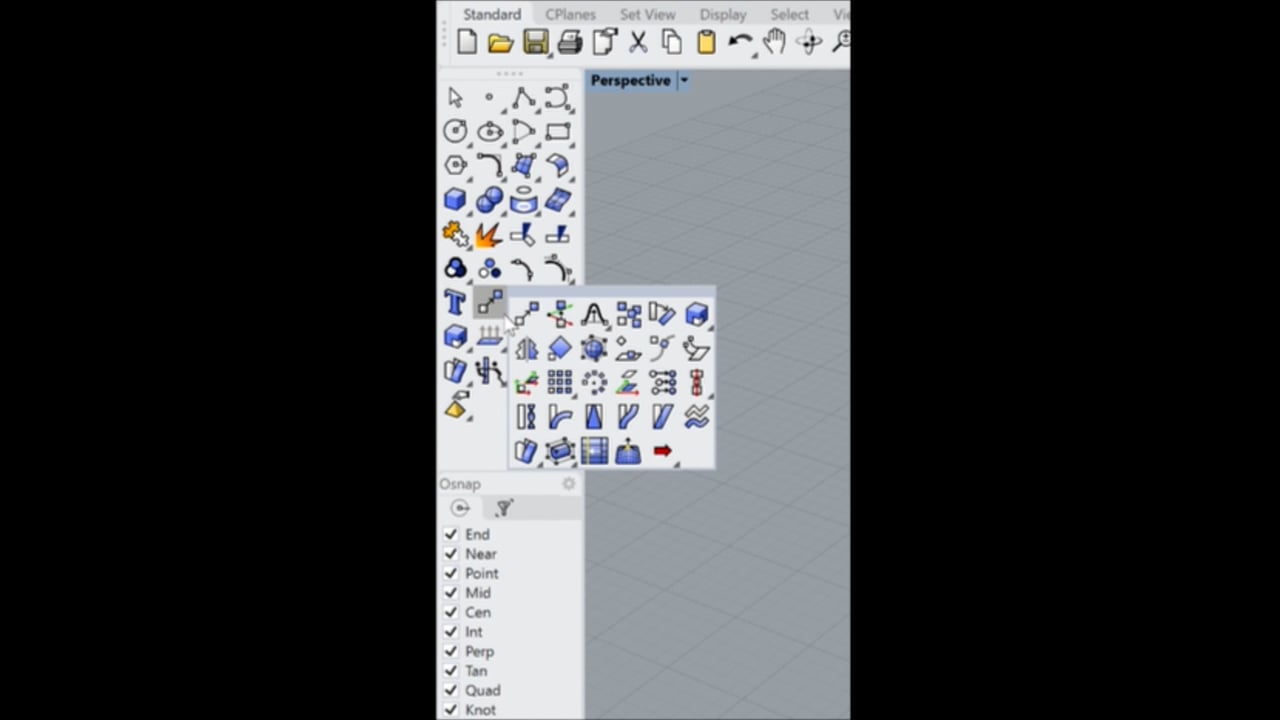
System info
Rhino 9 SR0 2025-10-28 (Rhino WIP, 9.0.25301.12305, Git hash:master @ 33d5864516762fbd087f77acb01504363e9334fa)
License type: Commercial, build 2025-10-28
License details: Cloud Zoo
Expires on: 2025-12-12
Windows 11 (10.0.26100 SR0.0) or greater (Physical RAM: 8GB)
.NET 9.0.1
Computer platform: LAPTOP - Plugged in [93% battery remaining]
Standard graphics configuration using DirectX
Secondary graphics devices.
Intel(R) UHD Graphics 620 (Intel) Memory: 1GB, Driver date: 9-5-2020 (M-D-Y).
Integrated graphics device with 3 adapter port(s)
- Windows Main Display is laptop’s integrated screen or built-in port
DirectX Settings
Safe mode: Off
OpenBLAS: OpenBLAS 0.3.29 DYNAMIC_ARCH NO_AFFINITY Haswell MAX_THREADS=64.
Rhino plugins that do not ship with Rhino
C:\Program Files\Common Files\McNeel\Rhinoceros\6.0\Plug-ins\LinCAM3 (705225dc-1882-b3a0-c058-11bec4409ed6)\1.0.7264.18591\LinCAM3.rhp “LinCAM3” 1.0.0.0
C:\Users\sieme\OneDrive\Documents\GitHub\Hamerkop\Hamerkop\bin\Hamerkop.rhp “Hamerkop” 1.0.0.0
C:\Users\sieme\OneDrive\Documents\GitHub\StingRay\StingRay\bin\StingRay.rhp “StingRay” 1.0.0.0
C:\Users\sieme\AppData\Roaming\McNeel\Rhinoceros\7.0\Plug-ins\CurvesToCNC (f8796609-54d5-98ec-dc34-c8df9fca6496)\1.0.9400.24183\CurvesToCNC.rhp “CurvesToCNC” 1.0.0.0
Rhino plugins that ship with Rhino
C:\Program Files\Rhino 9 WIP\Plug-ins\Commands.rhp “Commands” 9.0.25301.12305
C:\Program Files\Rhino 9 WIP\Plug-ins\rdk.rhp “Renderer Development Kit”
C:\Program Files\Rhino 9 WIP\Plug-ins\UpdatesAndStatistics\UpdatesAndStatistics.rhp “UpdatesAndStatistics” 9.0.25301.12305
C:\Program Files\Rhino 9 WIP\Plug-ins\RhinoRenderCycles.rhp “Rhino Render” 9.0.25301.12305
C:\Program Files\Rhino 9 WIP\Plug-ins\rdk_etoui.rhp “RDK_EtoUI” 9.0.25301.12305
C:\Program Files\Rhino 9 WIP\Plug-ins\NamedSnapshots.rhp “Snapshots”
C:\Program Files\Rhino 9 WIP\Plug-ins\MeshCommands.rhp “MeshCommands” 9.0.25301.12305
C:\Program Files\Rhino 9 WIP\Plug-ins\RhinoCycles.rhp “RhinoCycles” 9.0.25301.12305
C:\Program Files\Rhino 9 WIP\Plug-ins\Toolbars\Toolbars.rhp “Toolbars” 9.0.25301.12305
C:\Program Files\Rhino 9 WIP\Plug-ins\3dxrhino.rhp “3Dconnexion 3D Mouse”
C:\Program Files\Rhino 9 WIP\Plug-ins\BlockEdit.rhp “BlockEdit” 9.0.25301.12305
C:\Program Files\Rhino 9 WIP\Plug-ins\Displacement.rhp “Displacement”
C:\Program Files\Rhino 9 WIP\Plug-ins\SectionTools.rhp “SectionTools”