The resolution of an angular dimension cannot be changed, unless one replaces the numerical value of the angle in the “Edit angular dimension” pop-up window to “<>”. That is the default value in Rhino 8 and Rhino 8 en Rhino 9 differ in this respect.
Hi Leon -
I see that the actual value is used in the panel, instead of <>. That should probably not be the case.
On my end, when I change the resolution in the annotation style, this gets updated on the object in the viewport.
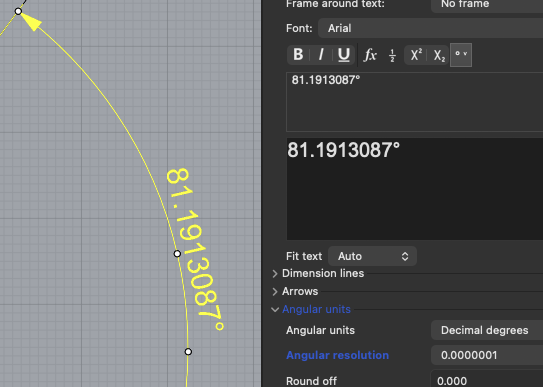
But then messing with overrides and removing those again, things get somewhat mismatched…
→ RH-98476 Annotation: DimAngular: Value in Panels and Resolution
-wim
Furthermore, I see that “<>” is used as default for a linear dimension. However, the dimension is shown with 2 decimals, and the option for changing that is not responding (default shown there is 4 decimals). Tested on two computers, latest Rhino BETA release.